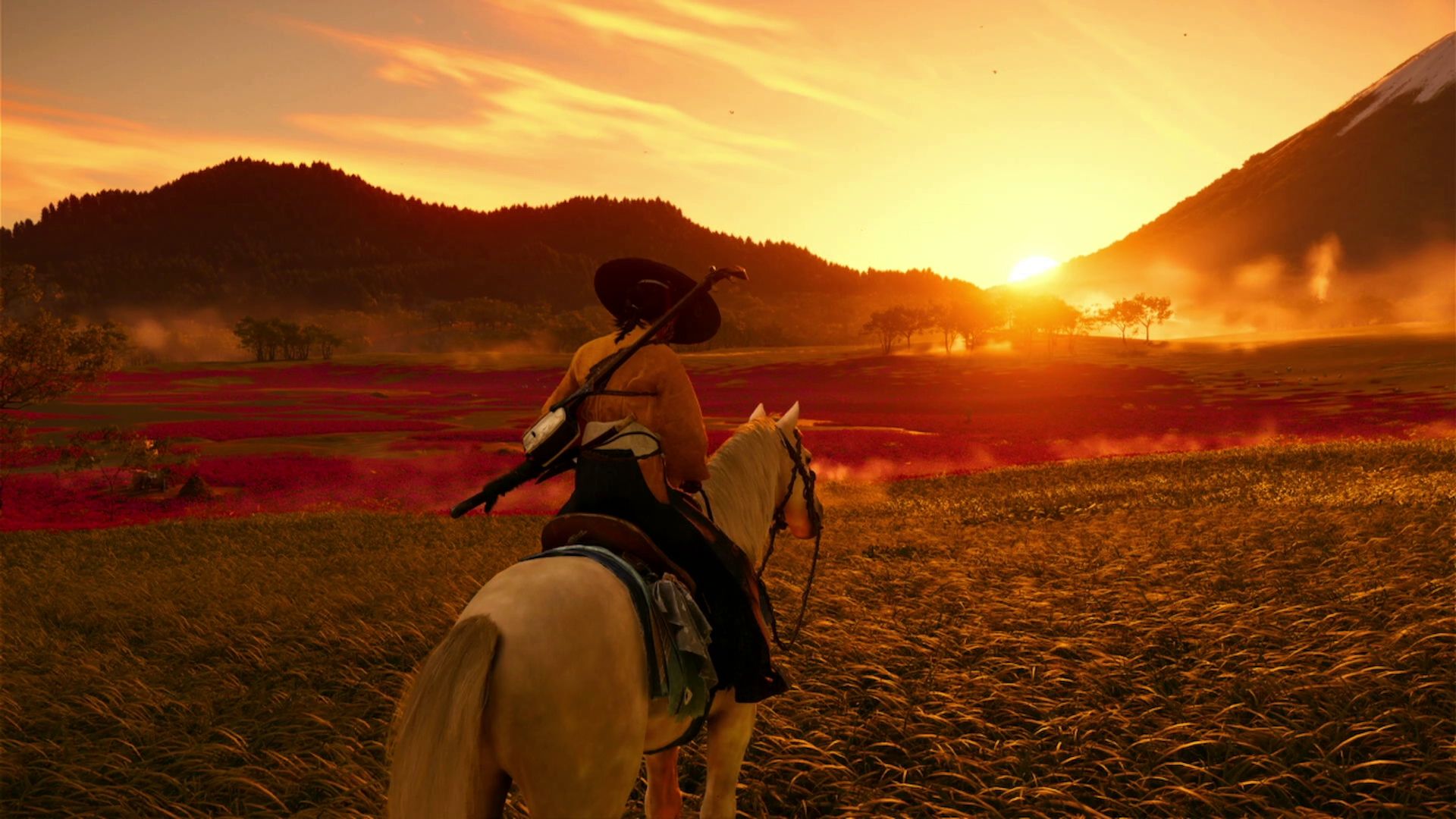
Whenever Atsu goes horseback riding in Ghost of Yotei, black bars appear at the top and bottom of the screen, creating a cinematic effect. Also, the camera pulls back, giving players a broader view of the surroundings and making it easier to find their way around.
Not everyone enjoys the alternate horse camera view, so some players want to know how to get rid of the black bars at the top and bottom of the screen. Fortunately, it’s a quick and easy fix. Here’s how:
How to Remove Horse Camera Letterbox in Ghost of Yotei
Horse Camera Letterbox Effect Toggle
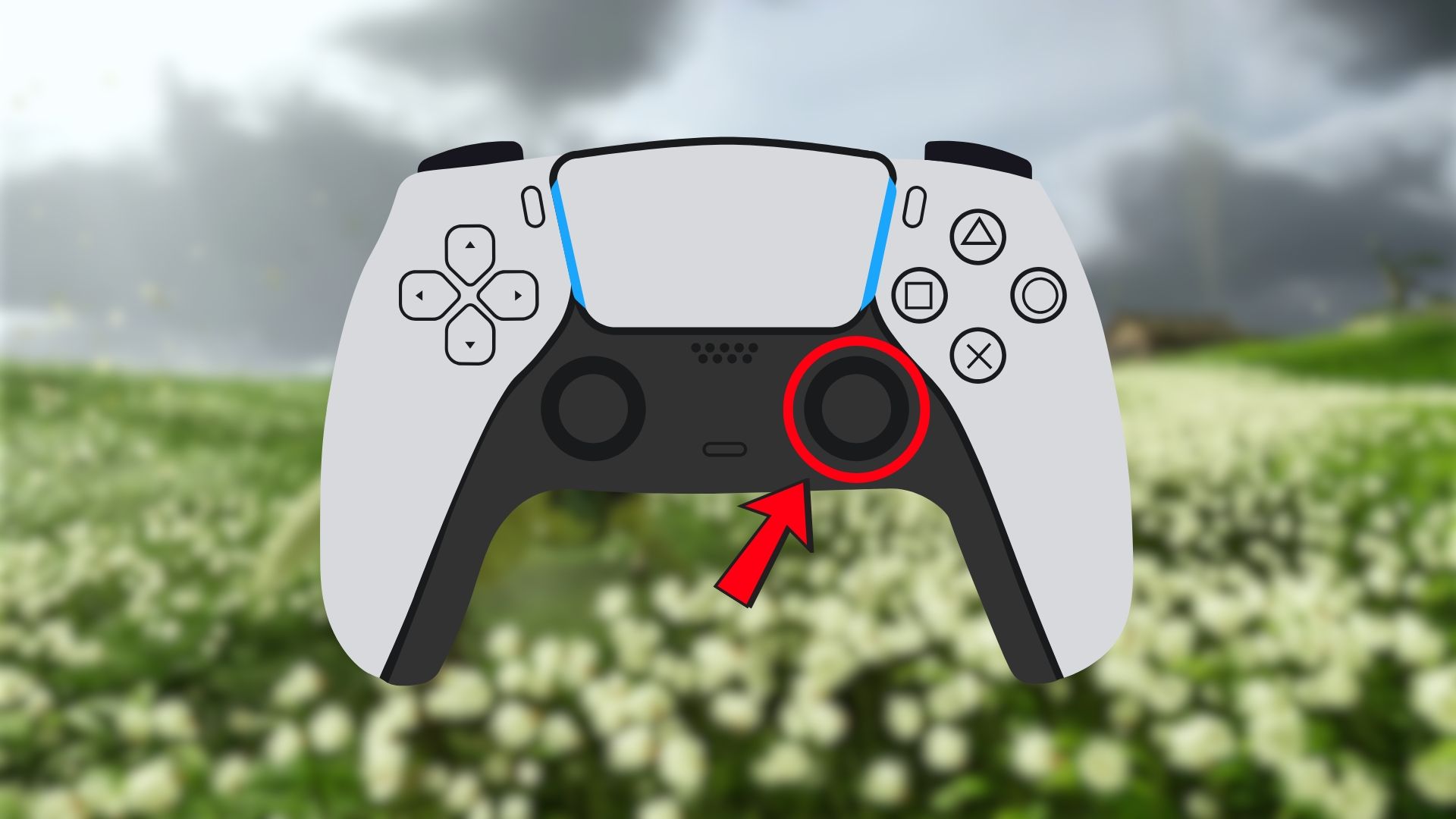
To remove the black bars that show up while riding a horse in Ghost of Yotei, press the R3 button (the right stick) on your PlayStation 5 controller. When you do this while on horseback, the game will automatically get rid of the black borders for a smoother experience.
Press R3 again to cycle between the other camera settings (detailed below).
Ghost of Yotei’s photo mode automatically removes the horse camera black bars when turned on.
All Horse Camera Settings in Ghost of Yotei
Horse Camera Modes
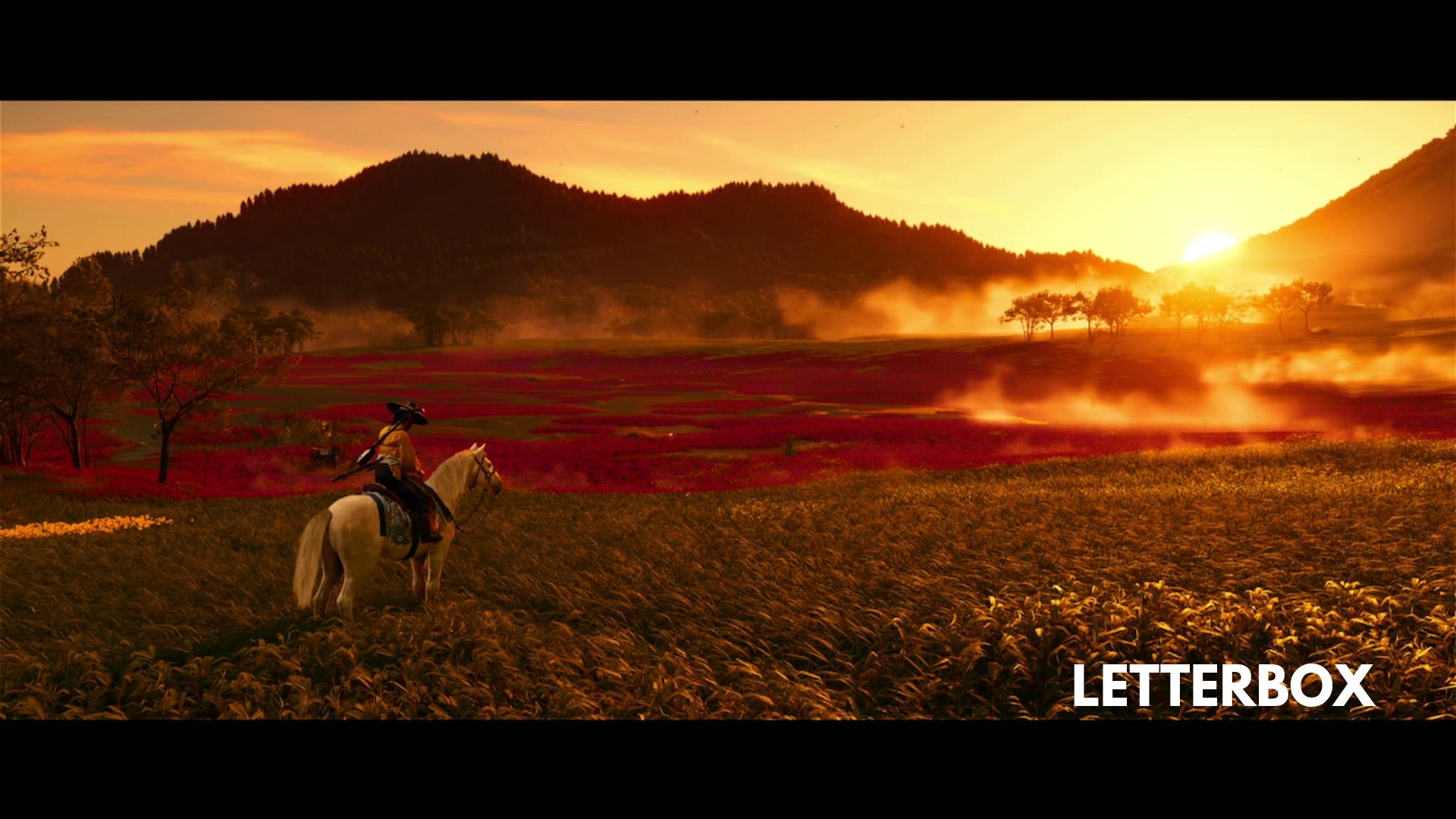
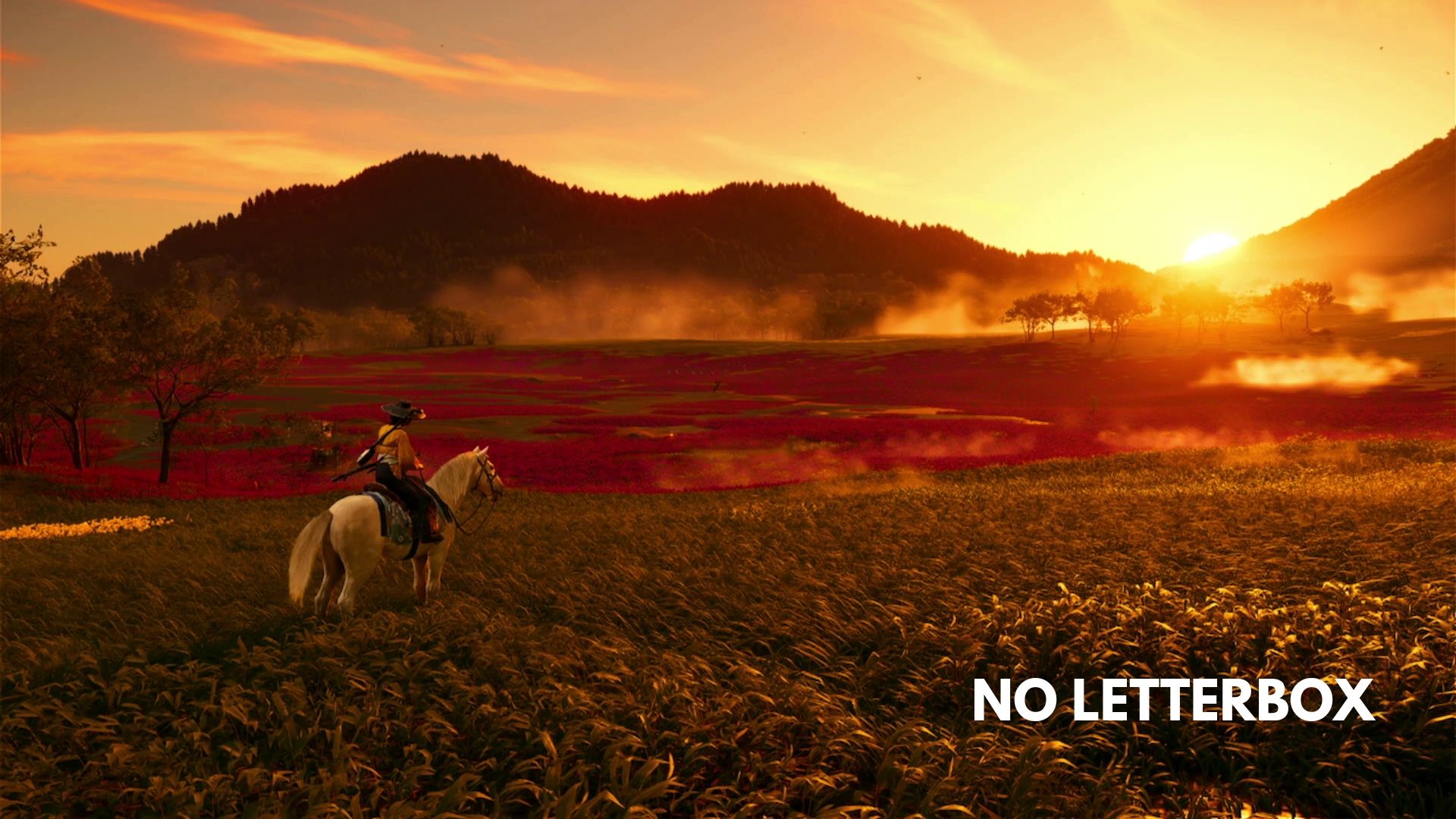
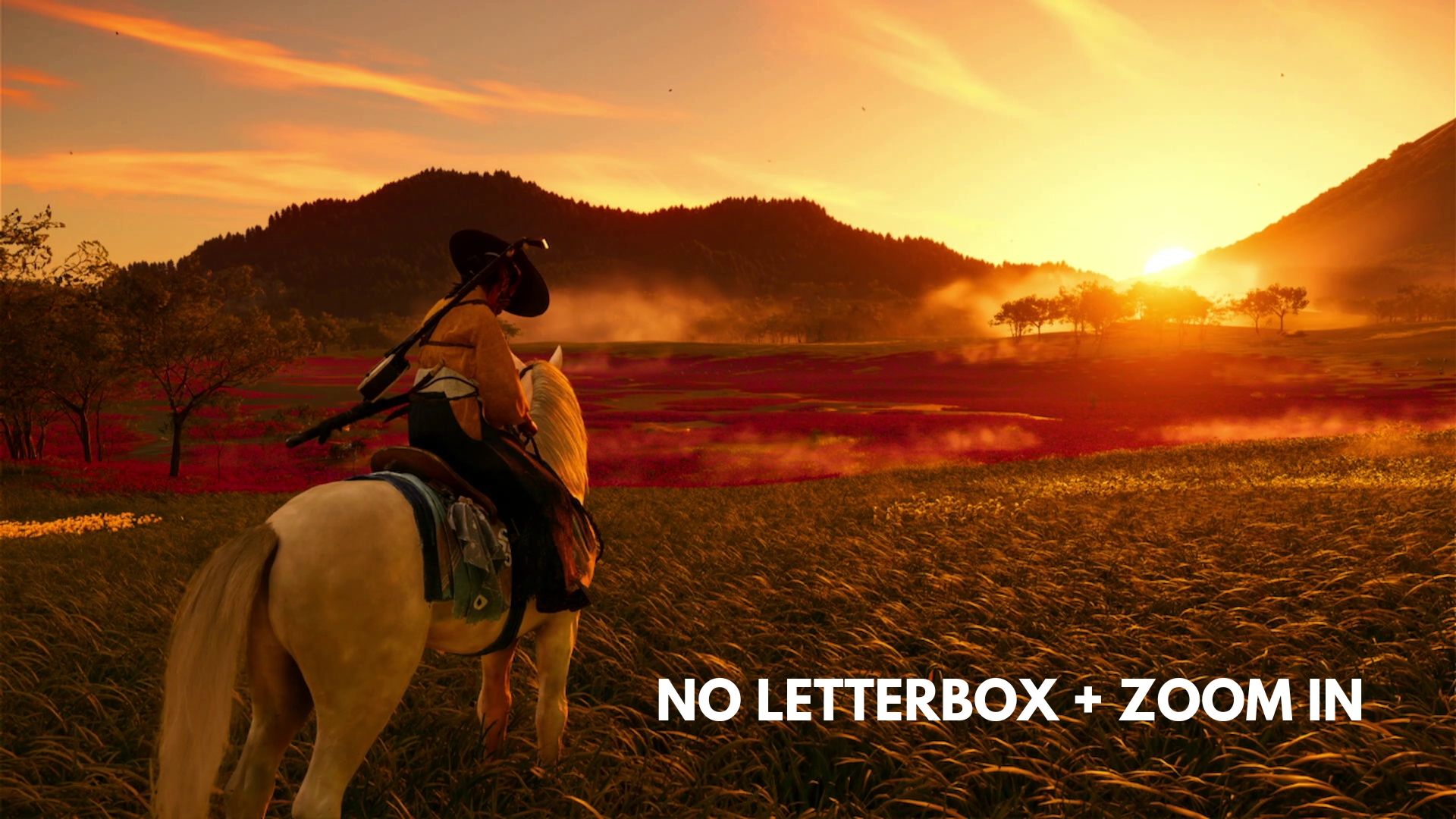
There are three horse camera settings in Ghost of Yotei:
- Letterbox + Zoom out: Two black bars appear on the top and bottom of the screen, and the camera is zoomed out all the way.
- Zoom out: The camera is zoomed out all the way, but the letterbox black bars disappear.
- Zoom in: The camera is zoomed in quite a bit, and the black bars are removed. Zoom levels are similar to how they are when Atsu is off her horse in normal gameplay settings.
While riding Atsu’s horse, you can switch between three different settings by pressing R3 (the right stick) on your PlayStation 5 DualSense Controller. Feel free to pick the one you like best.
You cannot have the letterbox effect when the camera is zoomed in.
No matter which option you pick, the game will save your choice. The next time you ride your horse, it will automatically use the setting you chose before.
Besides the unique horse perspective, Ghost of Yotei includes three cinematic modes that can significantly alter how the game feels. You can switch these modes on or off whenever you like during your game. Give them a try if you want to experiment with different ways to play.
Read More
- Robinhood’s $75M OpenAI Bet: Retail Access or Legal Minefield?
- Lonely Player Anomaly Commission Guide In NTE (Wandering Puppet Locations)
- All Skyblazer Armor Locations in Crimson Desert
- All Hauntingham’s Letters & Hidden Page in New Super Lucky’s Tale
- How to Complete Funny Blocks Game in Infinity Nikki
- Riven Tides Classified Records Keycard Door Location in ARC Raiders
- How to Catch All Itzaland Bugs in Infinity Nikki
- USD RUB PREDICTION
- Enshrouded: Giant Critter Scales Location
- Jujutsu Kaisen Modulo Gets An Official Anime Trailer By Studio MAPPA
2025-10-03 15:55