In Heartopia, players can get their decorated homes reviewed each week and receive a score. Based on that score, they’ll earn rewards – it’s a simple way to collect new items just by designing and decorating!
If you’re new to Home Evaluations, this Heartopia guide will walk you through everything you need to know to submit one. We’ll cover the requirements, the process, and all the rewards, so you can decide if it’s worth the effort to decorate your home.
How to Submit Home Evaluations in Heartopia
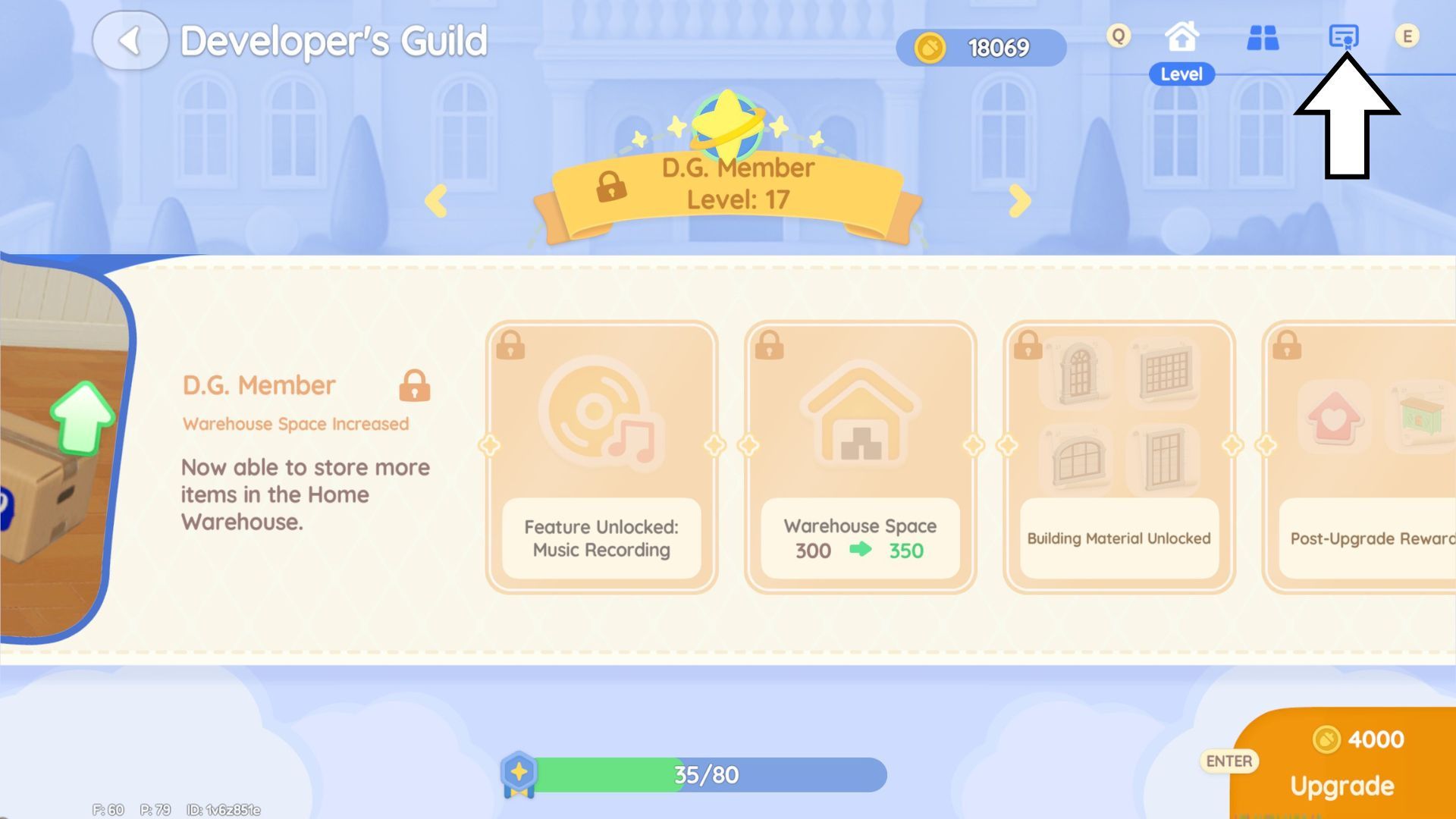
You can get a Home Evaluation once you reach Member Level 12. Then, go to your home plot using the Developer’s Guild app. Look for three icons in the top-right corner and tap the one that resembles a paper with a badge – this will take you to the Home Evaluation screen.
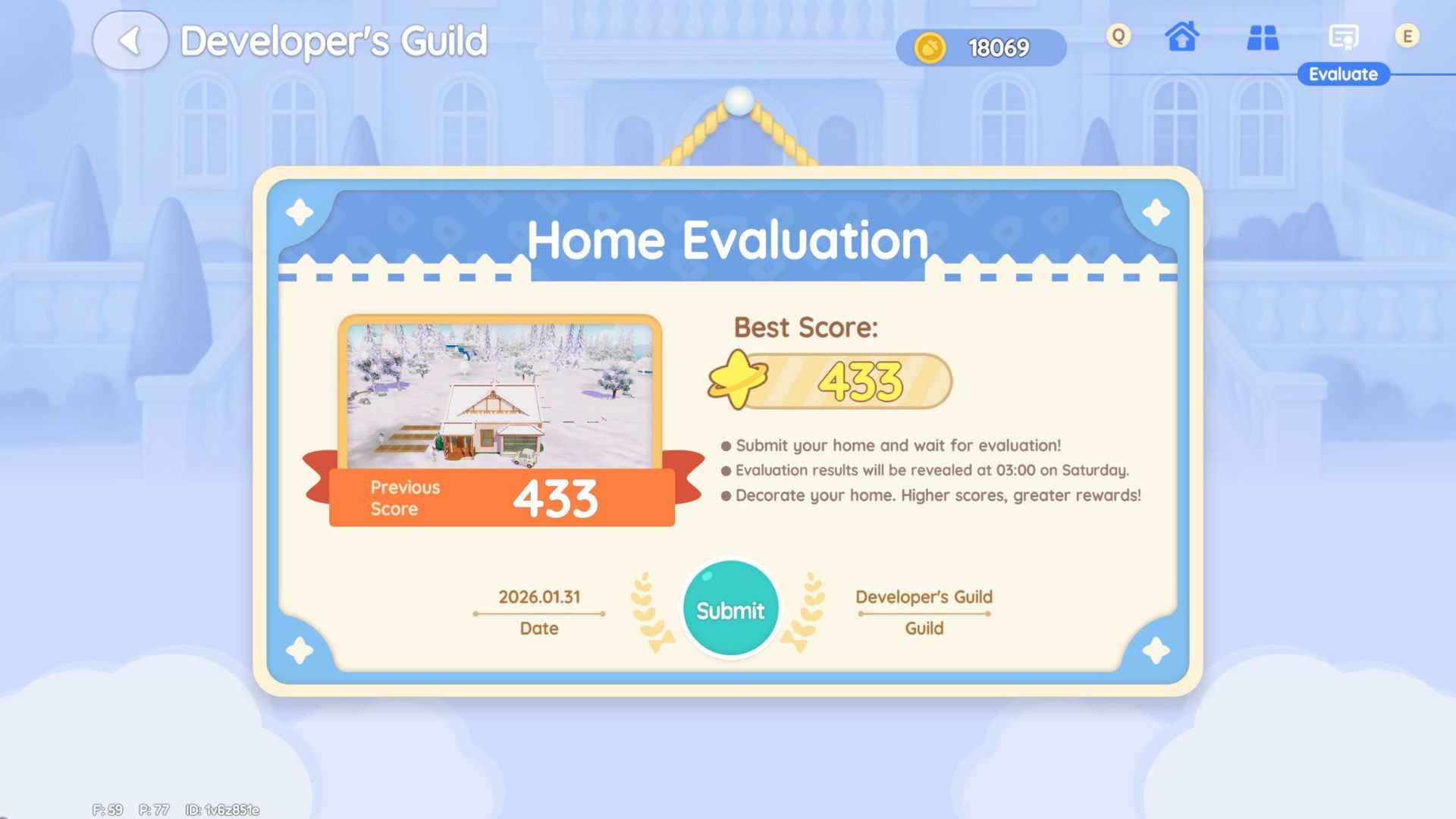
You’ll now see a certificate displayed on your screen. It shows your home’s most recent score, its highest ever score, and today’s date, along with a blue submit button. If you’re a new Heartopia player and haven’t rated your home yet, you’ll be guided through a quick tutorial.
To send in your evaluation, click the blue ‘Submit’ button. You’ll then see pictures of the home design. If everything appears correct, click the blue ‘Submit’ button one more time.
Home Evaluations assess your existing, built home, not designs from your blueprints. To evaluate a blueprint home, you’ll first need to place it on a standard home plot.
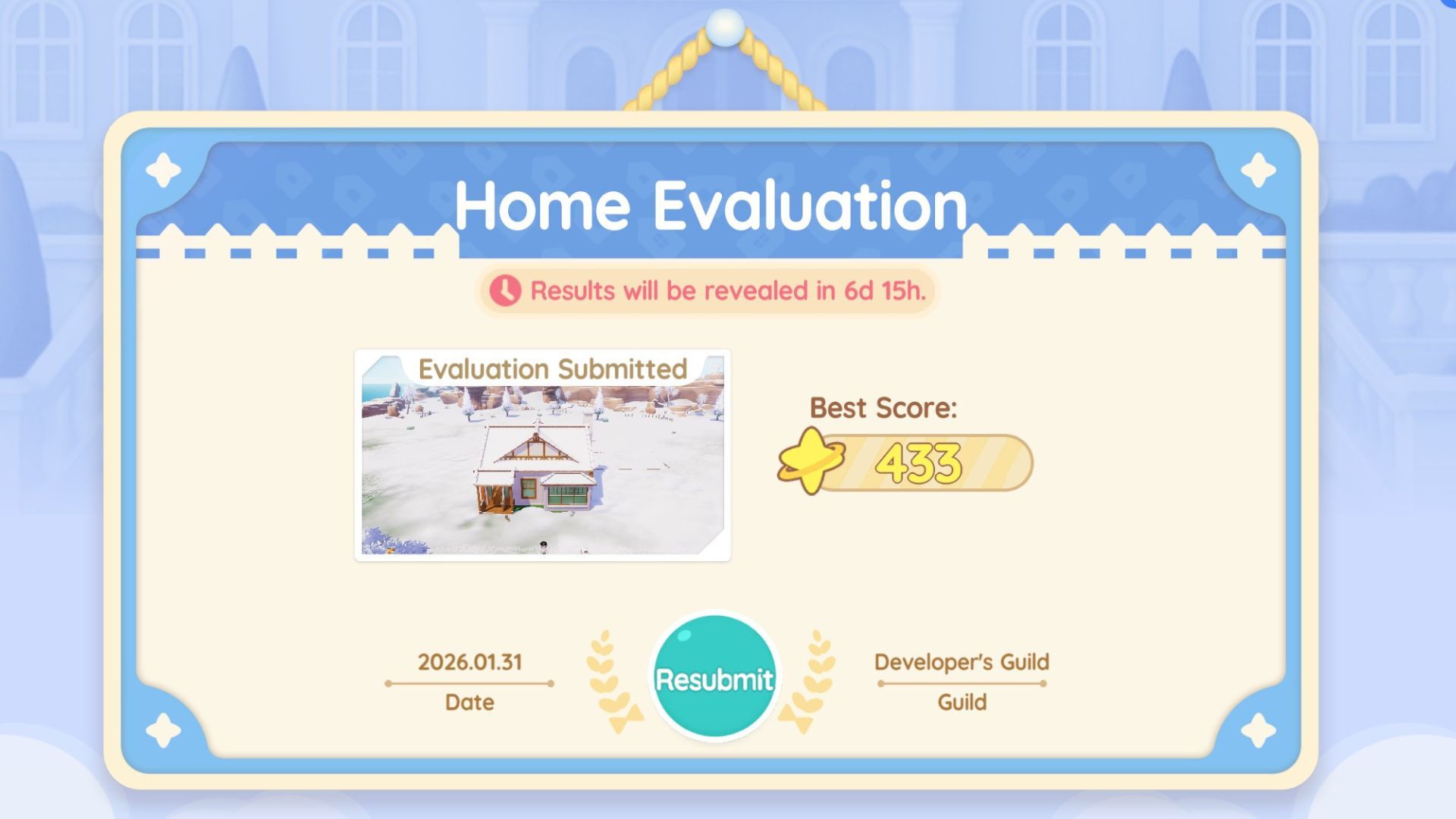
Once you submit your evaluation, the game will briefly load and then take you back to the previous screen. If everything went correctly, you’ll see a picture of the home you just rated with the message “Evaluation Submitted” displayed above it.
Can You Submit Multiple Home Evaluations in Heartopia?
Each player will have only one home assessed per week. If you want to have a different version of your home evaluated, you can easily switch it before seeing your results. Just go back to the Home Evaluation page in the Developer’s Guild app and click ‘resubmit’ to evaluate the new version.
How to Get Home Evaluation Results in Heartopia
You’ll get your Home Evaluation results in Heartopia every Saturday at 3:00 am. The judges will also include helpful tips to help you improve your score and win more rewards, so be sure to read the feedback carefully.
All Home Evaluation Rewards in Heartopia
Checking on your home each week has a great perk: the more you do it, the more points you earn! These points unlock 21 different rewards, including fun items like Wishing Stars, new furniture you can craft, and cool clothing.
| Reward | Home Evaluation Points Required |
|---|---|
| Top Hat | 500 |
| Jazz Neon Light recipe | 750 |
| Musical Note Monocle | 1,000 |
| Jazz Tall Stool recipe | 1,250 |
| 20 Wishing Stars | 1,500 |
| Musician Crew Socks | 2,000 |
| Jazz Sofa recipe | 2,500 |
| 20 Wishing Stars | 3,000 |
| Musician Bow Tie Suit | 4,000 |
| Jazz Corner Sofa recipe | 4,500 |
| 20 Wishing Stars | 5,000 |
| Musician Suit Pants | 6,000 |
| Stage Front Light recipe | 7,000 |
| 20 Wishing Stars | 8,000 |
| One-Sided Diamond Ear Stud | 9,000 |
| 20 Wishing Stars | 10,000 |
| Jazz Tea Table recipe | 11,000 |
| 20 Wishing Stars | 12,000 |
| Musician Oxfords | 13,000 |
| 20 Wishing Stars | 14,000 |
| Jazz Bar Counter recipe | 15,000 |
Read More
- All Shadow Armor Locations in Crimson Desert
- How to Get the Sunset Reed Armor Set and Hollow Visage Sword in Crimson Desert
- Best Bows in Crimson Desert
- All Skyblazer Armor Locations in Crimson Desert
- All Golden Greed Armor Locations in Crimson Desert
- Wings of Iron Walkthrough in Crimson Desert
- Marni Laser Helm Location & Upgrade in Crimson Desert
- All Helfryn Armor Locations in Crimson Desert
- How to Craft the Elegant Carmine Armor in Crimson Desert
- Keeping Large AI Models Connected Through Network Chaos
2026-02-01 04:41