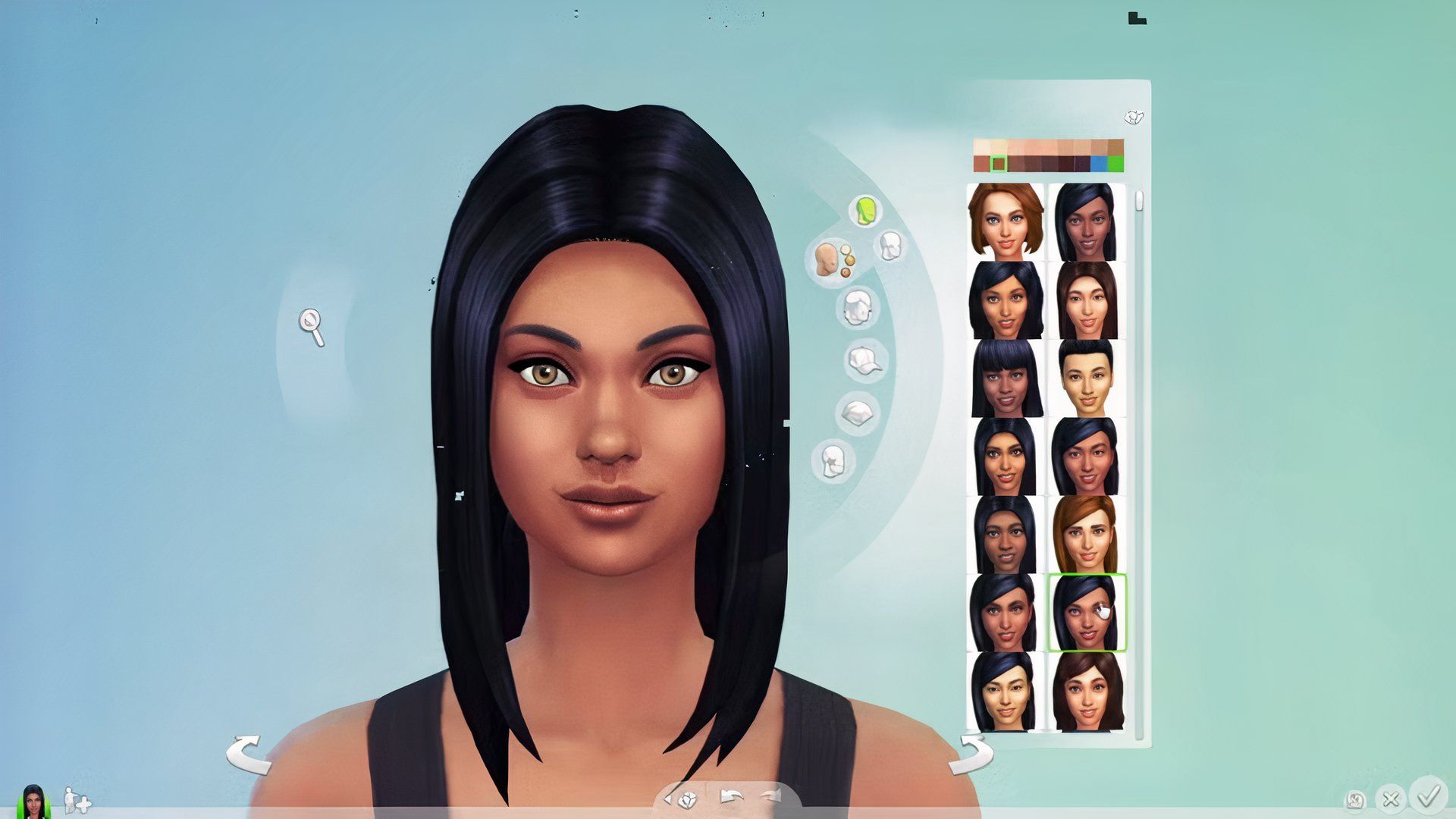
A skilled player in the Sims 4 community recently created a digital portrait of actress Cynthia Erivo that’s getting a lot of attention. What makes it special is that they achieved such a realistic likeness using only the tools available within the game itself – no extra files or modifications were needed. This impressive creation highlights just how powerful the game’s built-in features are, proving you don’t always need custom content to create stunning results.
The “Create-a-Sim” feature in The Sims 4 is where players design and build their virtual lives, and it’s been incredibly popular since the game launched. Over time, the developers have added more options—like different skin tones, clothes, and body shapes—to better represent the diversity of the real world. While many players use custom-made content created by the modding community to enhance realism, a dedicated group of players—known as “vanilla” players—prefer to use only the official game tools. These creative players often spend a significant amount of time meticulously crafting unique Sims, maximizing the potential of the game’s built-in features.
The Stunning Recreation of Cynthia Erivo
The excitement began when a Reddit user named charlelies shared a digital creation of the actress who plays Elphaba in Wicked. It looked so realistic that many fans at first didn’t believe it was made without any modifications. One user, ratsonleashes, even said they initially thought someone was being dishonest about not using modifications because the creation looked so good! The digital version perfectly captures the actress’s unique features, including her face shape and signature look.
 Rearrange the covers into the correct US release order.
Your Order
Results
— —
One player’s achievement in creating realistic Sims has motivated others to attempt the same style, often called “vanilla” realism. Skilled players believe the key is to approach the process creatively. One player, Adventurous-Crew-880, shared on a Sims 4 forum that they imagine Sims as cartoon characters, and noted that achieving realism in the game is often tied to having a lot of expansion packs. For many, the aim isn’t a perfect copy, but rather capturing a general resemblance that works within the game’s art style.
To create highly detailed Sims in The Sims 4 without using custom content, players rely on a feature called Detail Edit Mode. This allows you to zoom in and adjust even the smallest features, like the shape of eyes and noses. Experts also recommend looking at your Sim from multiple angles. As Reddit user RhiD29 explains, having photos from different viewpoints helps ensure your Sim looks good all around, not just from the front. Checking the side view is particularly important for achieving a realistic likeness.

Makeup isn’t just for aesthetics; it’s a key technique for making Sims look incredibly realistic. Players frequently use sheer face paint or blush to create shadows and define features like the nose and cheekbones. One Simmer advised applying highlighter under makeup, emphasizing how much of a difference it makes. These delicate layers prevent Sims from looking flat and help achieve the detailed, lifelike appearance seen in impressive recreations.
The push for realistic creations has encouraged people to share lots of different techniques. If you’re having trouble with faces, many suggest using the “Play with Genetics” tool to create more natural shapes. Another helpful trick is to randomly generate faces until you find one that’s already close to what you need, then customize it from there.
Top Tips for “No-CC” Realism
- Reference Photos: Use front and side views to ensure 3D accuracy
- Detail Edit Mode: Zoom in to micro-adjust nostrils, lips, and eye corners
- Subtle Makeup: Use low-opacity blush or face paint to add “skin depth”
- Side Profile: Focus on the jawline and nose bridge for a better likeness
Players are loving the incredibly accurate Cynthia Erivo recreation in The Sims 4, showcasing both their dedication to representation and their impressive building skills. While a few made small tweaks, like adjusting the skin tone, most were amazed by the result. This demonstrates how much detail players can achieve without using custom content, bringing their favorite celebrities to life in the game.
Read More
- Quantum Agents: Scaling Reinforcement Learning with Distributed Quantum Computing
- Boruto: Two Blue Vortex Chapter 33 Preview — The Final Battle Vs Mamushi Begins
- All Skyblazer Armor Locations in Crimson Desert
- Every Melee and Ranged Weapon in Windrose
- How to Get the Sunset Reed Armor Set and Hollow Visage Sword in Crimson Desert
- One Piece Chapter 1180 Release Date And Where To Read
- New Avatar: The Last Airbender Movie Leaked Online
- USD RUB PREDICTION
- Zhuang Fangyi Build In Arknights Endfield
- All Shadow Armor Locations in Crimson Desert
2026-02-18 14:04