
In Pokemon Champions, Mega Stones are key items that let you Mega Evolve your Pokemon. Knowing when to Mega Evolve the right Pokemon can determine the outcome of a battle. While you can usually buy Mega Stones at the Frontier Shop, you can also earn them by completing tutorials, through the Battle Pass, or by transferring Pokemon from Pokemon: Legends: Z-A.
This guide covers everything about Mega Stones in Pokemon Champions, explaining how to get them, how to equip them to your Pokemon, and how to actually use them in battle.
How to Get Mega Stones in Pokemon Champions
In Pokemon Champions, Mega Stones are mainly obtained by using VP in the Frontier Shop, though they can also be found through other methods:
- The Battle Pass
- Transferring select Pokemon from Legends: Z-A
- Completing the Mega Evolution tutorial
We might also be able to get Mega Stones from future Mystery Gift Codes in Pokemon Champions.
Frontier Shop
You can buy Mega Stones from the Shop menu. Go to Shop, then Frontier Shop, and finally select Mega Stones to see the full list. Each one costs 2,000 Victory Points. The game prevents you from buying duplicates, so any Mega Stones you already own will be unavailable to purchase again.
Battle Pass
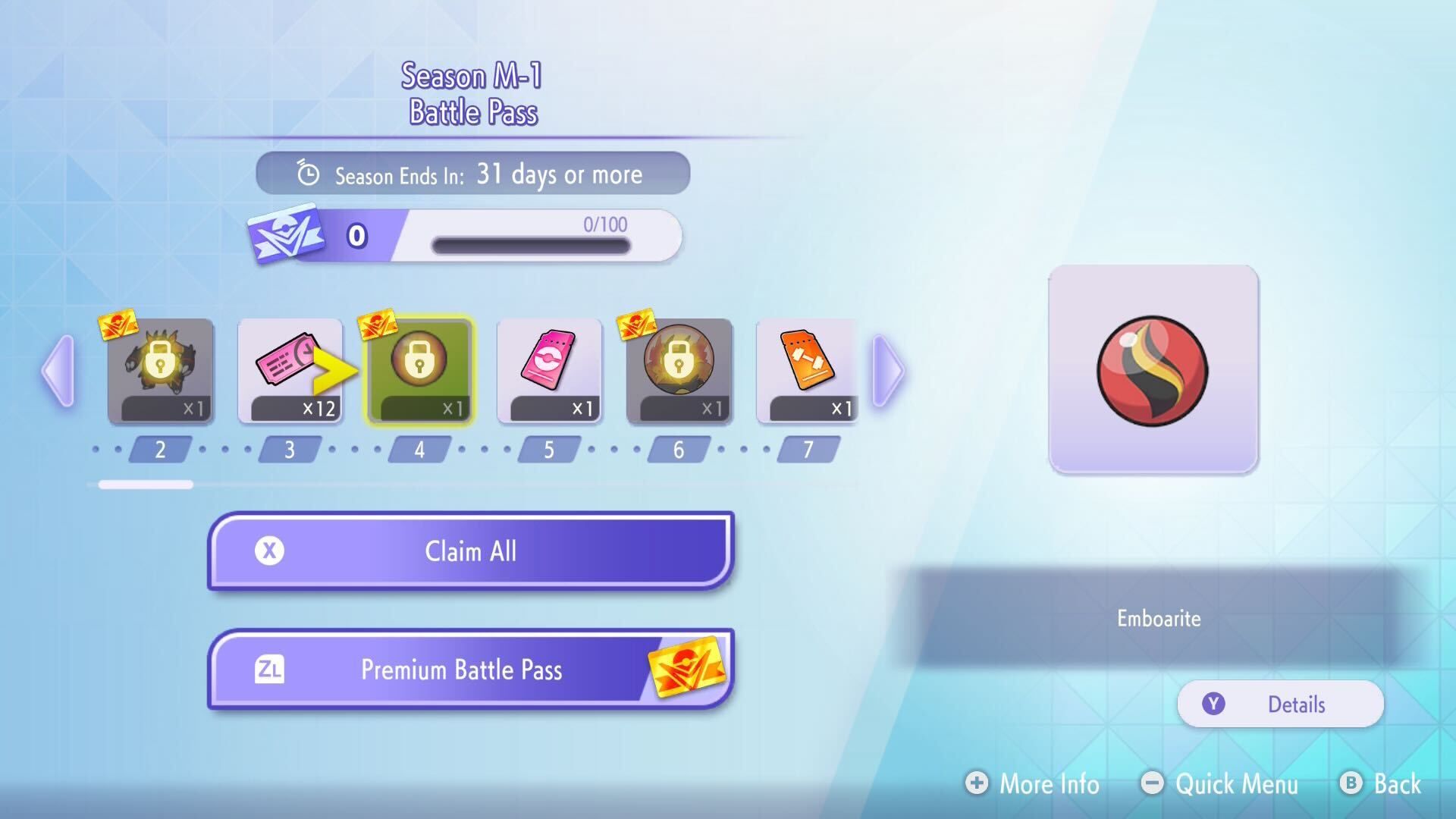
In Pokemon Champions, Battle Passes are available for a limited time, usually just a few weeks. Each pass lets you earn special Mega Stones by playing matches and collecting Season Points (SP). For instance, the first Battle Pass (Season M-1) allowed players to unlock Dragoninite, Emboarite, Feraligite, and Maganiumite by reaching levels 1, 4, 12, and 27. It’s worth noting that some Mega Stones, like Emboarite and Feraligite in Season M-1, are only available if you purchase the premium version of the Battle Pass.
You get SP points for playing matches, whether you win or lose, meaning you can still make progress on the Battle Pass even if you’re losing.
Transferring From Legends: Z-A
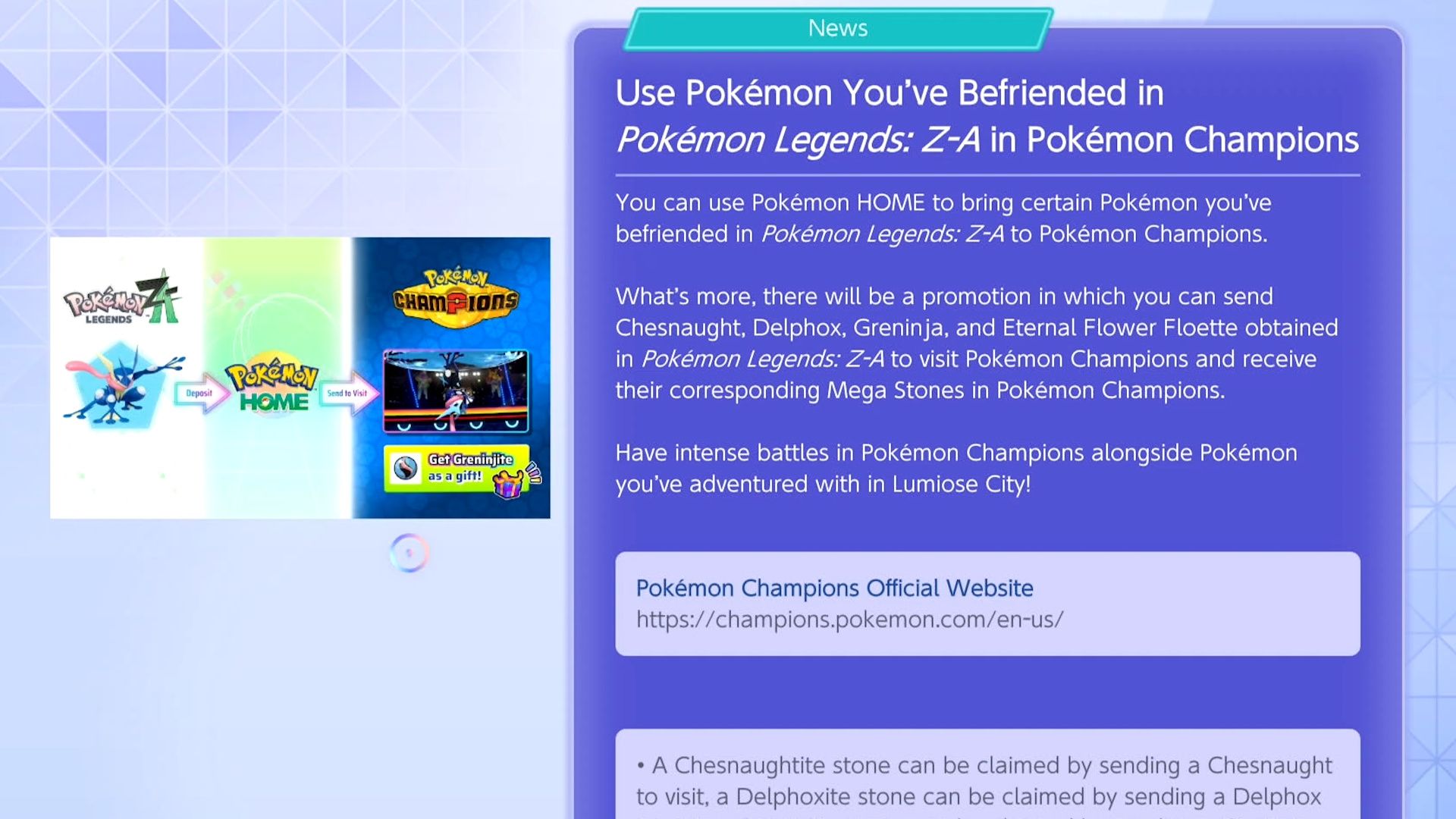
In Pokemon Champions, you can obtain Greninjite, Chesnaughtite, Floettite, and Delphoxite Mega Stones by transferring Greninja, Chesnaught, Eternal Flower Floette, and Delphox from Pokemon: Legends Z-A using Pokemon Home. Essentially, to get Greninjite, you need to transfer a Greninja from Legends Z-A, and so on for the other Mega Stones and their corresponding Pokemon.
Currently, you can only Mega Evolve Greninja, Chesnaught, Floette, and Delphox by owning the Legends: Z-A game. However, official news suggests there might be other ways to obtain the necessary Mega Stones in the future.
Mega Evolution Tutorial
To receive several Mega Stones in Pokemon Champions, simply finish the short “Mega Evolution” tutorial found in the “Train” menu.
- Abomasite (for Abomasnow)
- Aggronite (for Aggron)
- Beedrillite (for Beedrill)
- Garchompite (for Garchomp)
- Gyradosite (for Gyarados)
- Heracronite (for Heracross)
- Manecite (for Manectric)
- Steelixite (for Steelix)
How to Equip Mega Stones in Pokemon Champions
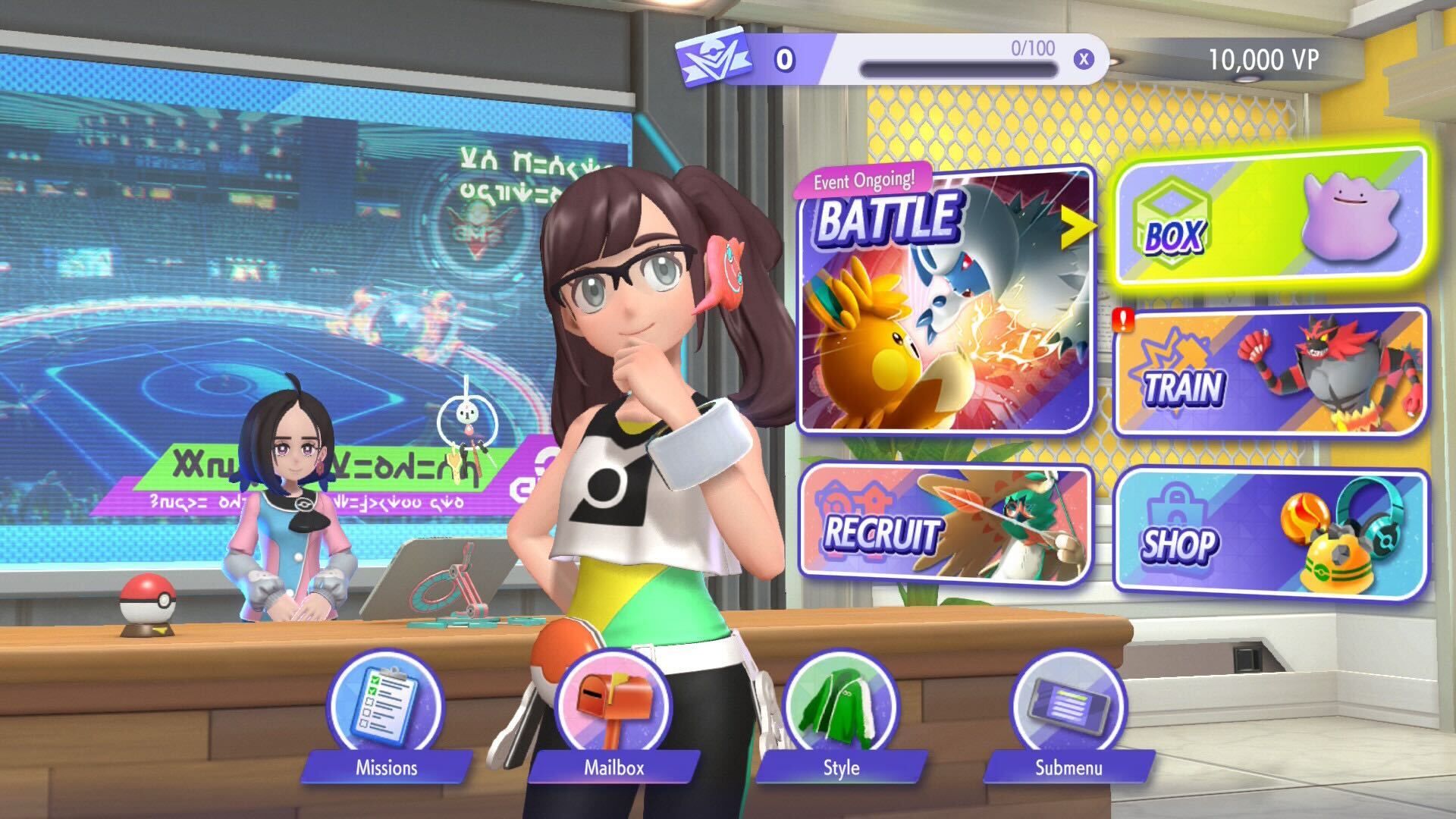
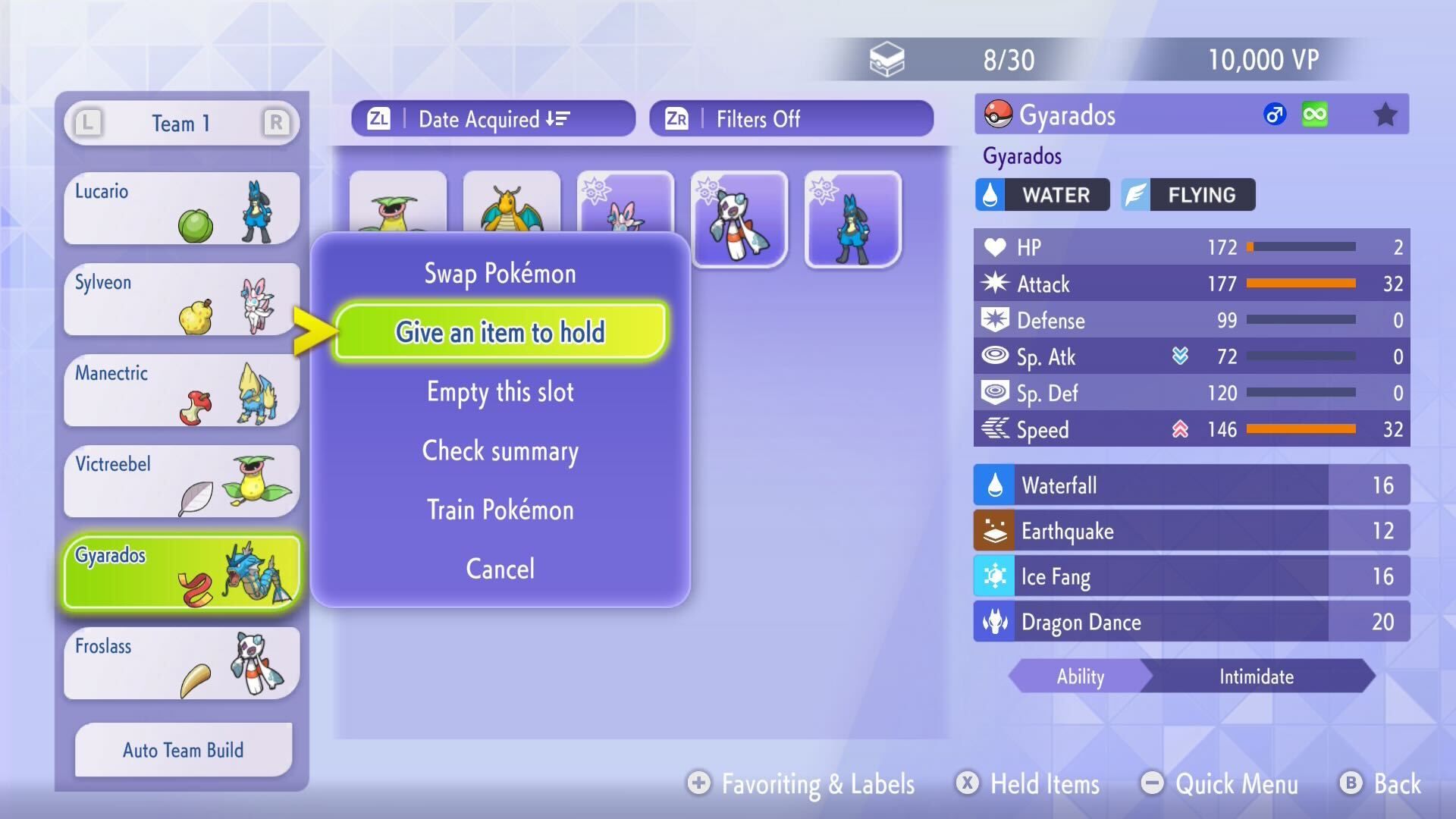
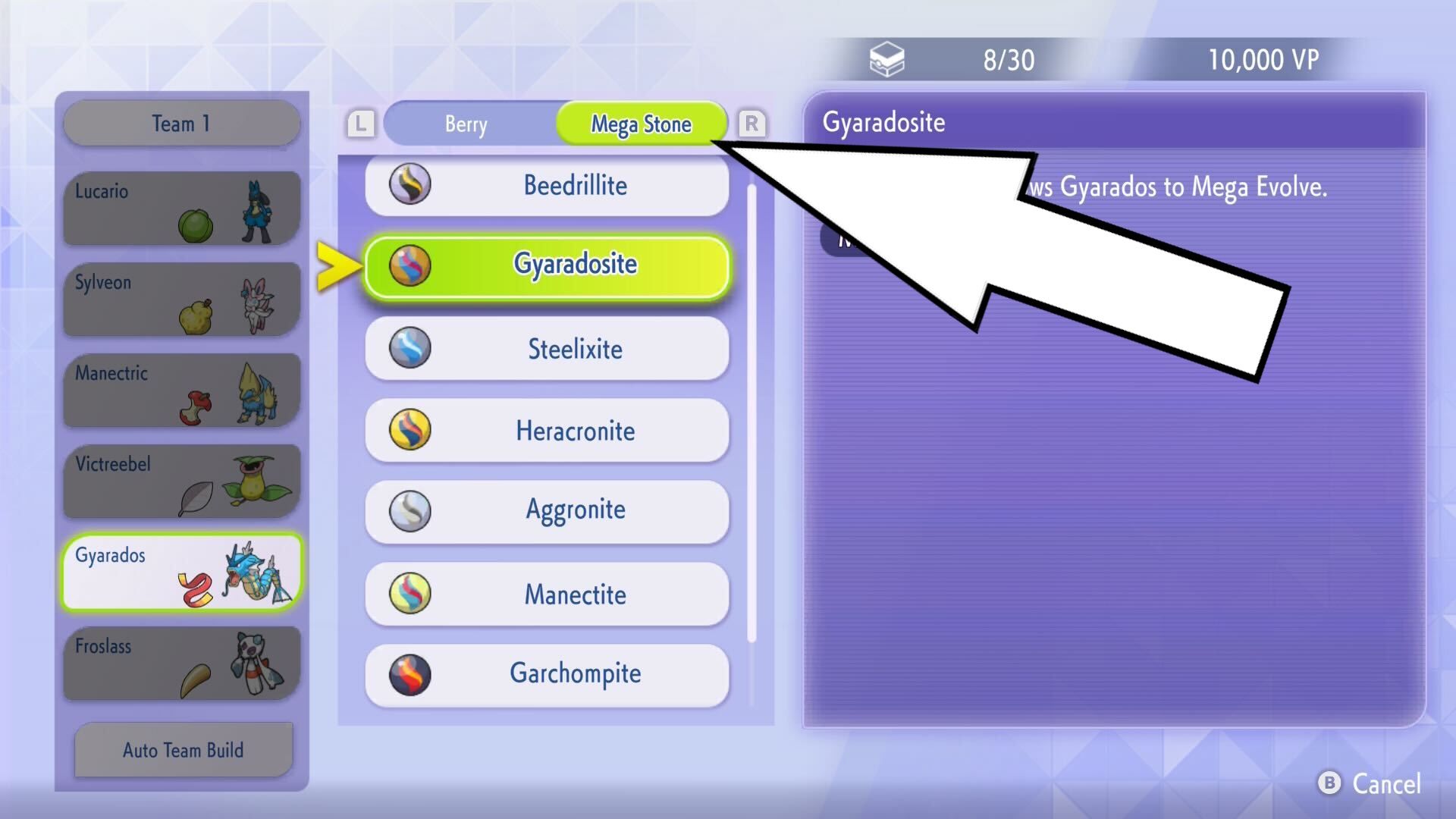
It takes a few clicks to find, but here’s how to equip a Mega Stone in Pokemon Champions:
- Click “Box” from the main menu
- Select a Pokemon
- Pick the “Give an item to hold” option
- Tab over to the “Mega Stone” item type (press “R” on Switch)
- Pick the correct Mega Stone type for that Pokemon
Okay, so when you’re giving your Pokémon a held item, make sure you actually tab over to the “Mega Stone” section! It’s easy to miss because it’s a few tabs to the right. If you don’t, you won’t even see the Mega Stones you’ve collected, and that’s super frustrating. Just keep hitting tab until you get there!
How to Use Mega Stones in Pokemon Champions
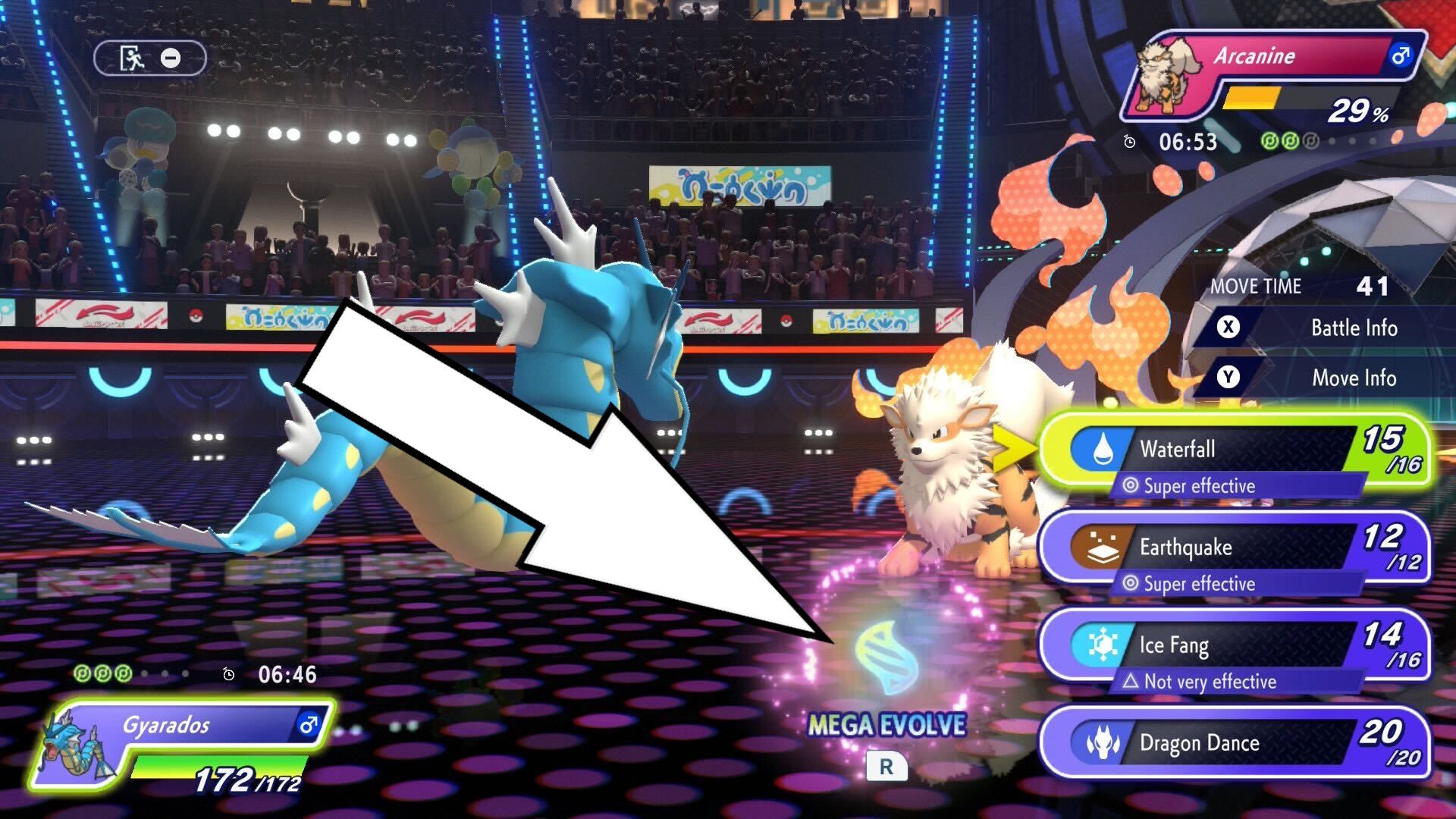
In Pokemon Champions, to Mega Evolve a Pokemon, you need to give it the correct Mega Stone and then press the ‘R’ button during battle when it’s that Pokemon’s turn. Choosing a move at that time will trigger the Mega Evolution.
In Pokemon Champions, you can only Mega Evolve one Pokemon per battle, so choose wisely which one receives a Mega Stone before each fight.
If you decide against Mega Evolving your Pokémon, you can cancel it by pressing the Mega Evolution button again (the ‘R’ button on Nintendo Switch). However, you need to do this before choosing your next move.
Are Mega Stones Reusable?

In Pokemon Champions, Mega Stones are items you get once and can use repeatedly. Once you obtain a Mega Stone, you can use it to Mega Evolve that Pokémon multiple times, but only once per battle.
Read More
- All Skyblazer Armor Locations in Crimson Desert
- How to Get the Sunset Reed Armor Set and Hollow Visage Sword in Crimson Desert
- All Shadow Armor Locations in Crimson Desert
- Marni Laser Helm Location & Upgrade in Crimson Desert
- One Piece Chapter 1180 Release Date And Where To Read
- All Helfryn Armor Locations in Crimson Desert
- All Golden Greed Armor Locations in Crimson Desert
- All Icewing Armor Locations in Crimson Desert
- How to Beat Stonewalker Antiquum at the Gate of Truth in Crimson Desert
- Legendary White Lion Necklace Location in Crimson Desert
2026-04-09 01:05