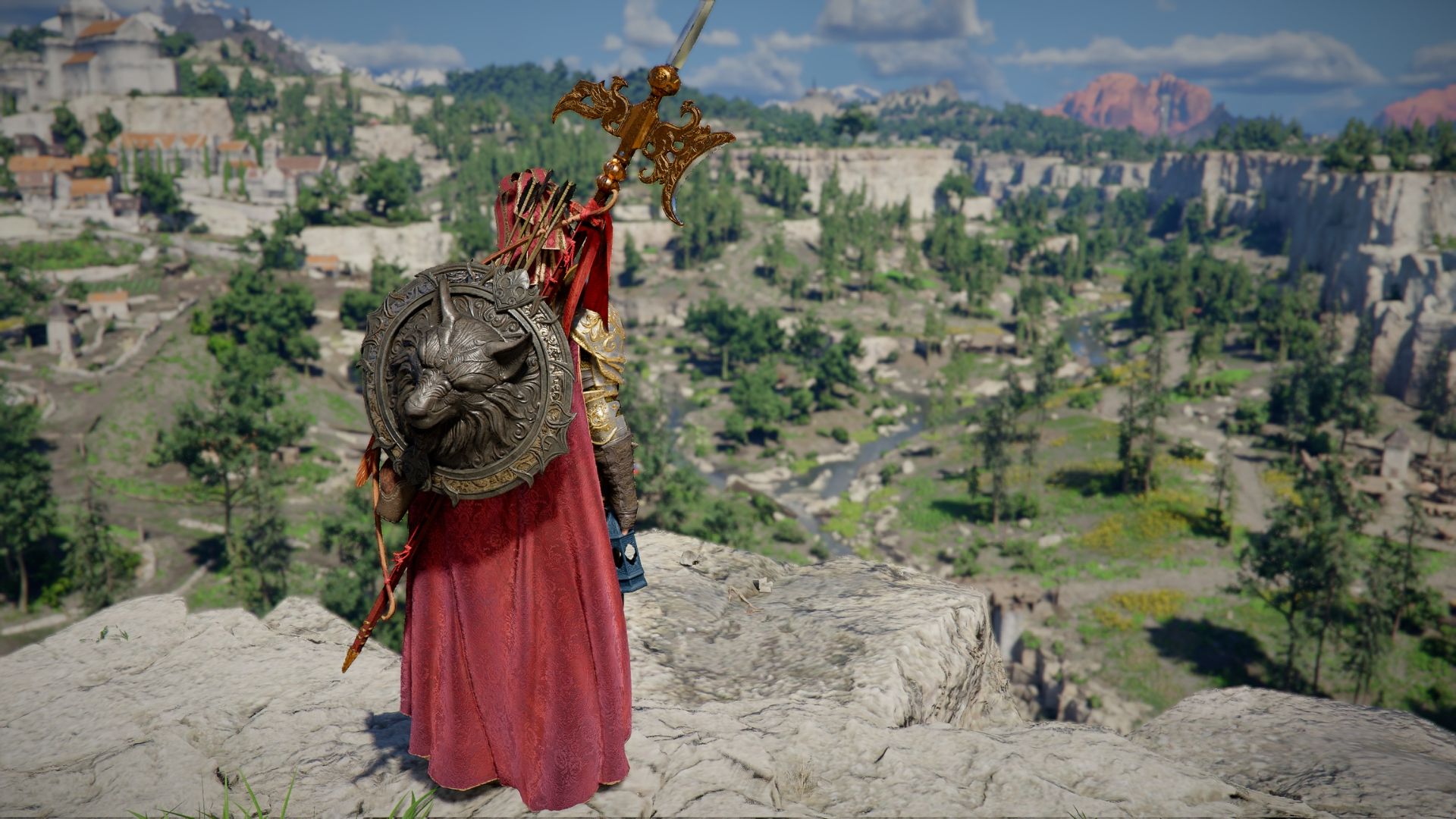
Crimson Desert lets you adjust the game’s camera to create a more comfortable and personalized experience. You can change how far the camera is positioned from your character, and also adjust its angle both up and down and side to side.
Here are a few camera setups we recommend. Keep in mind that everyone has different needs, so these might not be perfect for you right away. Think of them as a starting point you can adjust to fit your own preferences.
You can adjust the camera in Crimson Desert by going to Others → Options → Settings → Accessibility. From there, you’ll find options to customize the Camera Visual Range, Camera Vertical Offset, and Camera Horizontal Offset to your liking.
Best Overall Camera Settings for Crimson Desert
Best for Balanced Gameplay
- Camera Visual Range: 40
- Camera Vertical Offset: 25
- Camera Horizontal Offset: 25
This camera angle keeps your character centered and clear, but doesn’t fill the whole screen. You can easily see the details of their armor and still get a good view of everything around them.
This option strikes a good balance between fighting and exploring. It effectively addresses the biggest issue with Crimson Desert’s standard camera while still maintaining most of its features.
Over-the-Shoulder Camera Settings for Crimson Desert
Best for God of War/The Witcher 3 Fans
- Camera Visual Range: 35
- Camera Vertical Offset: 15
- Camera Horizontal Offset: 40
If you enjoy games like The Witcher 3 or God of War – those action RPGs with a camera positioned just over your character’s shoulder – you’ll feel right at home here. For the best view, zoom in slightly so your character fills a good portion of the left side of the screen.
While shrinking the visible distance even more would have matched the camera style of many Western RPGs, it would have made the game nearly impossible to play due to a severely limited field of view. By keeping the visible distance at 35 and zooming in yourself, you can achieve the desired visual effect without losing your ability to see enough of the game world.
Wide Field of View Camera Settings for Crimson Desert
Best for Puzzle Solving and Exploration
- Camera Visual Range: 100
- Camera Vertical Offset: 100
- Camera Horizontal Offset: 20
These settings maximize your view in Crimson Desert, significantly widening the field of view. This makes characters appear very small, similar to the camera perspective used in many top-down games.
Zooming in brings the camera closer to your character, but still keeps a wide view so you can easily see everything around you.
Centered Camera Settings in Crimson Desert
Best for Traditional Open World RPG-Feel
- Camera Visual Range: 35
- Camera Vertical Offset: 10
- Camera Horizontal Offset: 0
If you prefer a classic camera style where the character stays centered on the screen, this setting is for you. It keeps the character you’re playing as – like Kliff – right in the middle and zooms the camera in for a closer view.
To see more of your surroundings, increase the Visual Range by 5 to 15 points. Keep in mind this will slightly zoom the camera out, making your character appear smaller on the screen.
Extreme Close Up Camera Settings for Crimson Desert
Best for Highlighting Close Combat
- Camera Visual Range: 0
- Camera Vertical Offset: 0
- Camera Horizontal Offset: 40
This camera setting lets you get a really close-up view of the action, so you can clearly see all the characters’ abilities and moves during fights. However, it significantly narrows your field of vision, making it harder to see what’s happening around you.
I’ve found a sweet spot for visual range is keeping it between 10 and 30. What I like to do is zoom in one level when I’m actually fighting, so I can really see what’s going on up close. Then, when I’m just exploring or moving around, I zoom back out for a wider view. It just feels right!
If you’re still having trouble seeing enough during fights, even after changing the camera settings, try using the Lock On feature. This will make the camera focus on your target instead of your character, giving you a wider view of the action.
Read More
- All Skyblazer Armor Locations in Crimson Desert
- One Piece Chapter 1180 Release Date And Where To Read
- New Avatar: The Last Airbender Movie Leaked Online
- All Shadow Armor Locations in Crimson Desert
- How to Get the Sunset Reed Armor Set and Hollow Visage Sword in Crimson Desert
- Cassius Morten Armor Set Locations in Crimson Desert
- Grime 2 Map Unlock Guide: Find Seals & Fast Travel
- Red Dead Redemption 3 Lead Protagonists Who Would Fulfill Every Gamer’s Wish List
- Euphoria Season 3 Release Date, Episode 1 Time, & Weekly Schedule
- USD RUB PREDICTION
2026-04-14 23:10