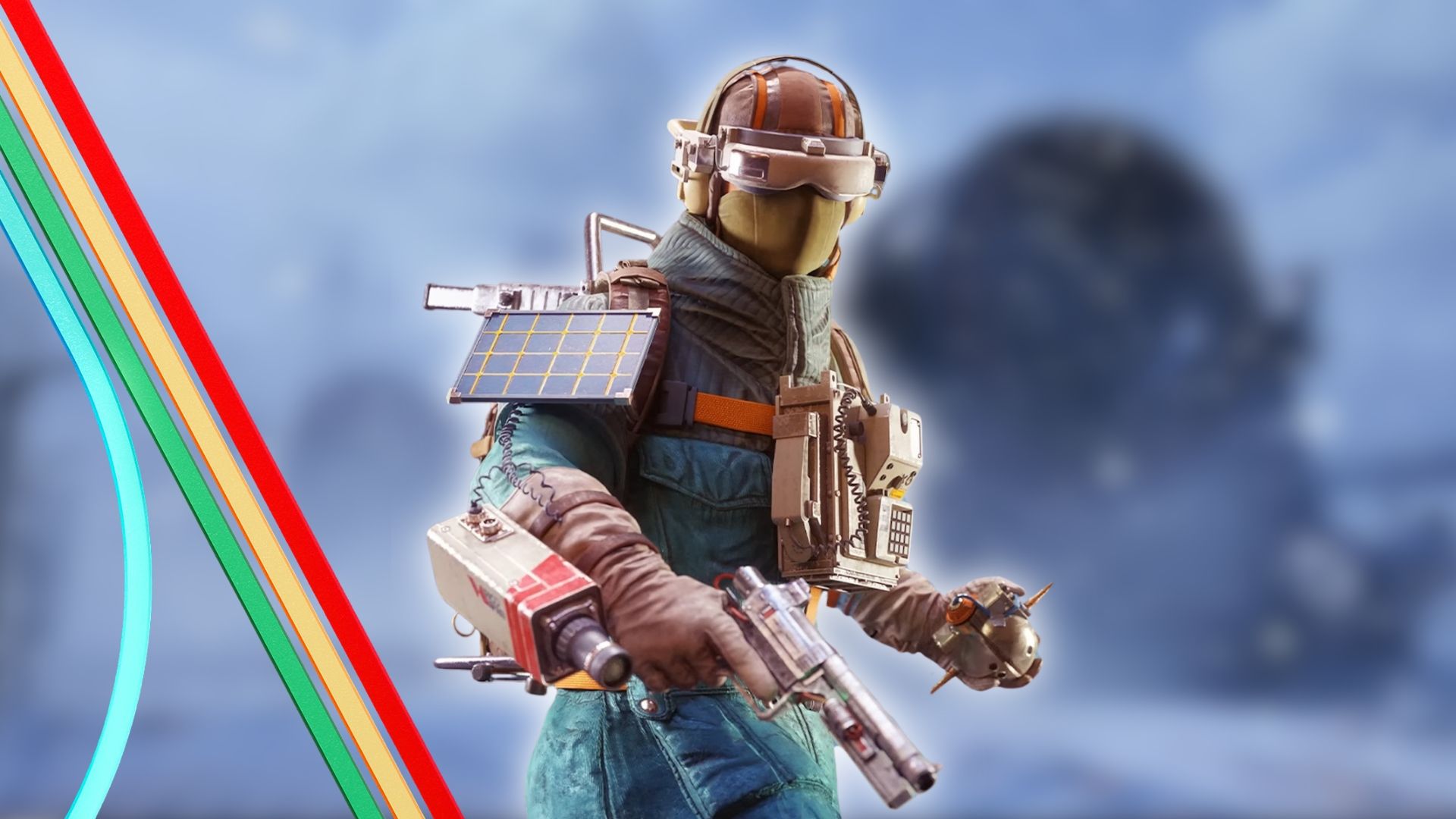
Embark Studios has launched the Cold Snap update for its popular extraction shooter, ARC Raiders. Available now on PlayStation 5, Xbox Series X/S, and PC, this is the second major update since the game came out in October. The update includes a new ‘Cold Snap’ map condition that significantly changes gameplay for players.
This update is the last big one of the year for ARC Raiders. Since the game launched, Embark Studios has consistently released improvements and fixes, including a significant North Line update in November. That update added Stella Montis, a map designed for intense, close-range combat, along with a dangerous new enemy called the Shredder. Players also got new missions, items, and a massive new enemy – the Matriarch – which is even more powerful than the Queen. Now, just a month later, Embark is releasing another substantial update packed with fresh content for fans to enjoy.
ARC Raiders Releases New Cold Snap Update
On December 16th, Embark Studios released the Cold Snap update for ARC Raiders. This update includes numerous bug fixes and improvements, as well as new content for the game. The biggest addition is the new Cold Snap map condition, which significantly changes how the game plays. Like other map modifiers (such as Electromagnetic Wave or Night Raids), Cold Snap will rotate in and out of play. When active, players will struggle to stay steady on frozen surfaces and visibility will be reduced by heavy snowfall. Embark warns that frostbite is a serious threat – Raiders exposed to the cold for even a few minutes will suffer unless they quickly find shelter or heal. Getting caught outside during the Cold Snap is extremely dangerous.
A new Flickering Flames event is now live, offering players unique rewards and loot. It’s a personal progression system with 25 levels to unlock, granting new gear, customization options, and Raider Tokens. You’ll earn XP to advance, which is then converted into Merits. You can get even more Merits by participating in the Candleberry Banquet, a new scavenging Project where you collect specific items and Candleberries topside.
If you’ve been actively playing ARC Raiders and are prepared to start over, you’ll be happy to hear the first Expedition is launching tomorrow! Players who’ve gathered all the necessary materials for their caravan can finally leave the Rust Belt between December 17th and 22nd. Resetting your progress will give you a new Raider with more storage, the Patchwork Raider outfit, a Scrappy Janitor Cap, an Expedition icon, and up to five skill points—the number of skill points depends on how valuable your Stash was when you left. You’ll also receive temporary benefits like faster repairs (10%), increased XP gain (5%), and 6% more materials from Scrappy. All players will depart at the same time on December 22nd, so make sure you’re ready – if not, you’ll have to wait for the next Expedition.
This is the last big update for the year from Embark, as the team is taking a well-deserved break for the holidays. They’ve also announced that future weekly updates for ARC Raiders, including new items in the store, will now arrive on Tuesdays instead of Thursdays. While they’re on break, Embark will still address any urgent problems that come up. They plan to resume regular updates in January. Here are the details for this final update of the year.
ARC Raiders Cold Snap Update Patch Notes for December 16
The Blue Gate valleys are blasted by icy winds. Abandoned spaceports are hit by blizzards, and the Red Lakes are frozen and splitting. Above, raiders fight on despite the cold, struggling and cursing as they go.
The Cold Snap update, launching December 16th, 2025, is the second major content addition to ARC Raiders since the game was released. It includes:
- New Cold Snap Map Condition — Winter variant across Dam Battlegrounds, Buried City, Spaceport and The Blue Gate maps.
- Cold-Weather Survival Mechanics — Exposure to extreme cold causes frostbite, encouraging new strategies around healing items, loadouts, and indoor shelter.
- Two Seasonal Challenges + Rewards — Unique loot and rewards available through the Flickering Flames event and Candleberry Banquet project.
- Second Free Raider Deck Added on December 26 — The Goalie Raider deck will now be included in the base game, bringing players 5 pages of unlockable rewards.
COLD SNAP MAP CONDITION
A cold front has arrived, bringing snow and much colder temperatures. While the air may seem fresh and invigorating, be careful – it’s cold enough to cause frostbite!
New map features are now available as an optional choice and will be tested on Dam Battlegrounds, Buried City, Spaceport, and The Blue Gate for a limited time, concluding in January.
The new map condition includes:
- Unique Loot Assets: Visually distinct Candleberry bushes which drop Candleberries, used for the Candleberry Banquet.
- Snow and Frost: The inclement weather brings challenges. Raiders may take frostbite damage if they spend too long outside.
FLICKERING FLAMES LIVE EVENT
The Flickering Flames event lets you advance at your own pace with 25 levels of challenges. As you progress, you’ll earn cool rewards like new equipment, customization options, and Raider Tokens.
- Raiders progress through the event by earning Merits. These are automatically converted from your XP earned by playing on any map.
- Raiders can also earn additional Merits by participating in the Candleberry Banquet event (see below)
- In order to activate the event, Raiders must first have played 5 rounds in the game.
- The event starts on Dec 16 at 10.30 CET and ends on Jan 13 at 10.30 CET.
CANDLEBERRY BANQUET PROJECT
The Candleberry Banquet is an event where players (Raiders) can get rewards by finding certain items on the surface and gathering Candleberries. It takes place while the Flickering Flames event is also happening.
- Unlock 5 project stages, each stage completes a new scene on the banquet table.
- Completing levels earns you rewards, which include a new cosmetic item and Raider Tokens. Raiders can also earn Merits, which can be used to help complete the Flickering Flames event.
- The project starts on Dec 16 at 10.30 CET and ends on Jan 13 at 10.30 CET.
GOALIE RAIDER DECK (From December 26)
Starting December 26th, players will be able to get the Goalie Raider Deck for free! This winter-themed deck is inspired by hockey and will be a permanent addition to the game.
- It features a hockey-inspired Raider outfit in several color variants, along with a hockey stick Raider tool.
- Players can also unlock 5 pages of rewards including Raider tokens, and gameplay as well as cosmetic items, using their Cred.
Don’t miss out! This event starts December 16th and runs until January 13th, so bundle up and head over there!
But remember, this cold is no joke.
BALANCE CHANGES
Weapons:
Bettina
We’ve made some adjustments to the Bettina weapon to make it more useful on its own, reducing the need to pair it with another weapon. It should now perform better in player-versus-player combat without becoming overpowered. While it remains a top choice for player-versus-environment content at its rarity (excluding the Hullcracker), we’ve also adjusted its durability to match our other assault rifles.
- Durability Burn Rate has been reduced from ~0.43% to ~0.17% per shot
-
- In practice, it used to take about 12 full magazines to fully deplete durability, but now it takes 26 (also accounting for the increased magazine size).
- Base Magazine Size has been increased from 20 to 22
- Base Reload Time has been reduced from 5 to 4.5
Rattler
We’re making a small adjustment to the Rattler. While it’s designed for a different playstyle than the Stitcher and Kettle – focusing on careful aiming, short bursts of fire, and strategic cover – we’re slightly increasing its damage at lower levels to make it more competitive in player-versus-player combat. The Rattler should still feel like a precise weapon that rewards controlled gameplay.
- Base Magazine Size has been increased from 10 to 12
ARC:
Shredder
- Reduced the amount of knockback applied by weapons. Increased movement speed and turning responsiveness.
- Increased health of the Shredder’s head to prevent cases where its head could be shot off, leading to unintended behavior.
- Improved Shredder navigation to reduce getting stuck on corners, narrow spaces, and short obstacles.
- Increased the speed at which the Shredder enters combat when taking damage and when in close proximity to players.
- Increased the number of parts on the Shredder that can be individually destroyed.
CONTENT AND BUG FIXES
Achievements
- Achievements are now enabled in the Epic store.
Animation
- Fixed an issue where picking up a Field Crate with a Trigger ’Nade attached could cause the character to slide or move without input.
- Fixed an issue where combining Snap Hook with ziplines or ladders could store momentum and propel the player long distances.
- Fixed an issue where the running animation could appear incorrect after a small drop when over-encumbered.
- Interactions now end correctly when performing a dodge roll.
- Interacting while holding items or deployables no longer causes arm twisting.
- Added more animations to character skins and equipment to make them more natural.
ARC
- Fixed an issue where deployables attached to enemies could cause them to launch or clip out of bounds when shot.
- Missiles no longer reverse course after passing a target and can correctly track targets at different elevations.
- Sentinel
-
- Fixed a bug where the Sentinel laser did not reach the targeted player over greater distances.
- Surveyor
-
- Disabled vaulting onto ARC Surveyors to prevent unintended launches when they are moving.
- Fixed an issue where Bombardier projectiles could shoot through the Matriarch shield from the outside.
Audio
- Fixed an issue where Gas, Stun, and Impulse Mines did not play their trigger sound or switch their light to yellow when triggered by being shot.
- Increased the number of simultaneous footstep sounds and increased their priority.
- Fixed an issue where footsteps in metal stairs became very quiet when walking slowly.
- Improved directional sound for ARC enemies.
- Added sounds for sending and receiving text chat messages in the main menu.
- Removed the unsettling “mom?” from Speranza cantina ambient sound.
- Tweaked the loudness of announcements in various Main Menu screens.
- Number of small audio bugfixes and polish.
Maps
- Fixed an issue with spawning logic which could cause players who were reconnecting at the start of a session to spawn next to other players who had just joined.
- Various collision, geometry, VFX and texture fixes that address gaps in terrain which made players fall through the map or walk inside geometry, stuck spots, camera clipping through walls, see-through geometry, floating objects, texture overlaps, etc.
- Fixed an issue with the slope of the Raider Hatch that was too steep for downed raiders to crawl on top of it.
- Security Lockers are now dynamically spawned across all maps instead of being statically placed.
- Fixed Raider Caches not spawning during Prospecting Probes in some cases.
- Fixed lootable containers and Supply Drops spawning inside terrain on The Dam and Blue Gate, ensuring they are accessible.
- Fixed an issue where doors could appear closed for some players despite being open.
- Electromagnetic Storm: Lightning strikes sometimes leave behind a valuable item.
- Increased the number of possible Great Mullein spawn locations across all maps.
- Dam Battlegrounds
-
- Moved the Matriarch’s spawn point in Dam Battlegrounds to an area that better plays to her strengths.
- Spaceport
-
- Adjusted the locked room protection area in Container Storage on Spaceport to not affect players outside the room.
- Blue Gate
-
- Locked Gate map condition has been added.
- Adjusted map bounds near a ledge in Blue Gate to improve navigation and reduce abrupt out-of-bounds stops.
- Improved tree LODs in Blue Gate to reduce overly dark visuals at distance.
- Fixed the issue where loot would spawn outside the Locked Room in the Village.
- Added props and visual cues to the final camp in the quest ‘A First Foothold’ to make objective locations easier to find.
- Stella Montis
-
- Increased some item and blueprint spawn rates in Stella Montis.
- Some breachable containers on Stella Montis no longer drop Rubber Ducks when using the A Little Extra skill (sorry).
- Adjusted window glass clarity in Stella Montis to improve visibility.
Miscellaneous
- General crash fixes (including AMD crashes).
- Added Skill Tree Reset functionality in exchange for Coins, 2,000 Coins per skill point.
- Wallet now shows your Cred soft cap (800).
-
- Dev note: We decided to implement a cap so that players won’t be able to fully unlock new Raider Decks by accumulating Cred and added more items to Shani’s store to purchase using Cred. We believe that the Raider Decks offer a rewarding experience to enjoy while players engage with the game, and a large Cred wallet undermines this goal. We will not be removing Cred that has been accumulated before the introduction of the soft cap.
- Added Raider Tool customization.
- Fixed a bug that caused players to spawn on servers without their gear and in default customization resulting in losing loadout items.
- For ranks up to Daredevil I, leaderboards now have a 3x promotion zone for the top 5 players. New objectives have been added.
- Fixed an issue where the tutorial door breach could be canceled, preventing the cutscene from playing and blocking progression.
- Fixed an issue where players could continue breaching doors while downed.
- Fixed an issue where accepting a Discord invite without having your account linked could fail to place you into the inviter’s party.
- Fixed an issue that sometimes caused textures and meshes to flicker between higher and lower quality states.
- Depth of field amount is now scaled correctly depending on your resolution scale.
- Fixed an issue where returning to the game after alt-tabbing could prevent movement and ability inputs while camera controls still worked.
- Improved input handling when the game window regains focus to avoid unexpected input mode switches.
- Skill Tree
-
- Effortless Roll skill now provides greater stamina cost reduction.
- The Calming Stroll skill now applies while moving in ADS.
Movement
- Fixed a traversal issue that blocked jumping/climbing in certain areas while crouched.
- Fixed an issue where climbing ladders over open gaps could cause automatic detachment.
- A slight stamina cost has been added for entering a slide.
- Acceleration has been reduced when doing a dodge roll from a slide.
UI
- Added an option to toggle Aim Down Sights.
- Added a new ‘Cinematic’ graphics setting to enhance visuals for high end PCs.
- Codex
-
- Improved accuracy of tracking damage dealt in player stats.
- Field-crafted items now properly count toward Player Stats in the Codex.
- Fixed missing sound in Codex Records.
- Added a Codex section to rewatch previously seen videos.
- Console
-
- Updated PlayStation 5 controller button prompts with improved icons for Options and Share.
- Fixed a crash when using Show Profile from the Player Info on Xbox.
- Customization
-
- You can now rotate your character in the customization screen. Also fixed an issue where the first equip could trigger an unintended unequip.
- Added notifications in Character Customization to highlight recently unlocked items.
- Fixed an issue where equipment customization items bought from the Loadout screen were not equipped after pressing Equip on the purchase screen.
- End of round
-
- Further reduced the frequency of the end of round feedback survey pop up.
- Added an optional Round Feedback button on the final end-of-round screen to open a short post-match survey.
- Expedition Project
-
- Added a show/hide tooltip hint to the Raider Projects screens (Expedition and Seasonal).
- Added ‘Expeditions Completed’ to Player Stats.
- Added resource tracking for Expedition stages: Raider Projects now display required amounts and progress, with the tracker updating during rounds.
- Added reward display to Raider Projects, showing the rewards for each goal and at Expedition completion.
- Fixed an input conflict in Raider Projects where tracking a resource in Expeditions could also open the About Expeditions window; the on-screen prompt is now hidden while adding to Load Caravan.
- Inventory
-
- Fixed an issue where closing the right-click menu in the inventory could reset focus to a different slot when using a gamepad.
- Fixed flickering in the inventory tooltip.
- Opening the inventory during a breach now cancels the interaction to prevent a brief animation glitch.
- Adjusted the inventory screen layout to prevent tooltips from appearing immediately upon opening.
- Fixed an issue where the weapon slot right-click menu in the inventory would not appear after navigating from an empty attachment slot with a controller.
- In-game
-
- Fixed an issue where the climb prompt would not appear on a rooftop ladder in Blue Gate.
- Resolved an issue where certain interaction icons could fail to appear during gameplay.
- Fixed “revived” events not being counted.
- Fixed an issue where the zipline interaction prompt could remain on a previously used zipline, preventing interaction with a new one; prompts now clear when out of range.
- Quick equip item wheel now has a stable layout and no longer collapses items towards the top when there are empty slots in the inventory.
- Updated in-game text across multiple languages based on localization review and player survey feedback.
- Added a cancel prompt when preparing to throw grenades and other throwable items.
- Fixed in-game input hints to match your current key bindings and show clear hold/toggle labels. Clarified binoculars hints when using aim toggle and updated hints for Snap Hook and integrated binoculars to support aiming.
- Tutorial hints now stay on screen briefly after you perform the suggested action to improve readability and avoid abrupt dismissals.
- Fixed an issue where input hints could remain on screen after being downed.
- HUD markers that are closer to the player now appear on top for improved legibility.
- Fixed issue where items sometimes displayed the wrong icon.
- Fixed issue where user hints were sometimes shown when spectating.
- Strongroom racks and power stations now display a distinct color when full of carryables to indicate that it has been completed.
- Fixed an issue where reconnecting to a match could leave your character in a broken state with incorrect HUD elements and a misplaced camera.
- Slightly delayed the initial loot screen opening and the transition from opening to searching during interactions.
- Main Menu
-
- Added a Live Events carousel to the main menu and enabled click/hover interactions on the Raider Project overview.
- Fixed an issue where the Weapon Upgrades tab would sometimes change location.
- Resolved an issue where a Raider could pop in and out of the home screen background.
- Installed workstations no longer appear in the workstation install view.
- You can now navigate from on-screen notifications to the relevant screens, including jumping directly to learned recipes.
- The Upgrade Weapon Tab now accurately displays the magazine size increase.
- Fixed an issue where the map screen could become unresponsive when a live event was active.
- When inspecting items, rotating will now hide UI only showing the item being inspected.
- Free Raider Deck content now displays as “Free” instead of “0”.
- Added a carousel to the Main Menu featuring Quests and a Raider Deck shortcut, with improved gamepad navigation within the widget.
- Fixed an issue where the Scrappy screen allowed navigating to the quick navigation list when using a gamepad.
- Quests
-
- Made pickups on the ground show icons if they are part of quests or tracked, added quest icons to quest interactions and improved quest interaction style.
- Fixed an issue where the notification could remain after accepting and claiming quests.
- Accepting and completing quests is now shown as loading while awaiting a server response.
- Fixed an issue where rapidly skipping through quest videos after completing the first Supply Depot quest could soft‑lock the UI, leaving the screen without a way to advance.
- Updated interaction text for a quest objective to improve clarity.
- Updated the names and descriptions of the Moisture Probe and EC Meter quest items in Unexpected Initiative.
- Improved ping information for quest objectives, with clearer markers for Filtration System and Magnetic Decryptor interactions.
- Adjusted colors of quest and tracking icons in in-game interaction hints for better clarity.
- Settings
-
- Added a new slider that allows players to tweak motion blur intensity.
- Updated tooltips for effects and overall quality levels in the video settings with clearer descriptions.
- Added labels that show whether an input action is ‘Hold’ or ‘Toggle’, displayed in parentheses.
- Fixed an issue where the flash effect ignored the Invert Colors setting; the option is now available.
- Fixed a crash in settings when rapidly adjusting sliders.
- Now players will be guided to Windows settings for microphone permissions if needed.
- Fixed a crash that could occur when opening the video settings.
- Fixed an issue where some Options category screens continued responding to inputs after exiting.
- Store
-
- Players will no longer see error messages when canceling purchases in the store.
- Newly added store products now show a new indication for improved discoverability.
- Social
-
- Fixed an issue where Discord friends could appear with an incorrect status after switching to Invisible and back to Online; their presence now refreshes correctly when they come back online.
- Added a Party Join icon to the social interface for clearer party invitations and joins.
- Fixed an issue where the Social right-click (context) menu could remain visible in the Home tab after rapidly opening and closing it with a gamepad; it now closes correctly and no longer stacks.
- Tooltips
-
- Fixed incorrect item tooltips of ARC stun duration.
- Tooltips now reposition to remain fully visible at all resolutions.
- Fixed tooltips showing ‘Blueprint already learned’ on completed goal rewards; tooltips now display correct reward information and only show ‘Blueprint learned’ for actual blueprints.
- Trials
-
- Trials objectives now clearly indicate when they offer bonus conditions, such as by Map Conditions.
- Fixed an issue where the Trial rank icon could be missing on the Player Stats screen after starting the game.
- Added a Trials popup that explains how ranking works and clarifies that the final rank is worldwide.
- VOIP
-
- Added Microphone Test functionality.
- Added better automatic checks for problems with VOIP input & output devices.
- Using the mouse thumb button for push-to-talk no longer triggers ‘Back’ in menus.
- Fixed an issue where the voice chat status icon could incorrectly appear muted for party members at match start until someone spoke.
- HUD no longer shows VOIP icons when voice chat is disabled; your own party VOIP icon now appears as disabled.
Utility
- Increased loot value in Epic key card rooms to better reflect their rarity.
- Expanded blueprint spawn locations to improve availability in areas that were underrepresented.
- Moved the Aphelion blueprint drop from the Matriarch to Stella Montis.
- Fixed a bug where players would sometimes become unable to perform any actions if they interacted with carriable objects while experiencing bad network conditions or were downed while holding a carriable object and then revived.
- Fixed an issue where Deadline could deal damage through walls.
- Fixed an issue where deployables attached to enemies or buildable structures could cause sudden launches or let enemies pass through the environment when shot.
- Keys will no longer be removed from the safe pocket when using the Unload backpack.
- Fixed an issue where cheater-compensation rewards could grant an integrated augment item.
- Fixed bug where Flame Spray dealt too much damage to some ARC.
- Fixed an issue where sticky throwables (Trigger ‘Nade, Snap Blast Grenade, Lure Grenade) disappeared when thrown at trees.
- Fixed a bug with incorrectly calculated deployment range for deployable items.
- Fixed an issue where mines could not be triggered through damage before they were armed.
- Playing an instrument now applies the ‘Vibing Status’ effect to nearby players.
- Fix for Rubber Ducks not being able to be placed into the Trinket slot on an Augment.
- Setting integrated binoculars and integrated shield charger weight to be 0.
Weapons
- Lighter ARC are now pushed back slightly when struck by melee attacks.
- Fixed an issue where stowed weapons would not appear on the first spawn.
- Fixed an exploit allowing players to reload energy weapons without consuming ammo.
- Aiming-down-sights now resumes if it was interrupted while the aim button is still held (e.g., after reloading or a stun).
- Fixed an exploit that allowed shotguns to bypass the intended fire cooldown.
Quests
- Fixed a bug in the ‘Greasing Her Palms’ quest that let players accidentally trigger an objective.
- Made the quest item ESR Analyzer easier to find in Buried City.
- Improved clarity of clues for the ‘Marked for Death’ quest.
- Fixed an issue where quest videos could trigger multiple times.
- Added interactions to find spare keys to several quests related to locked rooms.
- Added unique quest items to the ‘Unexpected Initiative’ quest.
- Fixed an issue where squad sharing incorrectly completed objectives that spawned quest specific items.
Known Issues
- Players with AMD Radeon RX 9060 XT will see a driver warning popup at startup despite being on the latest version that fixes a GPU crash that occurred when loading into The Blue Gate.
- If you have more items than fit in your stash, the value of the items that don’t fit is not included in the final departure screen, but is included when calculating your rewards.
Read More
- All Shadow Armor Locations in Crimson Desert
- How to Get the Sunset Reed Armor Set and Hollow Visage Sword in Crimson Desert
- Best Bows in Crimson Desert
- All Golden Greed Armor Locations in Crimson Desert
- Wings of Iron Walkthrough in Crimson Desert
- How to Craft the Elegant Carmine Armor in Crimson Desert
- All Helfryn Armor Locations in Crimson Desert
- All Skyblazer Armor Locations in Crimson Desert
- How To Beat Ator Archon of Antumbra In Crimson Desert
- Keeping Large AI Models Connected Through Network Chaos
2025-12-16 13:14