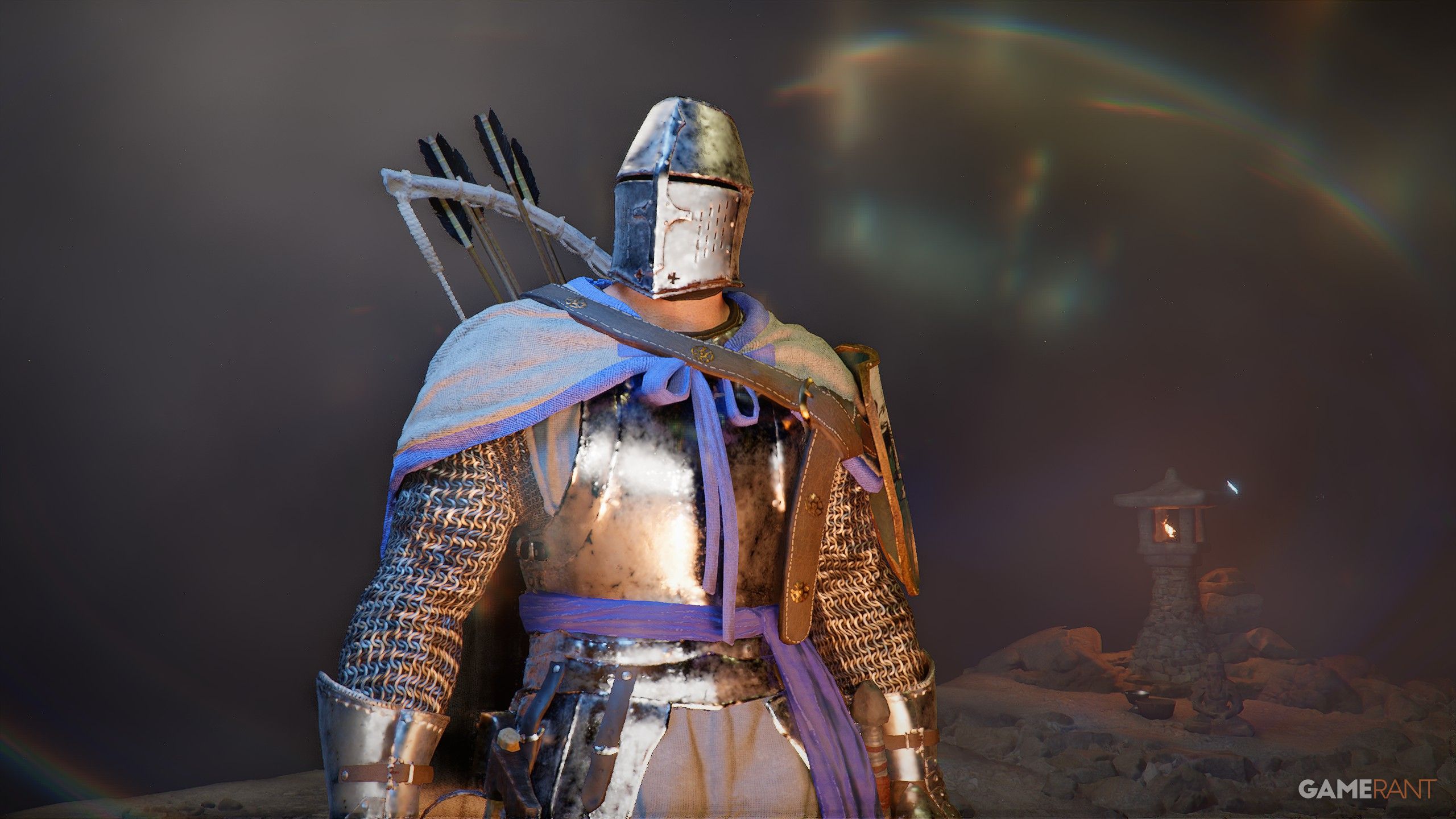
Starting Crimson Desert can feel a bit overwhelming at first. There’s a lot to learn, tons of places to discover, and challenging bosses to defeat, all with a lot of different controls. But one thing you’ll notice right away is the information displayed on your screen – it’s always visible as you play.
We’ve broken down everything you see on the screen – from the yellow bar to the green leaf circle – to make sure you understand what each part does and how it can help you. You’ll find explanations for every element below.
The Crimson Desert HUD, Explained
There are 7 parts of the Crimson Desert HUD worth explaining:
XP Bar
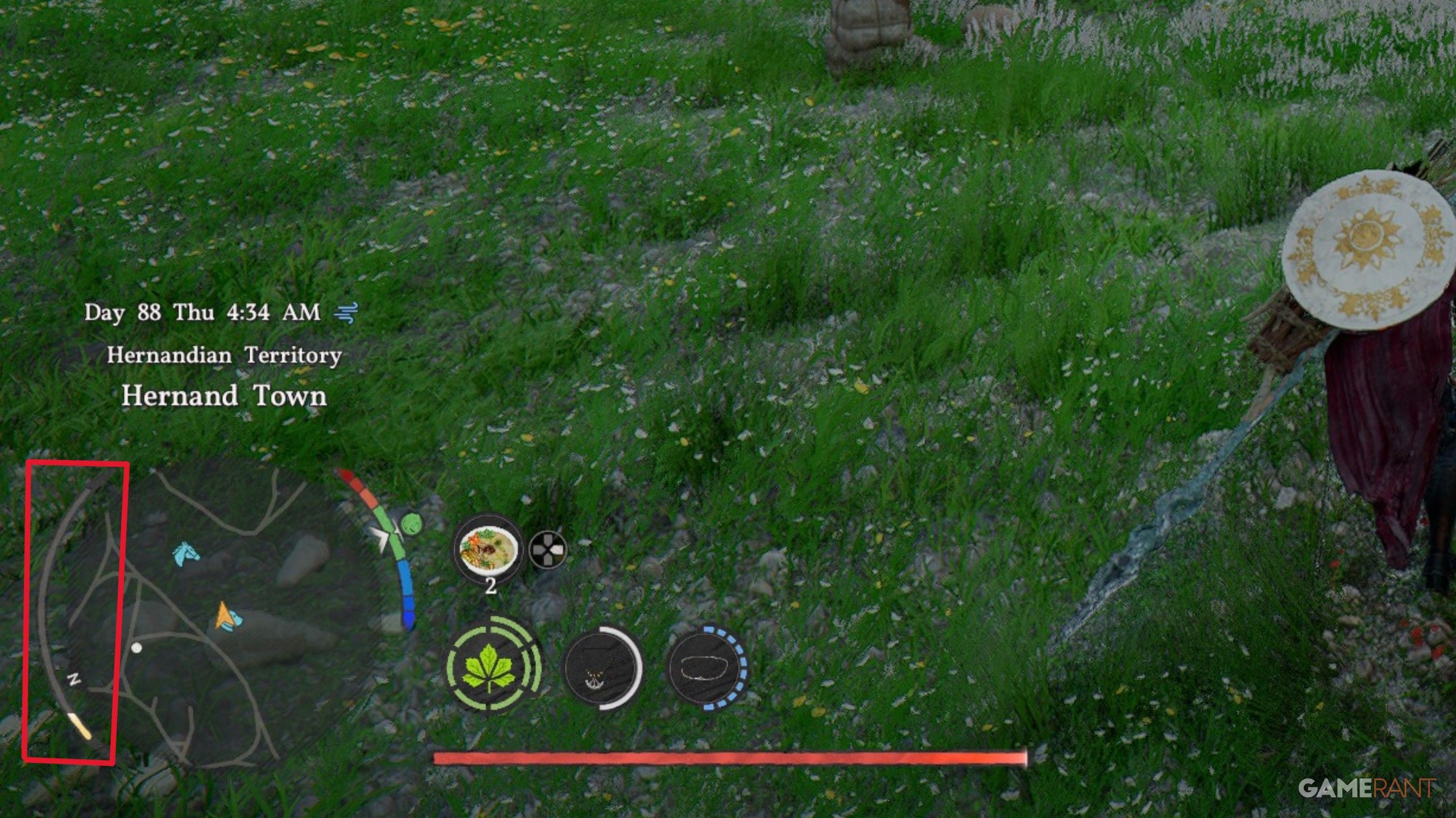
- The yellow bar on the left indicates your XP.
- XP is earned exclusively from killing enemies.
- When the XP bar fills, you will gain an Abyss Artifact, which can be used for Skill Points of equipment upgrades after Level 4.
Health Bar
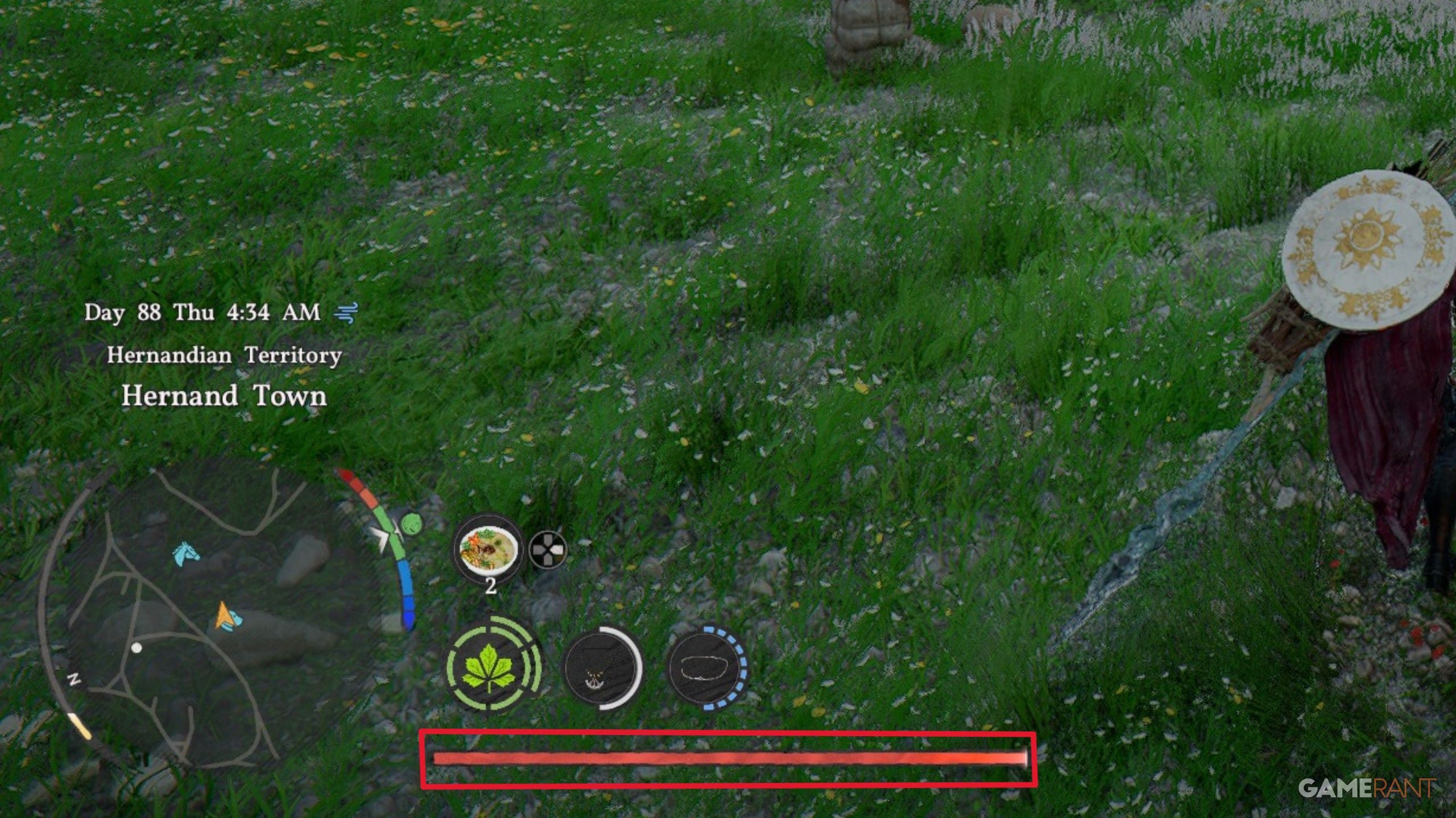
- The red bar at the bottom of the HUD indicates your total Health.
- Health can be increased from the “Health” upgrade in the Skill menu.
Stamina Bar
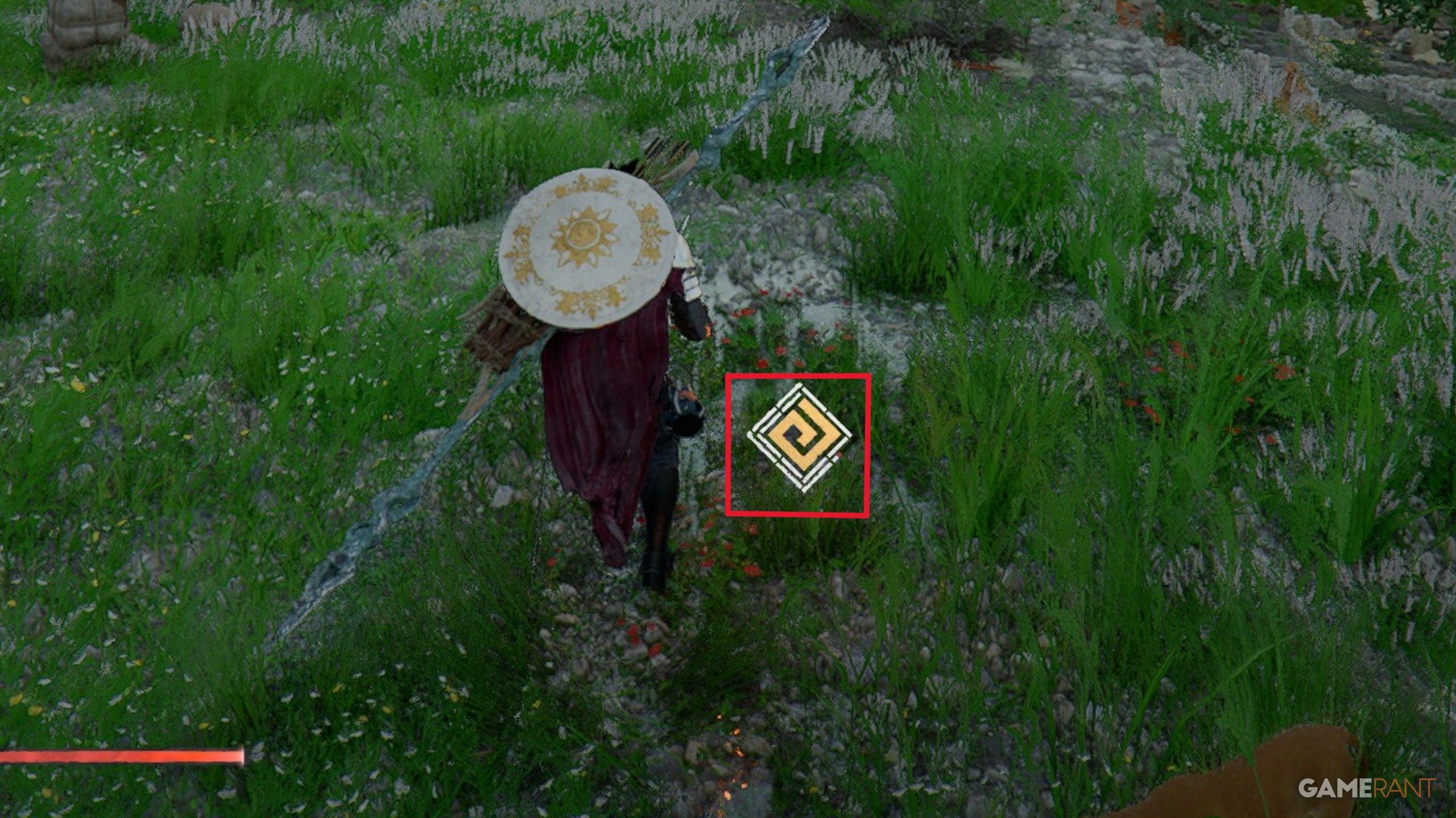
- The yellow diamond in the center of the screen indicates your Stamina.
- Stamina drains when running, climbing, flying, or using heavy attacks.
- Stamina can be increased from the “Stamina” upgrade in the Skill menu.
Spirit Bar
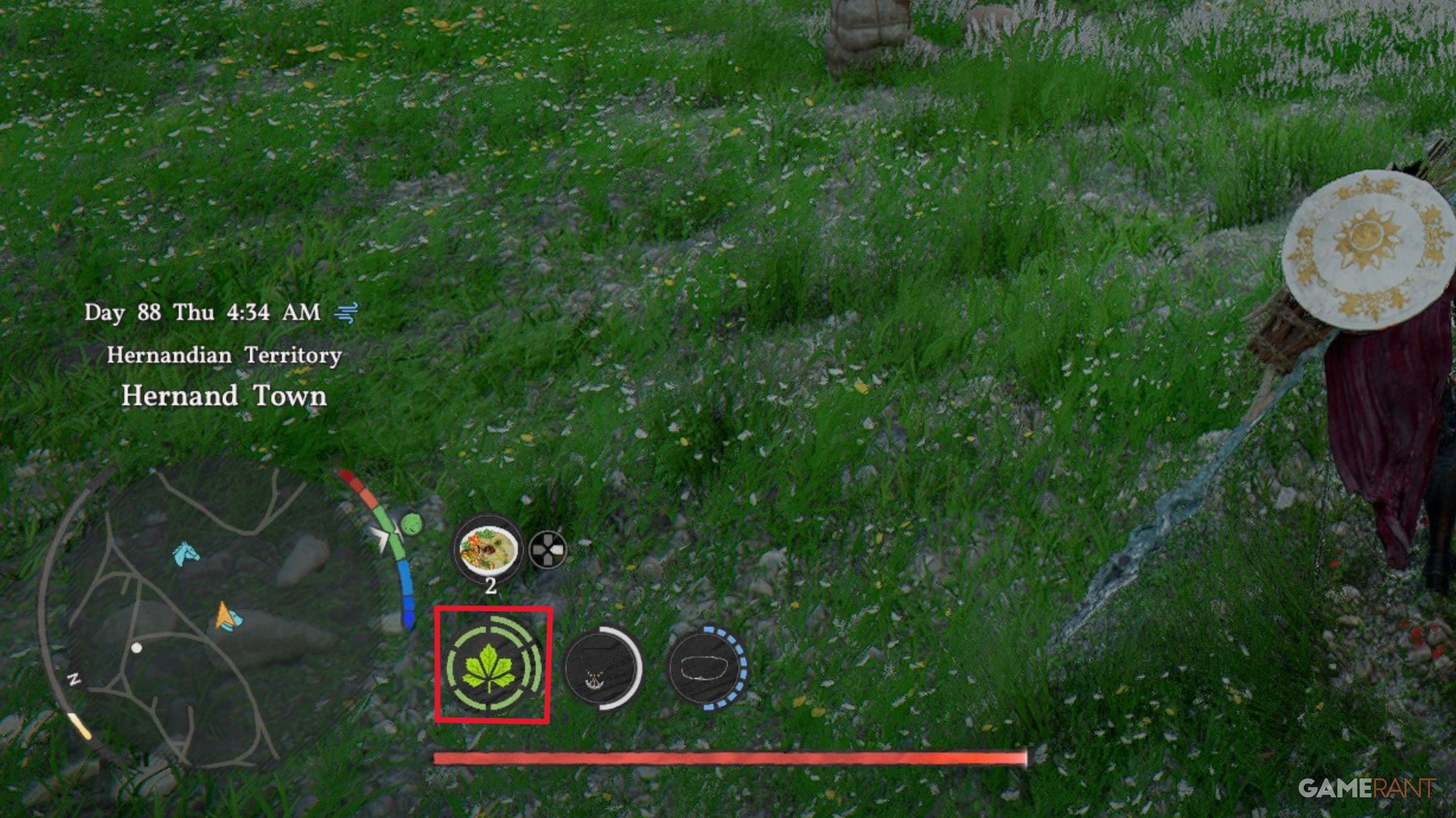
- The green leaves on the left of the HUD represent your total Spirit.
- Spirit is consumed when performing Spirit actions, like certain attacks and evasions.
- Spirit can be increased from the “Spirit” upgrade in the Skill menu.
- Spirit can also replenish from Focus (L3+R3).
Temperature Bar
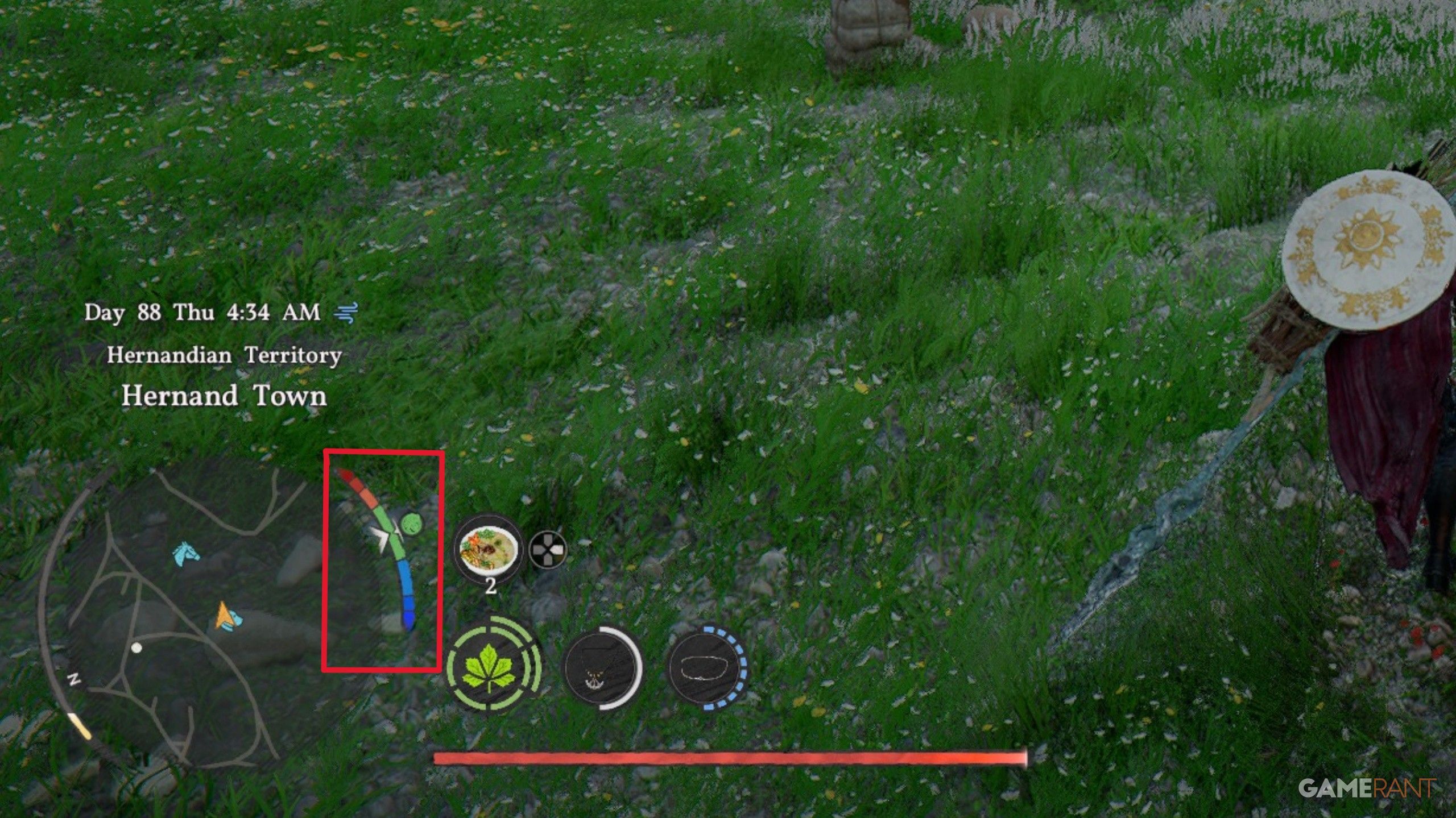
- The meter on the right of the minimap represents the weather conditions and temperature of Kliff.
- If the meter is green, then your temperature is perfect.
- If the meter is orange/red, then you’re too hot and need heat-resistant armor.
- If the meter is blue, then you’re too cold and need ice-resistant armor.
- Being too hot or too cold will make stamina drain faster and replenish slower.
Accessories Durability
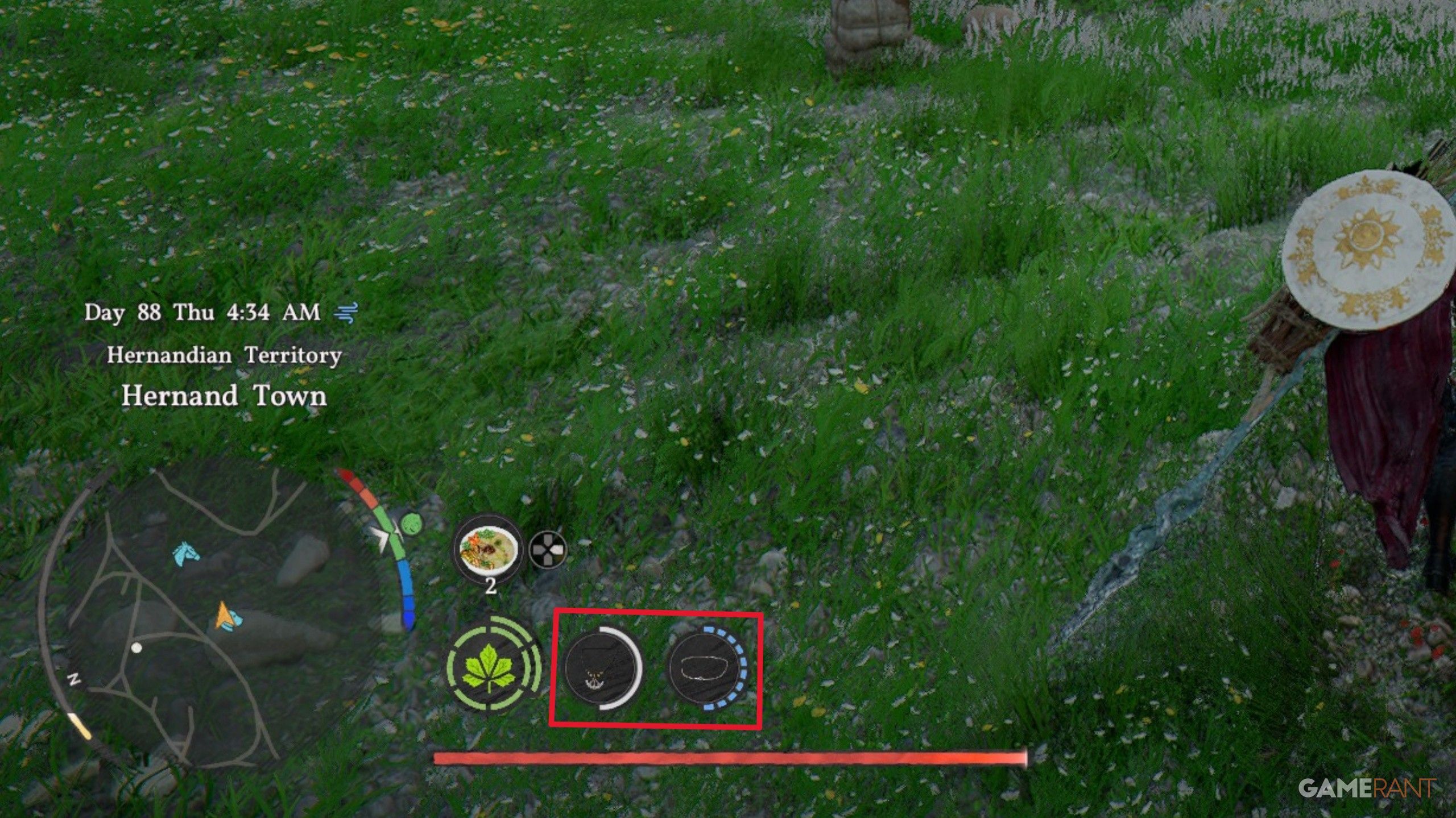
- The accessories on the right of the minimap indicate the durability of your equipped jewelry.
- When you equip a ring, necklace, earring, or circlet, it might have a special ability, which is represented on the HUD.
- These special abilities can have durability (the white bar represents durability, whereas the blue bar represents total charges).
Recovery Items
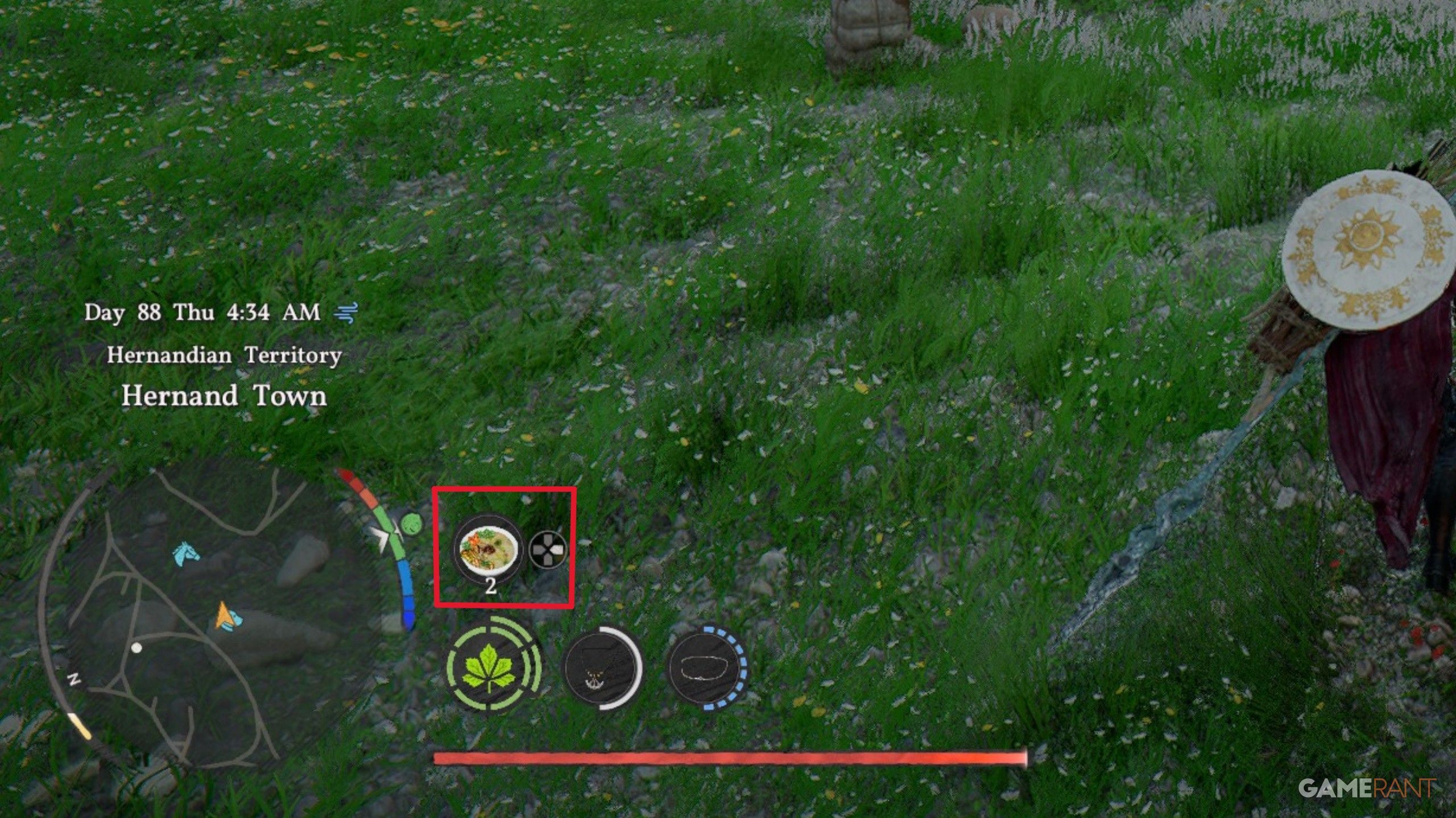
- The food icon on the right of the minimap shows your equipped Recovery Items.
- Recovery Items restore health, and even Stamina/Spirit depending on the Recovery Item.
- When the Recovery Item runs out (Right on the D-Pad to use), then it’s automatically replaced by the next food in your inventory.
Read More
- All Skyblazer Armor Locations in Crimson Desert
- One Piece Chapter 1180 Release Date And Where To Read
- All Shadow Armor Locations in Crimson Desert
- How to Get the Sunset Reed Armor Set and Hollow Visage Sword in Crimson Desert
- Cassius Morten Armor Set Locations in Crimson Desert
- New Avatar: The Last Airbender Movie Leaked Online
- Grime 2 Map Unlock Guide: Find Seals & Fast Travel
- Amber Alert Secrets & CDs In Crime Scene Cleaner Act 2
- Euphoria Season 3 Release Date, Episode 1 Time, & Weekly Schedule
- All Golden Greed Armor Locations in Crimson Desert
2026-03-23 00:44