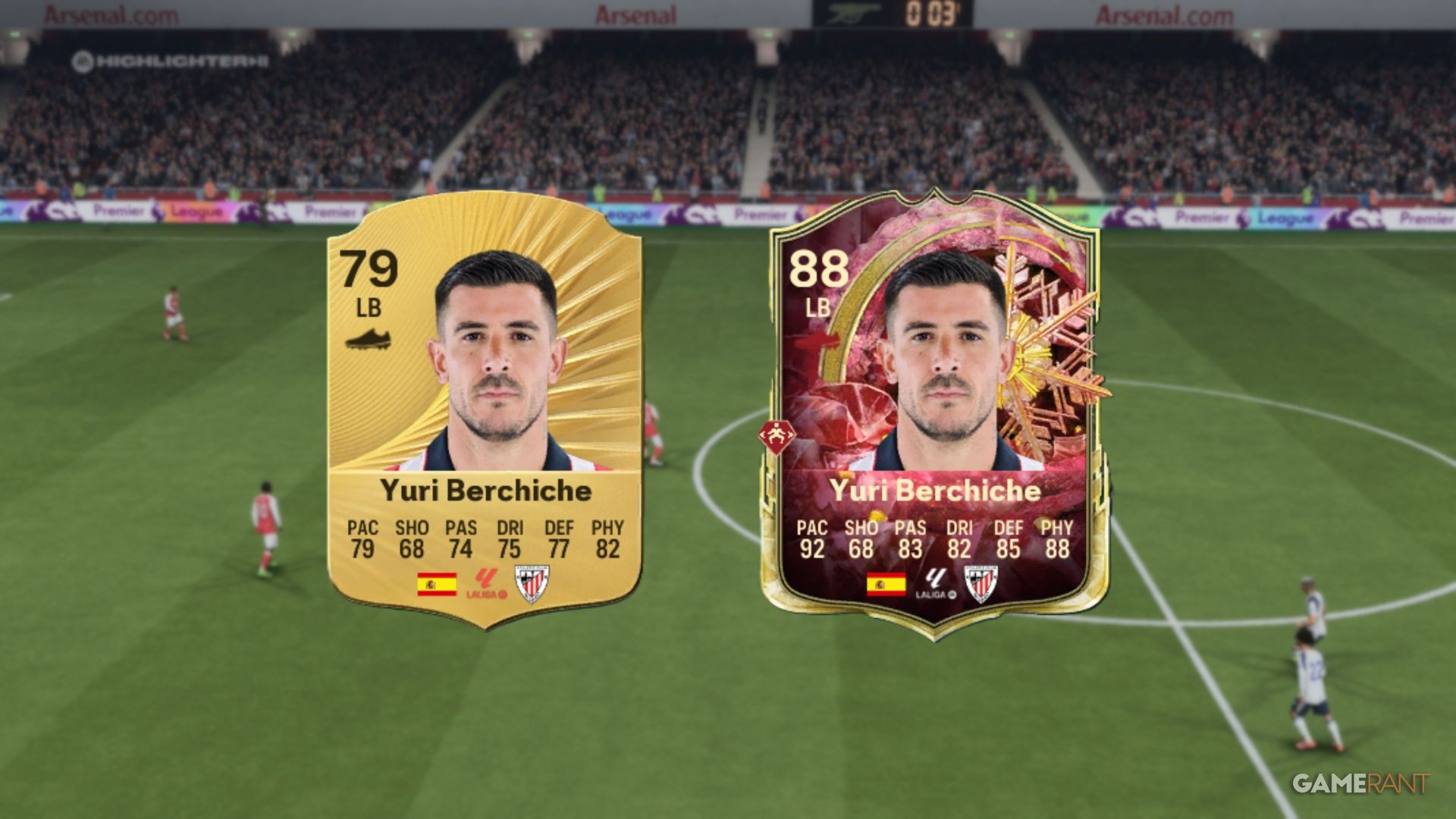
In EA Sports FC 26, Evolutions let you improve your player cards. You can boost already great players or transform bronze and silver players into top-rated stars. Evolutions in FC 26 give you more control over building your dream team, and many are available for free. To upgrade cards through Evolutions, you’ll need to play matches and complete challenges, but the rewards are well worth the effort.
Once you’ve used an Evolution on a card, it can no longer be traded with other players. Think carefully before using Evolutions on valuable cards if you might want to sell them later, as this change is permanent.
How Do Evolutions Work In FC 26?
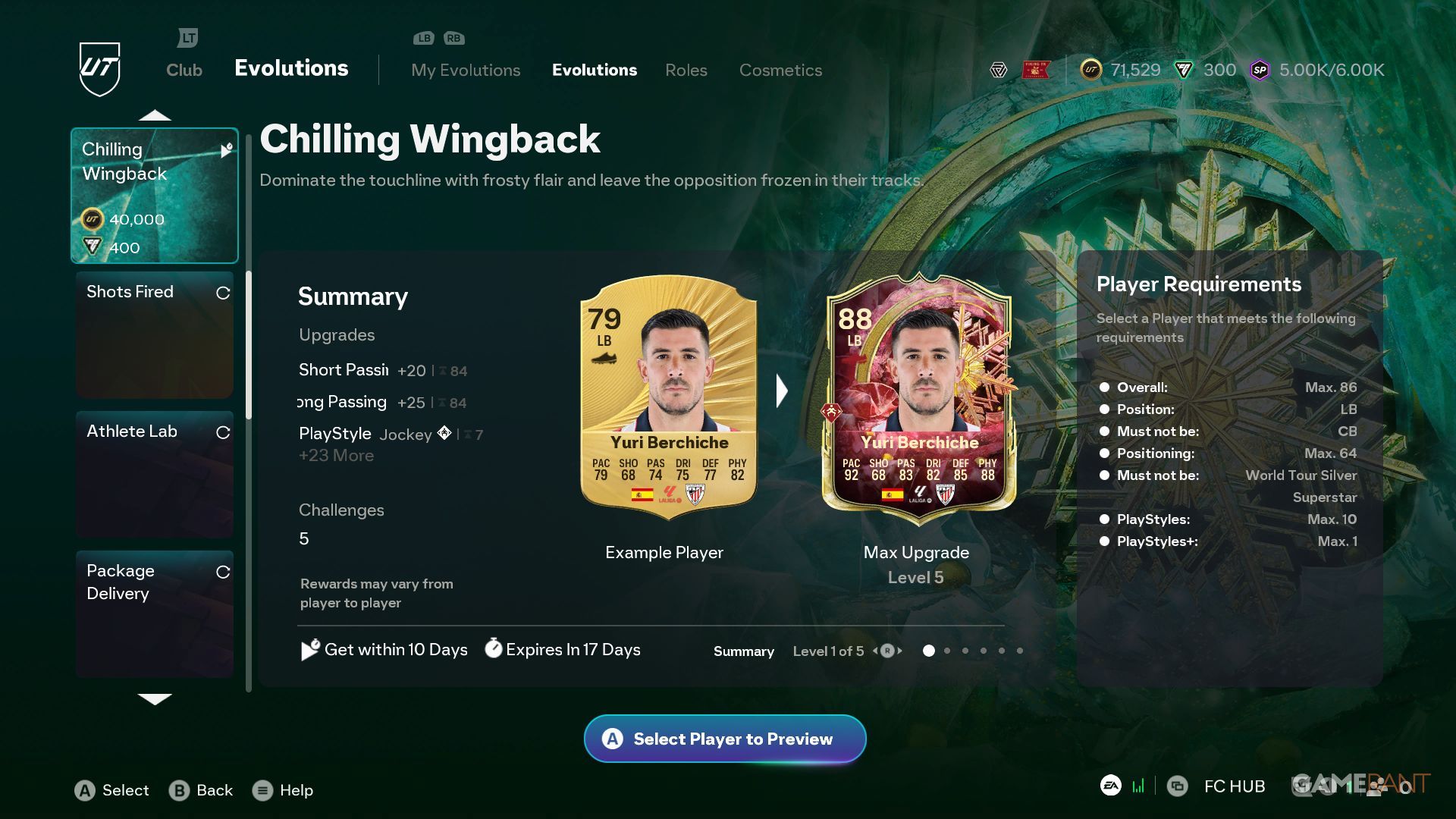
You can find the Evolutions section by going to the ‘Club’ menu and selecting ‘Evolutions’ – it’s located to the right of the ‘Squad’ tab. Here, you can see all the available player upgrades. Some of these upgrades require you to spend Coins or FC Points, while others are free. Expect new Evolutions to be added weekly, with stronger options becoming available as the season goes on.
EVO Requirements
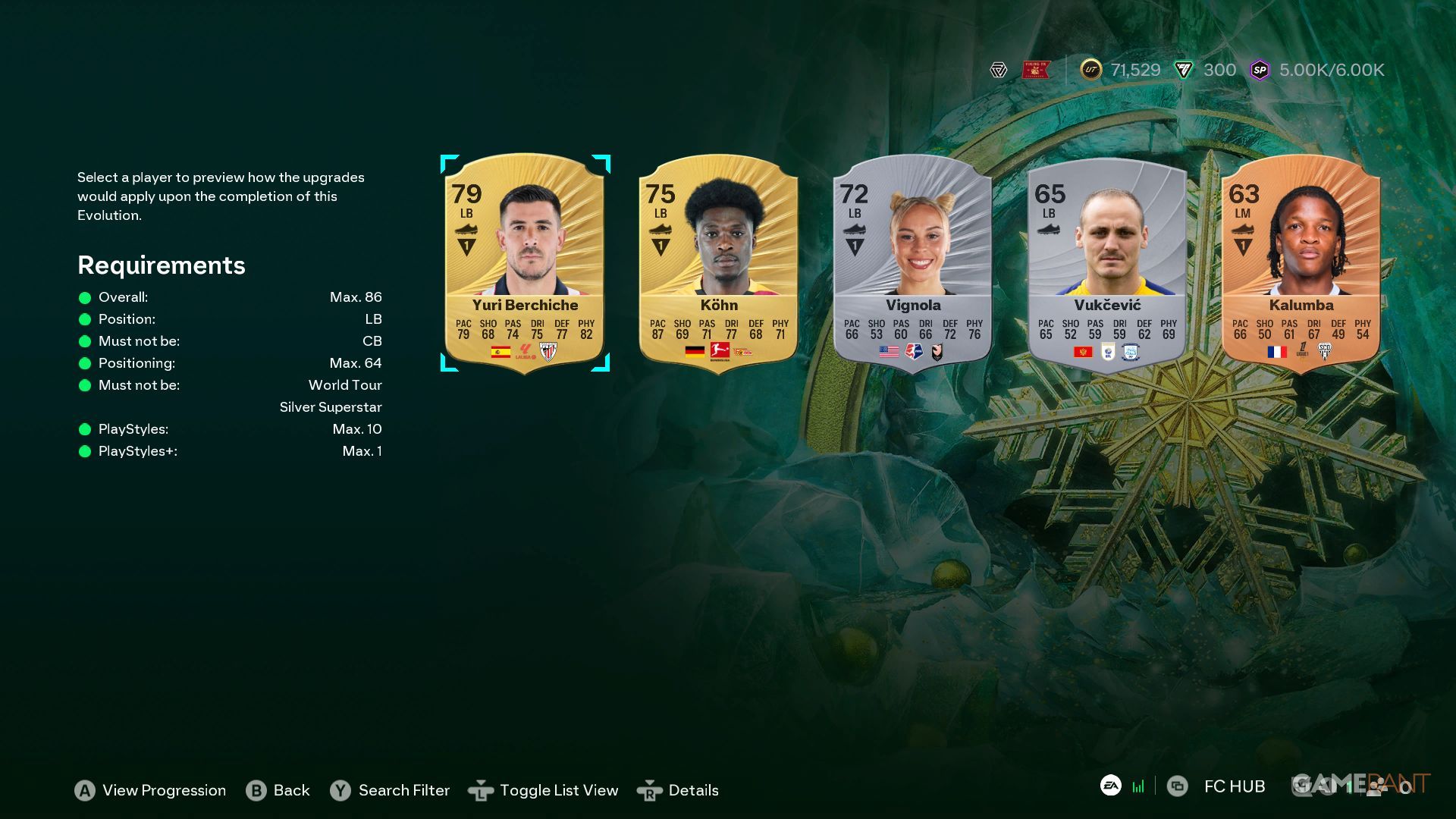
Notice that each EVO has a set of player requirements. These may require players’ cards to be:
- Beneath a specific rating.
- A certain position.
- Not a certain position.
- Not have too many Playstyles.
When you click the EVO button, you’ll see a list of cards that are eligible for upgrades. You can then select the player you want to improve and scroll through each upgrade stage to see exactly what stats, Playstyles, and positions will be added.
EVOs have different deadlines for claiming them and finishing them. For instance, you might have 24 hours to claim an EVO, but then a full week to actually complete it.
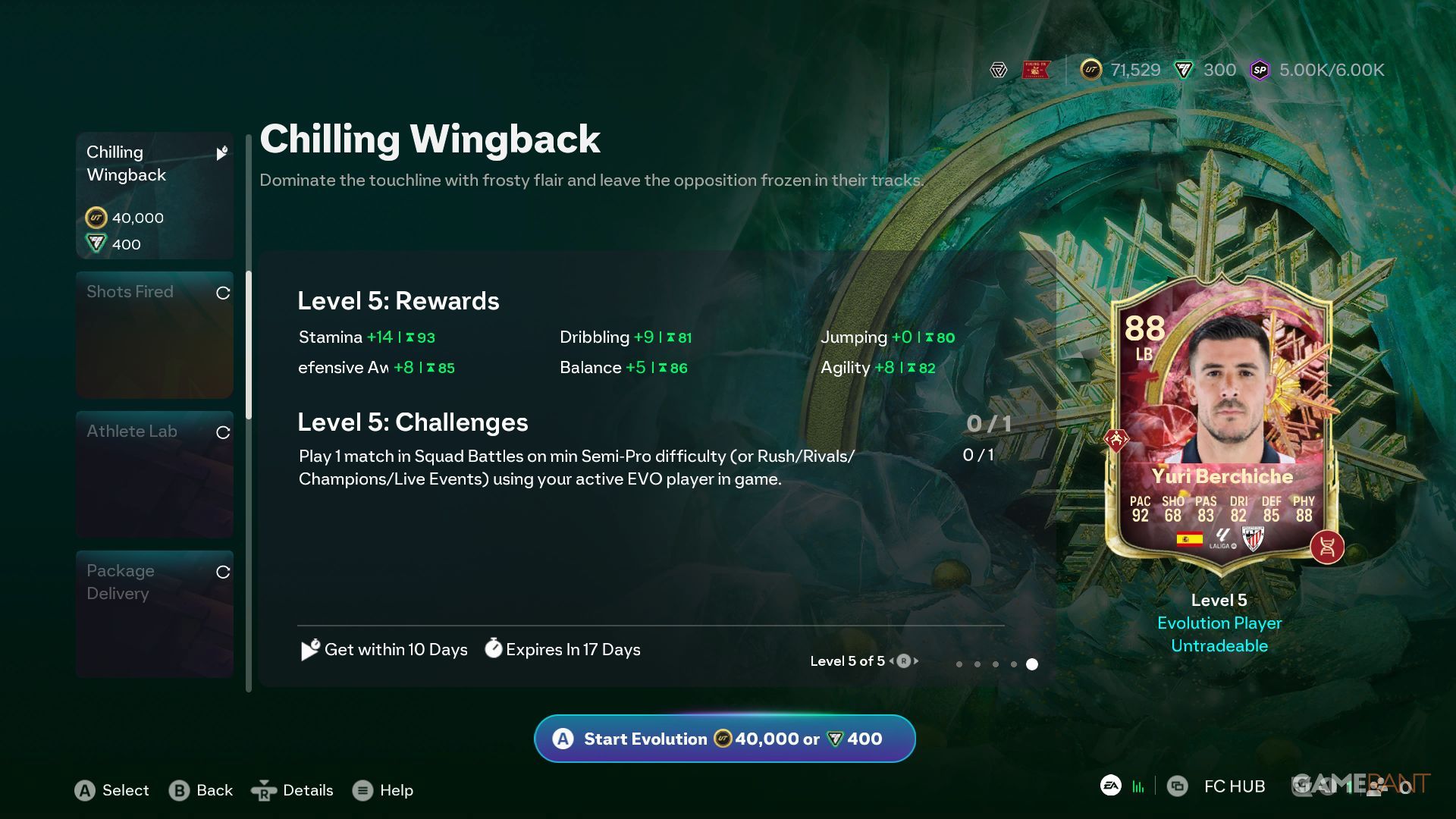
When you’re ready, finalize the Evolution – you’ll likely need to use Coins or FC Points to pay. Keep in mind that completing the Evolution isn’t instant; you still need to finish specific objectives before the card actually upgrades.
Cards can receive multiple EVOs, but only one at a time.
Complete Objectives To Level Up An Evolution In FC 26
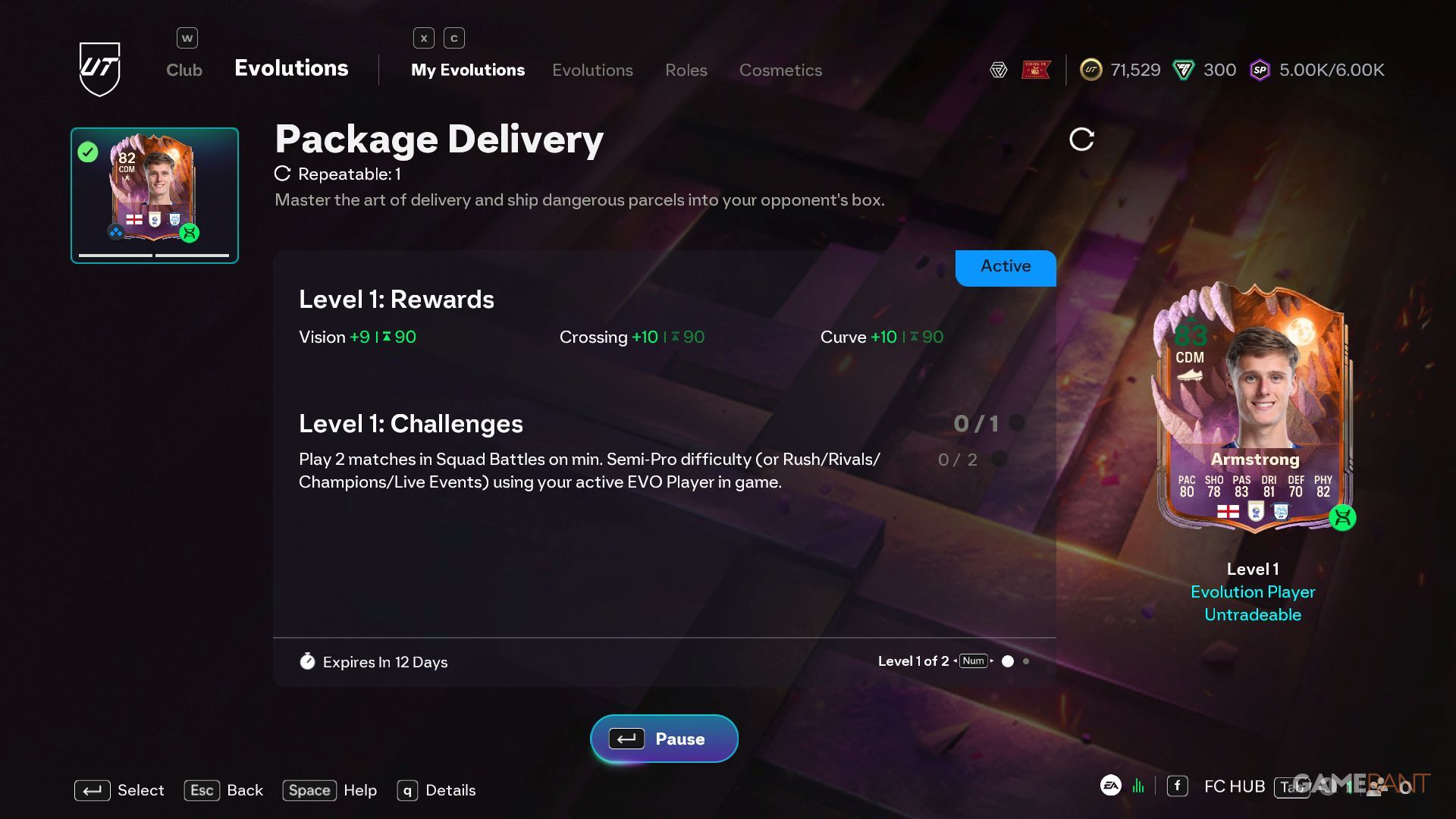
After you choose an Evolution, you need to finish the required tasks to improve your card. You can find these tasks in the ‘My Evolutions’ section. These tasks are only available for players who are currently undergoing Evolution, and the slots will fill up on their own. In your team, players with an active Evolution will be marked with a green circle around their card.
Generally, players can have up to 2 Evolution (EVO) sets active at the same time. However, those with the Ultimate Edition or EA Pro subscription can have 3. This limit was raised in December 2025.
Typically, completing these objectives involves playing Squad Battles on Semi-Pro difficulty or participating in online modes like Rush, Rivals, Champions, or Live Events. The good thing is, you don’t need to play the entire match – you can substitute players on and off the field.
Squad Battles matches are relatively short, lasting just 4 minutes per half, unlike Rivals. If you only have one player in your Active Evolution, Rush games are also a great way to play.
After you finish each goal, remember to claim your EVO upgrades. Check back after every game to get your level-ups and begin the next objective.
As a fan, I’ve noticed that some of the challenges involve playing several matches, but others are trickier – you actually have to win those games! Plus, if your EVO only gives a small boost to a player, it usually just has one goal to achieve. But if an EVO significantly improves a player – like adding 15 to their overall skill – you’ll need to complete several different objectives to unlock it. It seems like the bigger the improvement, the more you have to do!
Top-level EVOs in FC 26 will change the appearance of player cards, reflecting the game’s current theme.
You can view the goals needed to unlock an EVO by browsing through the different evolution stages.
Finding EVOs For A Specific Player In FC 26
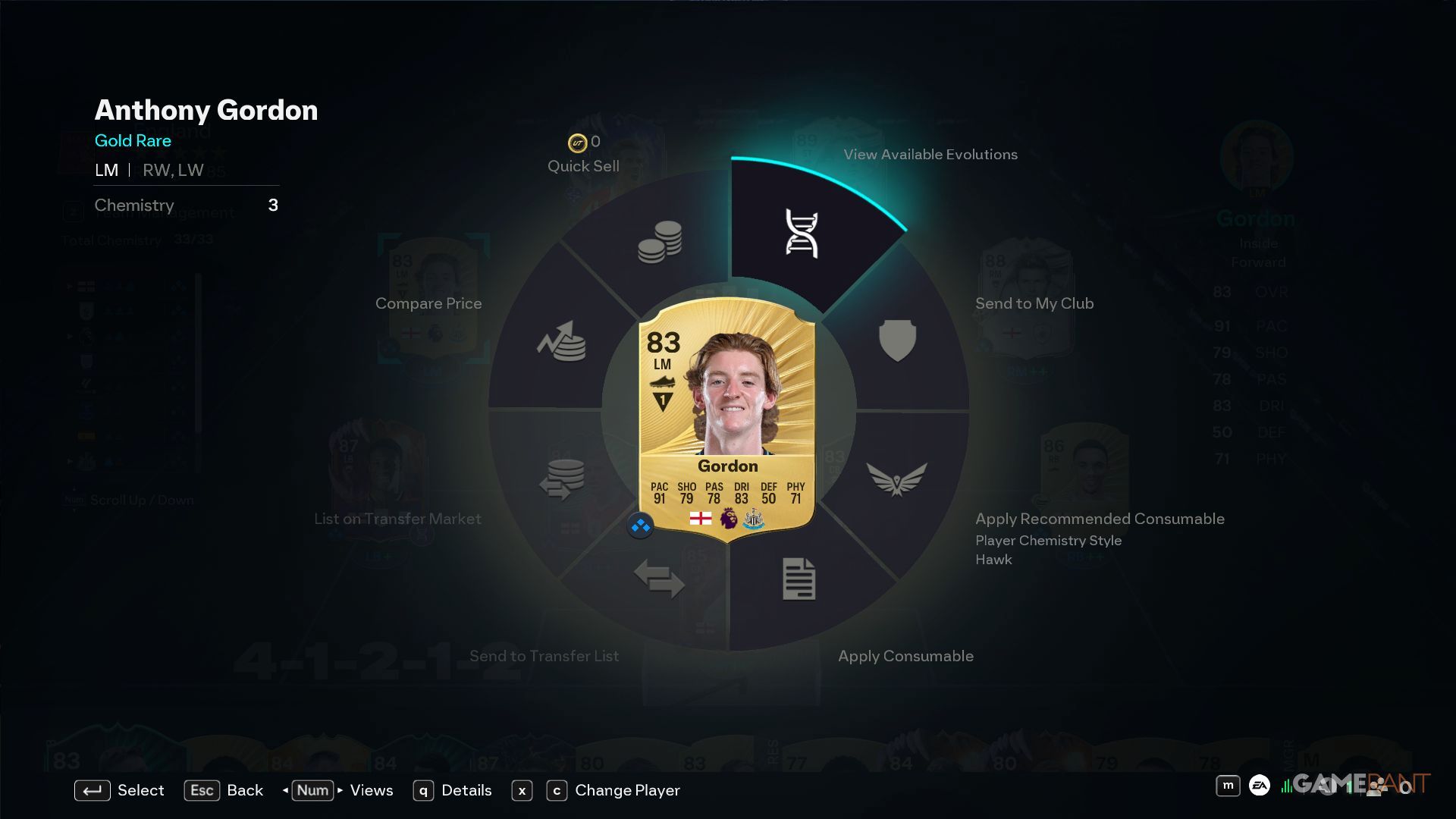
Now you can easily check which Evolutions are available for your players. Just go to your squad, click on a player, and select “View Available Evolutions.” This will take you directly to the Evolutions menu, but it will only display the Evolutions that player can actually use.
Read More
- All Skyblazer Armor Locations in Crimson Desert
- How to Get the Sunset Reed Armor Set and Hollow Visage Sword in Crimson Desert
- All Shadow Armor Locations in Crimson Desert
- Marni Laser Helm Location & Upgrade in Crimson Desert
- All Helfryn Armor Locations in Crimson Desert
- All Golden Greed Armor Locations in Crimson Desert
- All Icewing Armor Locations in Crimson Desert
- Best Bows in Crimson Desert
- How to Beat Stonewalker Antiquum at the Gate of Truth in Crimson Desert
- Legendary White Lion Necklace Location in Crimson Desert
2025-12-24 23:04