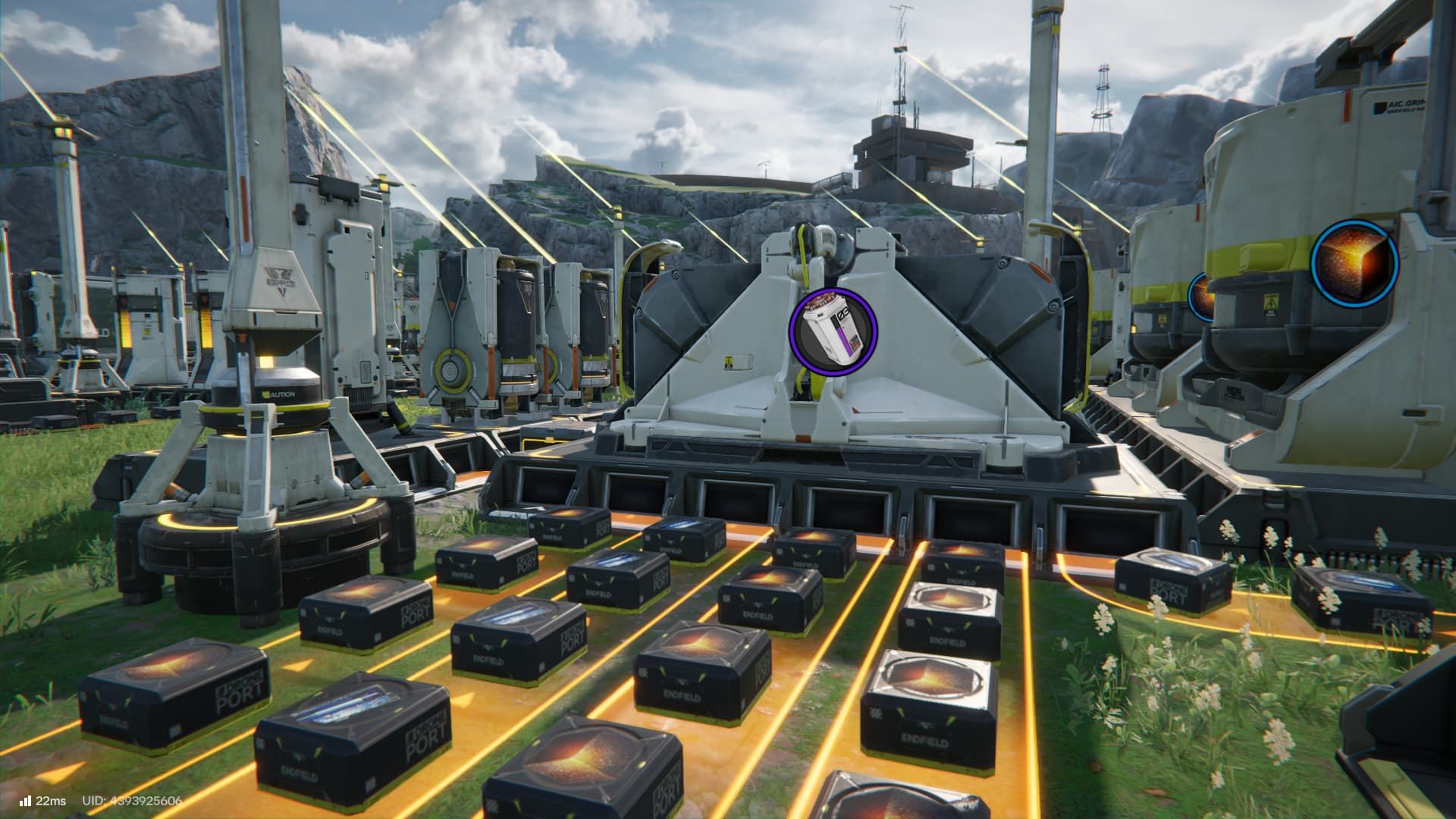
HC Valley Batteries are the most powerful type of Valley IV battery in Arknights Endfield, and they sell for a good price locally. However, they’re difficult to make, requiring both rare materials and a lot of basic resources. In this Endfield guide, we’ll show you our factory design for HC Valley Batteries to give you ideas for building your own.
Arknights Endfield HC Valley Battery Blueprint
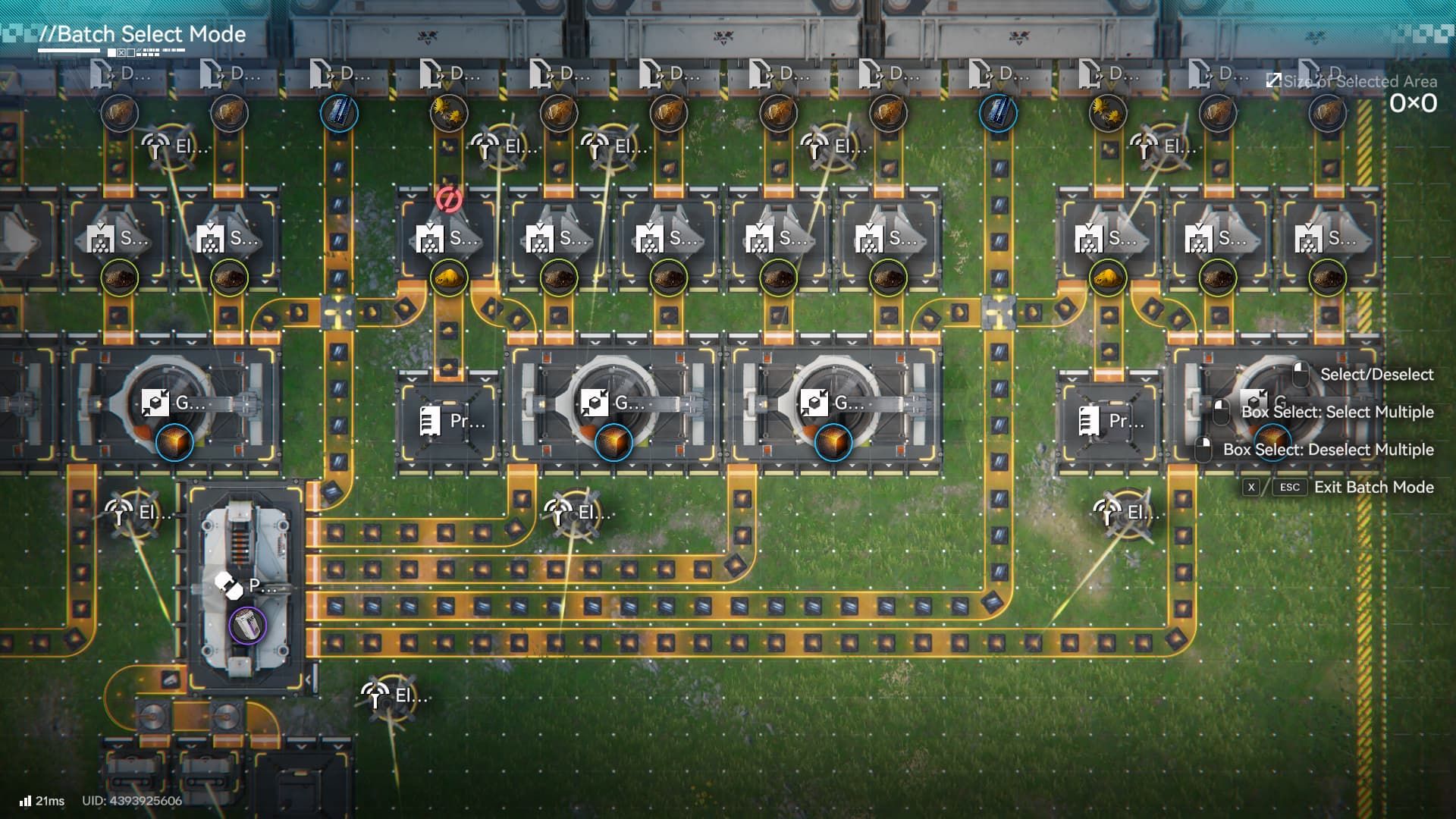
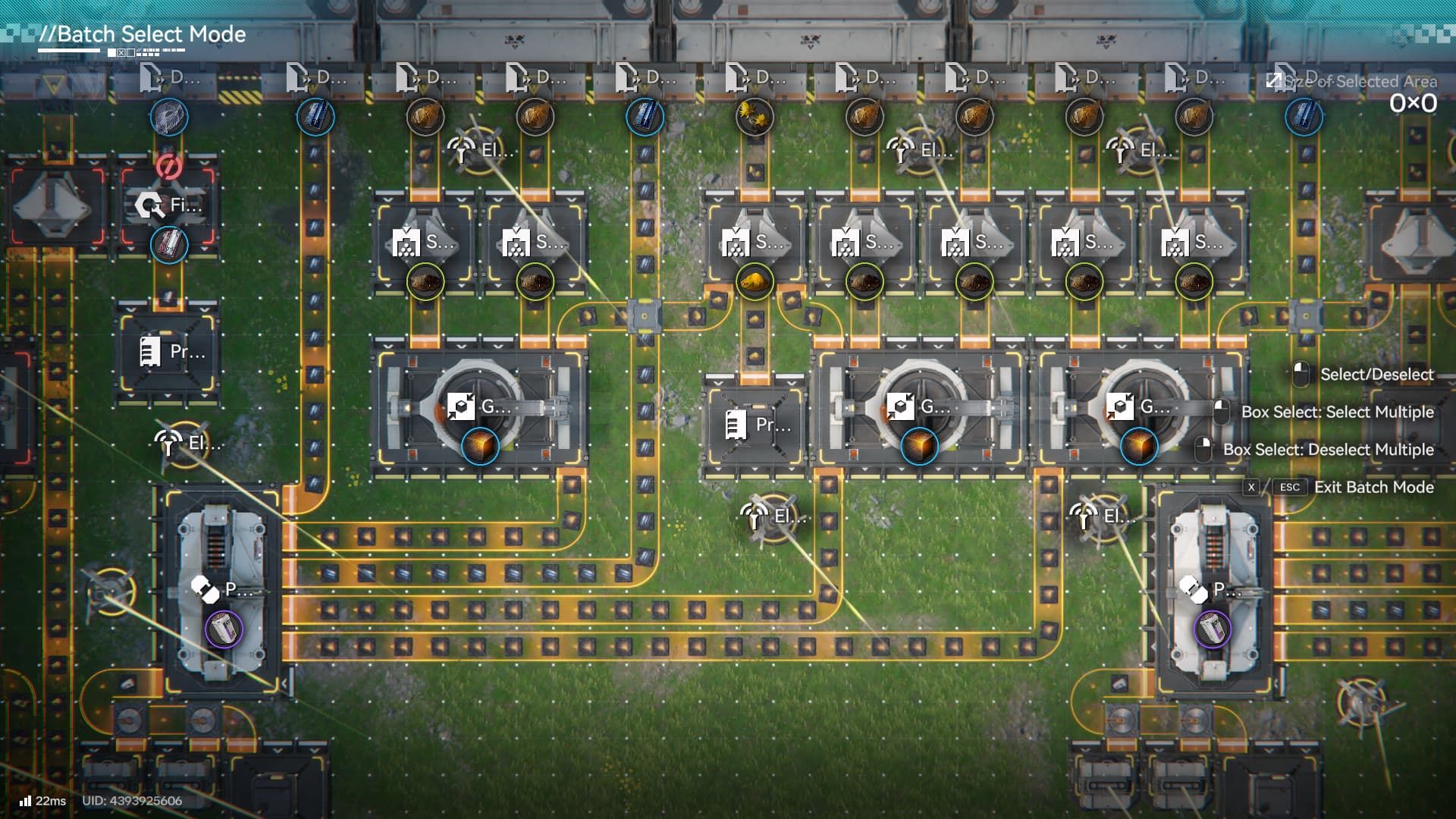
Because of the building’s width, we had to divide the sharing codes into two parts (for Asia servers): EFO01E50O51e69o563uIa (part 1) & EFO01521429A0auaaeIoe (part 2).
Like the Buck Capsule (A) design, setting up HC Valley Batteries will require a large portion of your AIC’s central space. However, this arrangement will be broader than it is deep. Here’s what you’ll need to build it:
- 19 Bus Unloader Outputs
- 12 Originium Ore
- 3 Sandflower
- 4 Steel Parts
- 15 Shredding Units
- 6 Grinding Units
- 2 Packaging Units
- 4 Thermal Banks
- Protocol Storage Stashes for excess materials
Make sure you’re getting enough Originium and Ferrium Ore. HC Valley Batteries need a lot of both, and running low could completely halt production. Luckily, Sandleaf is simple to make, so you shouldn’t have trouble with that.
Fortunately, we only need to focus on making Dense Originium Powder and Steel Parts. Everything else will be automatically handled by the production process for these two items.
What About Steel Part Production?
If you have room near your base or in your Outpost storage areas, you can easily copy the layout shown to take full advantage of the three extra output connections on your cores. The design doesn’t take up much space, so you should have plenty of room in the center of your base unless you’re using that area for growing plants. Here’s how to set it up:
- Set 2 Output Ports to Ferrium Ore, then set a third port to Sandflower Powder.
- Connect the Ferrium Ore conveyor line to Refining Units.
- Connect the Refining Units to Shredding Units.
- Connect the Shredding Units and the Sandflower Powder belt to a Grinding Unit.
- Connect the Grinding Unit to a new Refining Unit.
- Connect the new Refining Unit to a Fitting Unit
- Loop the belt back to one of the base core’s Input Ports or a Protocol Storage Stash.
Steel Blueprint
Share Code (Asia): EFO0101Oa14o2Ei0E179
If you’re short on space around your central base, use the diagram to connect everything to your Depot Bus. Keep in mind this will only create Steel. To make Steel Parts, you’ll also need to add a Refining Unit, a Fitting Unit, and a storage area at the end of your production setup.
Read More
- All Skyblazer Armor Locations in Crimson Desert
- How to Get the Sunset Reed Armor Set and Hollow Visage Sword in Crimson Desert
- All Shadow Armor Locations in Crimson Desert
- Marni Laser Helm Location & Upgrade in Crimson Desert
- All Helfryn Armor Locations in Crimson Desert
- All Golden Greed Armor Locations in Crimson Desert
- Best Bows in Crimson Desert
- All Icewing Armor Locations in Crimson Desert
- How to Beat Stonewalker Antiquum at the Gate of Truth in Crimson Desert
- Legendary White Lion Necklace Location in Crimson Desert
2026-02-04 18:34