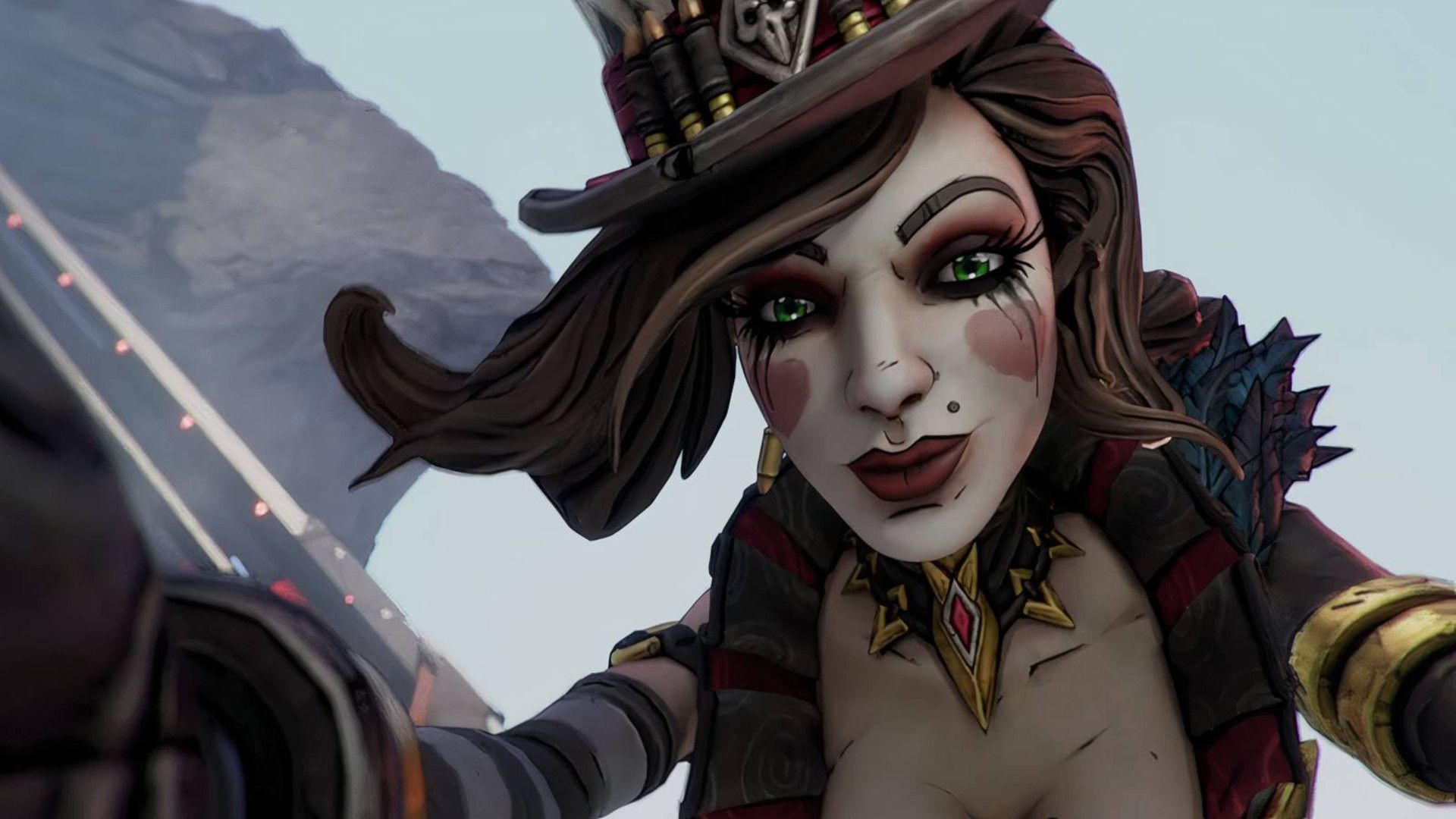
After a long wait, Borderlands 4 now includes Photo Mode – a feature players have requested since the game launched in September 2025. The update adds several tools to help players capture the ideal in-game shot, whether they’re playing alone or with friends.
It hasn’t been long since the last Borderlands 4 update in mid-January, which was a small patch focused on boosting the power of Harlowe and Amon and improving the chances of getting rare loot from bosses. This latest update is much bigger, bringing many changes and improvements, including a new Photo Mode.
Borderlands 4 Gets Photo Mode
So, the new update for Borderlands 4 dropped on January 29th, and I’m super excited about the Photo Mode! It lets you take really cool, detailed shots of your character and the world of Kairos. The best part? You can pull it up whenever you want while you’re playing – except during cutscenes, of course. It doesn’t work in split-screen, but it does work online with other players. The only difference is that when I’m playing solo and use Photo Mode, the game pauses, but in online multiplayer, everyone keeps playing while I’m framing the perfect shot.
Borderlands 4 finally includes a robust Photo Mode with tons of options for creating the perfect shot. You can adjust things like the camera angle, zoom, and depth of field, as well as tweak the brightness, contrast, and colors. Players can also choose what appears in the photo – showing or hiding characters, enemies, summons, and damage numbers. You can even change the time of day to affect the lighting and overall mood. To finish things off, you can add game logos and cinematic letterboxing to your images.
How to Use Borderlands 4’s Photo Mode
As a huge Borderlands fan, I was really excited to mess around with the Photo Mode in Borderlands 4, and it’s super easy to get into! All you do is pause the game, and there’s a Photo Mode option right there in the menu. Once you’re in, you can tweak everything to get the perfect shot, and then take a screenshot – the way you do that just depends on whether you’re playing on PC, PlayStation, or Xbox.
- Steam/PC: F12, Print Screen, Snipping Tool, or third-party software
- PS5: Share button
- Xbox Series X: Capture button
The images can then be found wherever the chosen method typically saves screenshots.
While Borderlands 4 fans will probably enjoy the new photo feature and use it to create some great images, it’s unlikely to bring a large number of players back to the game. Borderlands 4 started strong, with over 300,000 people playing on Steam at the same time, but it has lost most of its audience since then. Within two months of release, the Steam player base dropped by 96% to around 10,000, and recent data from SteamDB shows that the peak number of concurrent players in January 2026 was just over 10,000, with most days seeing around 5,000 players.
Despite a relatively quiet start, Borderlands 4 is expected to draw players back throughout 2026. This initial update is just the beginning, with plans for two more major updates and several paid downloadable content packs in the first three months. The game’s 2026 roadmap also shows free content arriving in the second quarter, followed by four more paid DLCs later in the year. Players can look forward to new ways to play after finishing the main story, the ability to save progress across different platforms, special events, and other additions. Overall, 2026 should bring plenty of exciting content to Borderlands 4.
Read More
- All Shadow Armor Locations in Crimson Desert
- How to Get the Sunset Reed Armor Set and Hollow Visage Sword in Crimson Desert
- Best Bows in Crimson Desert
- All Golden Greed Armor Locations in Crimson Desert
- Wings of Iron Walkthrough in Crimson Desert
- How to Craft the Elegant Carmine Armor in Crimson Desert
- All Helfryn Armor Locations in Crimson Desert
- How To Beat Ator Archon of Antumbra In Crimson Desert
- Keeping Large AI Models Connected Through Network Chaos
- Sakuga: The Hidden Art Driving Anime’s Stunning Visual Revolution!
2026-01-30 06:04