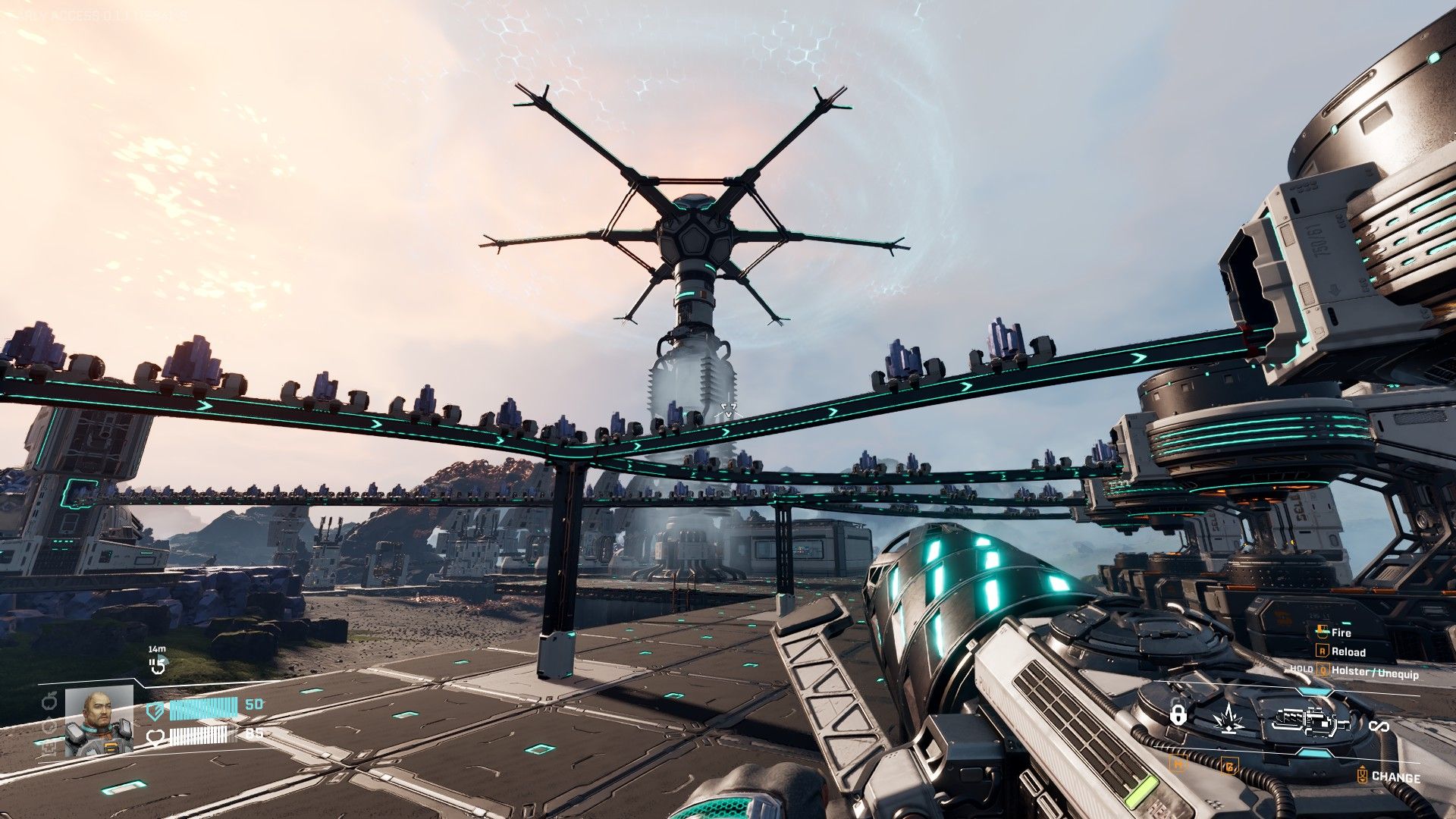
In StarRupture, building a base and automating its processes are central to the gameplay. You’ll advance through the game by constructing factories that produce various materials. Like other automation games, getting your base running smoothly can be challenging at first. If you’re new to games like StarRupture, here are some helpful tips for building your initial bases.
StarRupture Base Building Guide

- Plan your production output
- Survey terrain
- Place Base Core, extractors, and power generators
- Build a production floor
- Build an output line
Here’s a simple three-step guide to building a base in StarRupture. While these steps seem obvious, new players often miss them. It’s common to get caught up in building small, inefficient production lines without considering space or resources. We’ll show you how to use your resources effectively and keep your base organized.
Production Planning

Before starting to build, it’s crucial to plan your production process. StarRupture offers many different materials to create, and each one might require unique resources. This can quickly make your factory complex, so it’s best to figure out how many machines you’ll need and how everything will flow before you start placing any buildings.
This process starts out easy, but becomes trickier when you’re working with more difficult materials. We’ll revisit this later to cover those complexities.
Survey Terrain

- Work on flat terrain as much as possible
- Look for the nearest Monolith
Now that you have a general plan, scout the area around your base. Find a high spot to get a good overview, then start planning where everything will go. Think about the best places for your resource collectors and where you can build a workshop to process materials. Flat ground is ideal for building, but if you can’t find any, you’ll need to build upwards.
It’s important to always know where the closest Monolith is. After you upgrade a Base Core, enemies will begin attacking your base regularly, and they almost always appear from the direction of a Monolith. Keep this in mind when planning your defenses.
Setting Up Base Cores and Extractors

- Place Base Cores in a good defensive position away from production lines.
- Maximize ore fields by placing Ore Extractors on all possible points.
Base Cores are the most important part of your base in StarRupture. You need a Base Core to build anything, and it protects your base during Ruptura events. When placing it, find a spot that’s not in the way of your resources, but is still easy to defend.
When placing Extractors, position them over ore veins and aim them towards where you want to build your production facilities. You don’t need to build those production buildings immediately next to the Extractors. It’s best to leave a good amount of open space around your Extractors to avoid accidentally building over valuable ore with your base structures.
If your Ore Extractors aren’t producing materials, it likely means you’re making too much of something else. You can either build more of your factory to handle the extra output, or add another rail line to help move things along.
Building Production Floors

- Start from the highest point of your build area
- Leave plenty of space for additions/alterations
- Keep your layouts modular
After completing the last step, create a spacious floor using Platforms and supporting structures. This area will be the heart of your base’s automated production. Feel free to make it quite large, particularly if you plan on manufacturing a lot of items.
When building, always leave gaps between your structures to allow for Rail installation. More importantly, spacing keeps your factory flexible – and that’s crucial with StarRupture’s unlock system. You’ll probably be rebuilding factories often, especially early on, so designing them to be easily redesigned is a smart move.
Output Lines

Now that you’re producing finished goods, you can either launch them into space with Orbital Cargo Launchers or transport them to Storage Depots for more work.
If you plan to send resources off-world, we highly suggest constructing several Orbital Cargo Launchers. One Fabricator can support up to five launchers, and you can easily build more if you need to increase your launch speed.
You unlock the Storage Depot blueprint when you reach level 3 with Clever Robotics. These buildings are designed to store materials so you can use them later. They function similarly to Rail Connectors, and the basic Storage Depot has four Rail slots. They’re helpful for creating a central storage area to simplify resource management as you progress, and are also useful for building facilities like ammunition plants and distribution centers.
Other Base Building Tips

- When placing buildings, press the Y key on your keyboard to lock the elevation of whatever you’re placing. This makes leveled building placement much faster and easier.
- When placing Platforms, press and hold the Right Mouse Button to place more than one tile at a time. This will significantly reduce the time it takes to make large production floors.
- Stairs count as powered Platforms. Use this to connect your power grids that are on uneven terrain.
- Rails will transfer power the same way Platforms do. If you don’t want to make a long Platform bridge just to transfer power, build a power cable by connecting two Rail Connectors to each other.
- The Building Drone will make all of your construction projects so much easier. Unlock this first by leveling Clever Robotics to 4.
- Press the Z key to copy whatever building you’re pointing your crosshair at. This way, you won’t have to open the build menu all the time to select new building pieces.
- Start small, then build big.
Read More
- All Skyblazer Armor Locations in Crimson Desert
- All Shadow Armor Locations in Crimson Desert
- How to Get the Sunset Reed Armor Set and Hollow Visage Sword in Crimson Desert
- Marni Laser Helm Location & Upgrade in Crimson Desert
- Best Bows in Crimson Desert
- All Helfryn Armor Locations in Crimson Desert
- All Golden Greed Armor Locations in Crimson Desert
- How to Craft the Elegant Carmine Armor in Crimson Desert
- Keeping Large AI Models Connected Through Network Chaos
- One Piece Chapter 1179 Preview: The Real Imu Arrives in Elbaf
2026-01-12 16:05