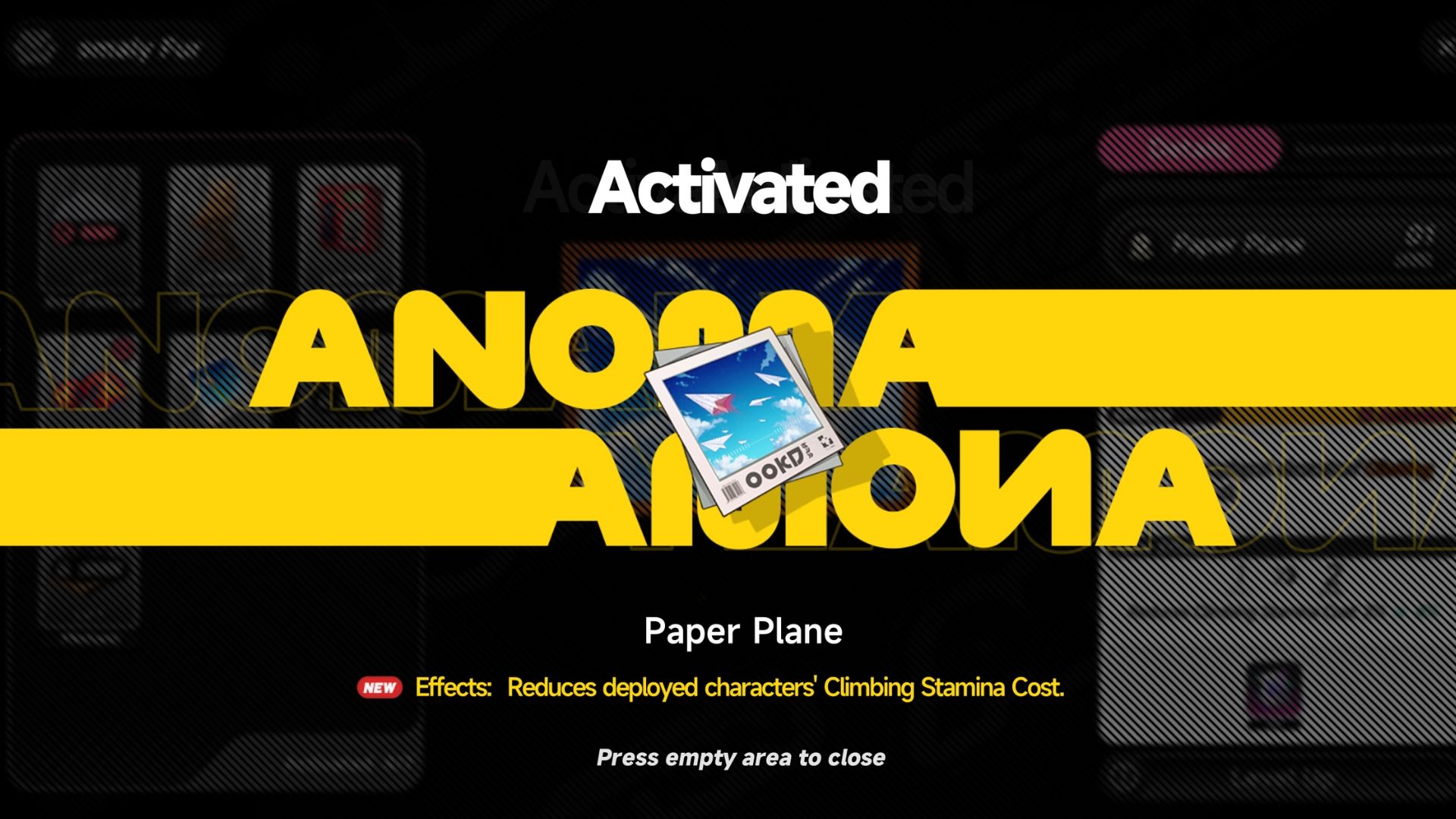
The ‘Neverness to Everness’ set includes the Paper Plane Anomaly Furniture, which makes it easier for characters to climb when placed in your home. To get this furniture, you first need to take a single photo of a paper airplane in the game.
The “Paper Plane” needed to unlock furniture isn’t a single plane, but a group enemy called the Paper Squadron. These are made up of many paper planes and usually appear around mailboxes in residential areas. You can find the Paper Squadron anomaly in Hethereau City – take a picture of it to unlock the Paper Plane furniture.
How to Take 1 Photo of a Paper Plane in NTE
Paper Squadron Location
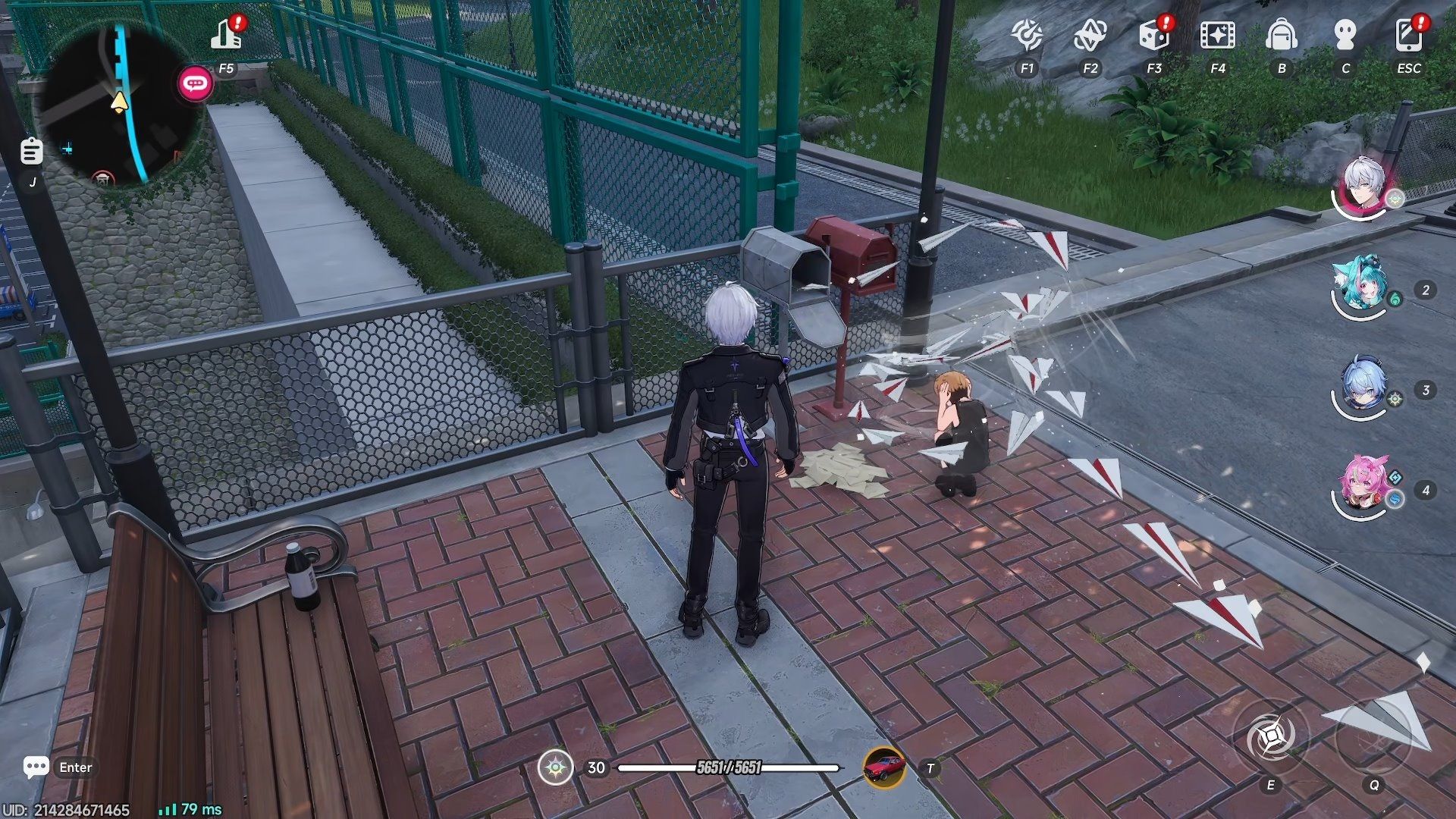
Okay, so the Paper Squadron’s location isn’t shown on the map at first, but I figured out a really easy way to find it. It’s tied to unlocking the Paper Plane furniture! Basically, the game asks you to take a picture of a paper airplane, and doing that leads you right to them. Here’s how I did it…
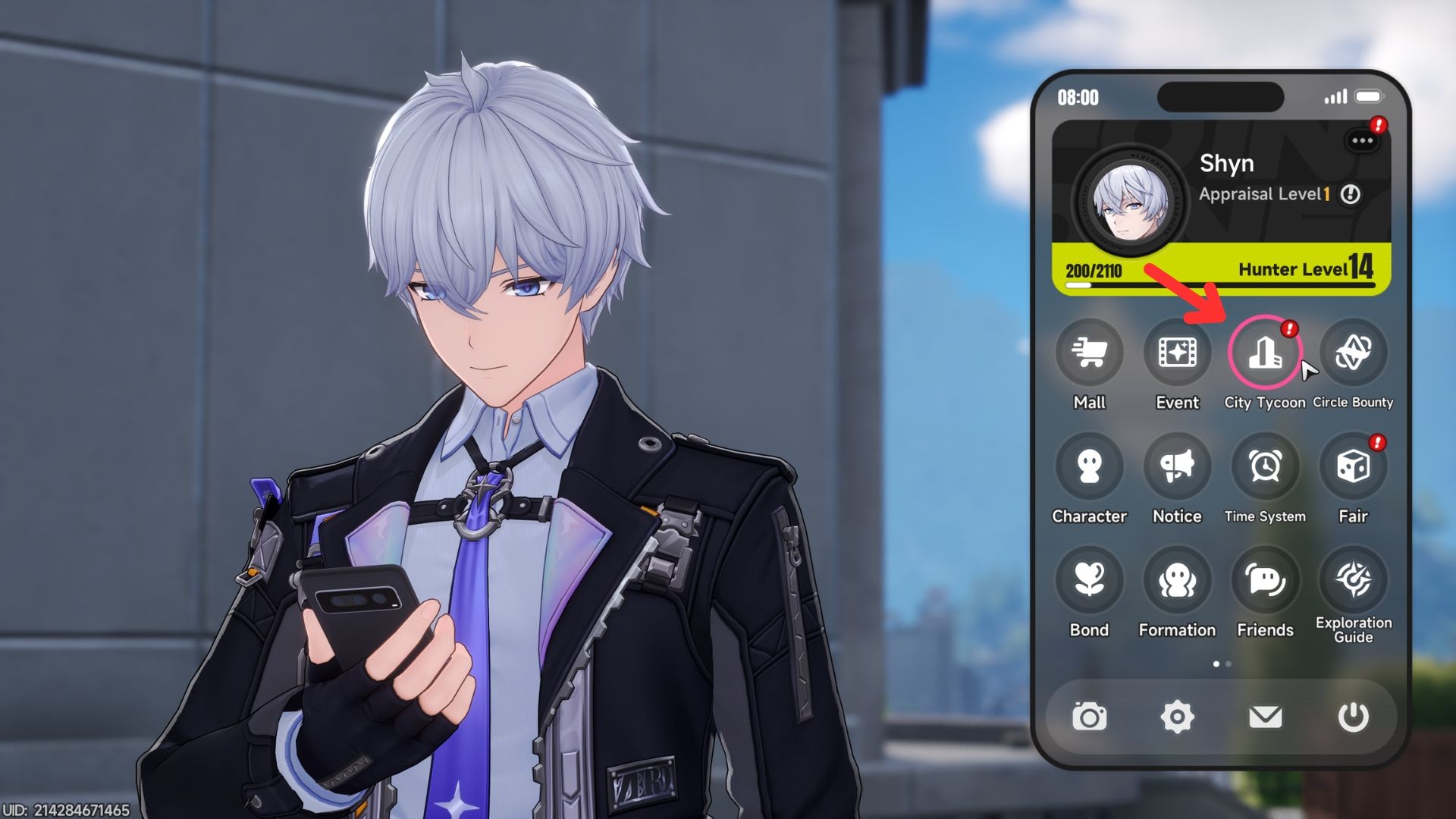
You can open the City Tycoon interface in a few ways: click the icon next to the minimap in the top left corner, tap the icon on your phone, or select it from the radial menu.
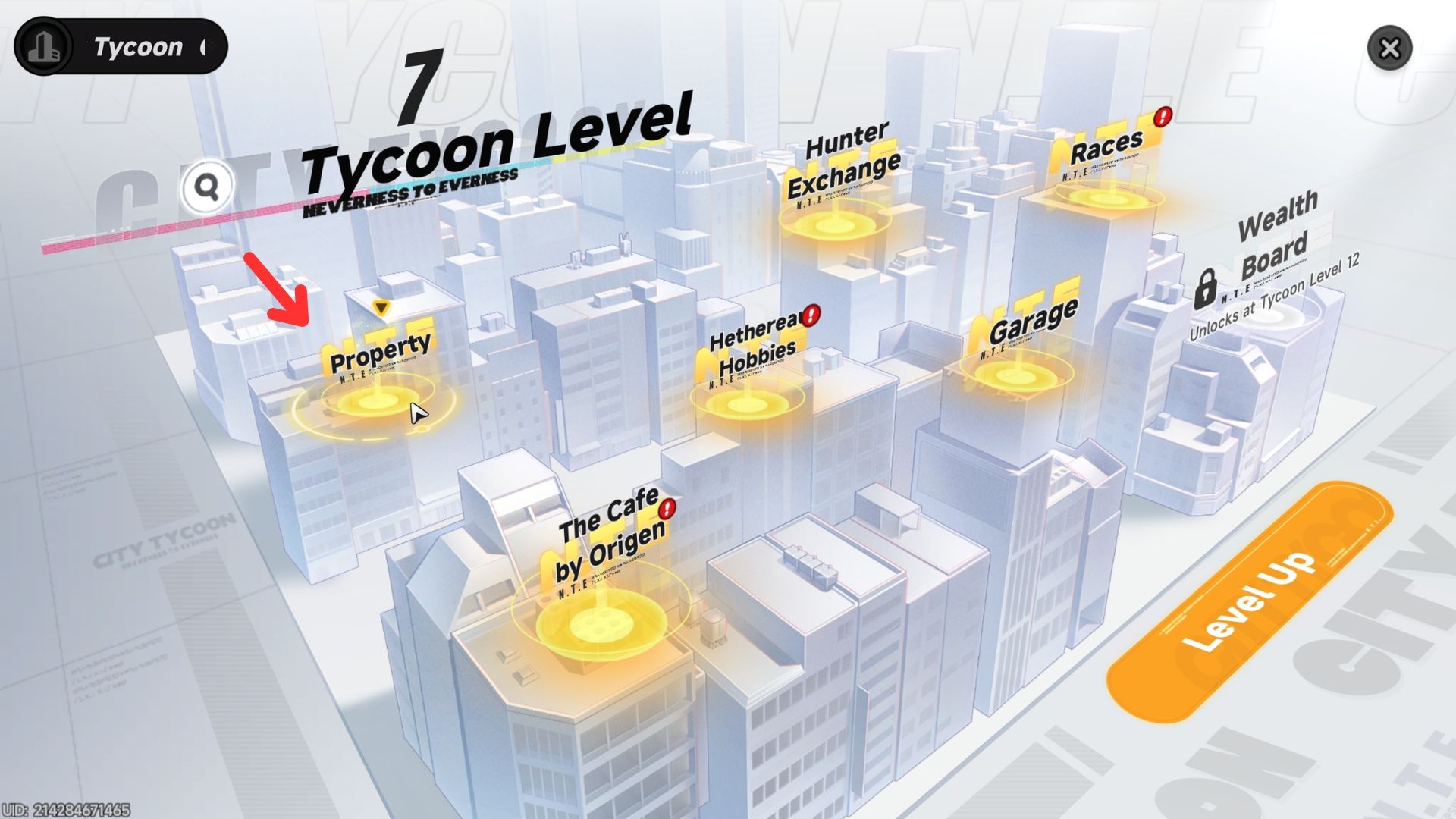
Go to Property to open the list of player houses.
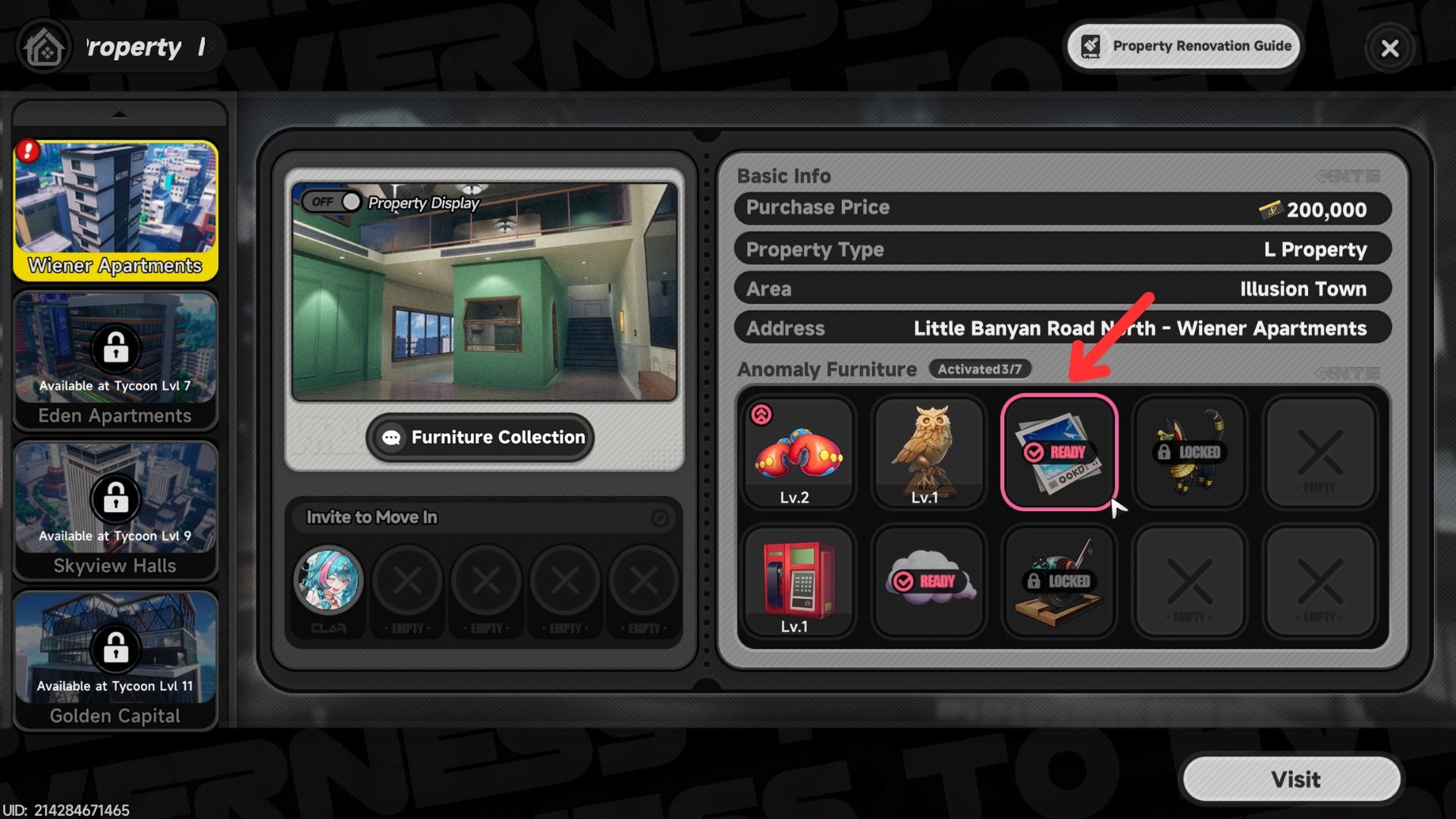
Navigate to Wiener Apartments and click on the “Paper Plane” anomaly furniture item – you’ll find it in the tab on the right – to bring up its options.
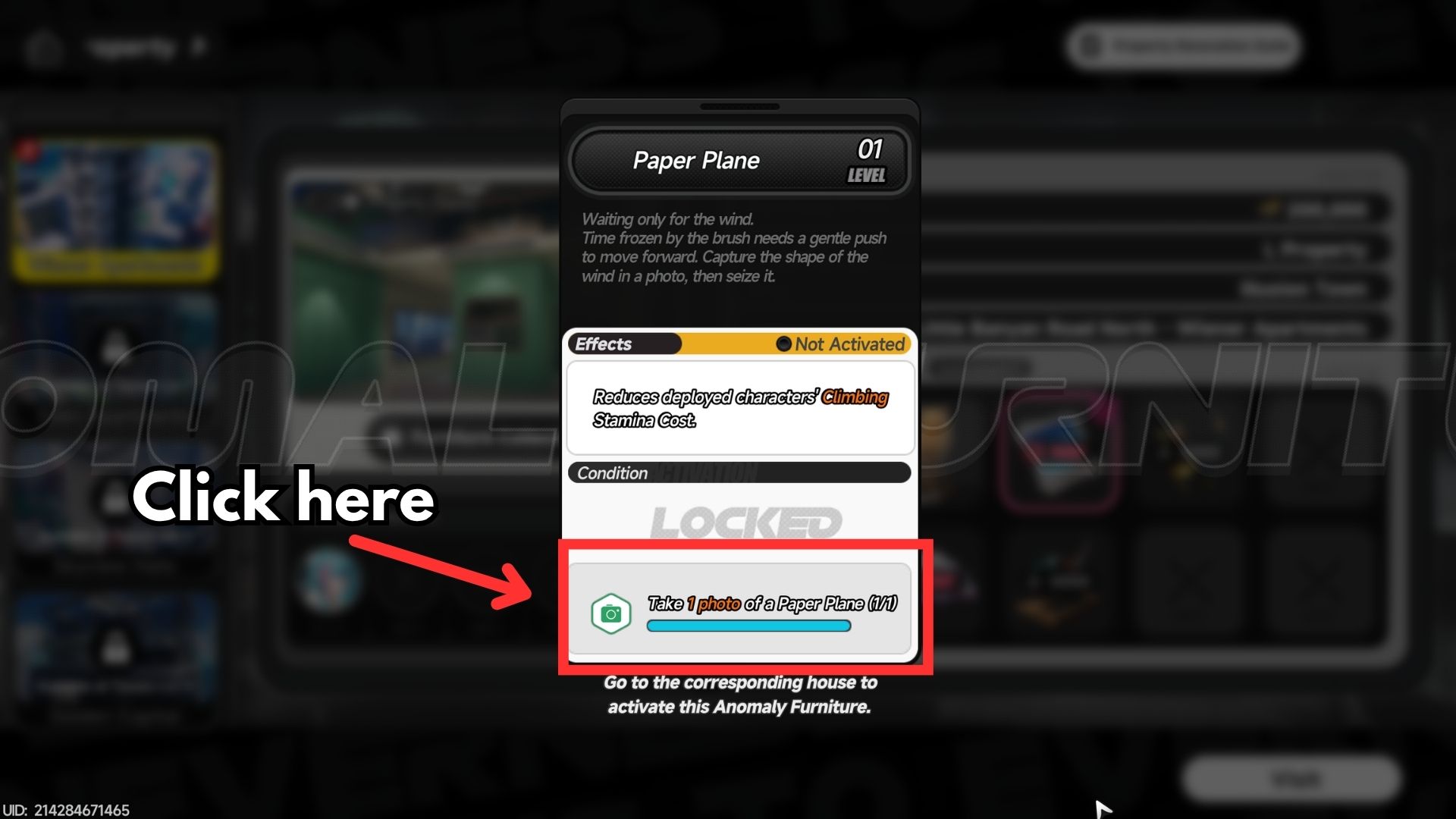
Tap the “Take 1 photo of a Paper Plane (0/1)” button at the bottom of the screen. This will automatically open the city map and show you where to find the Paper Squadron anomaly.
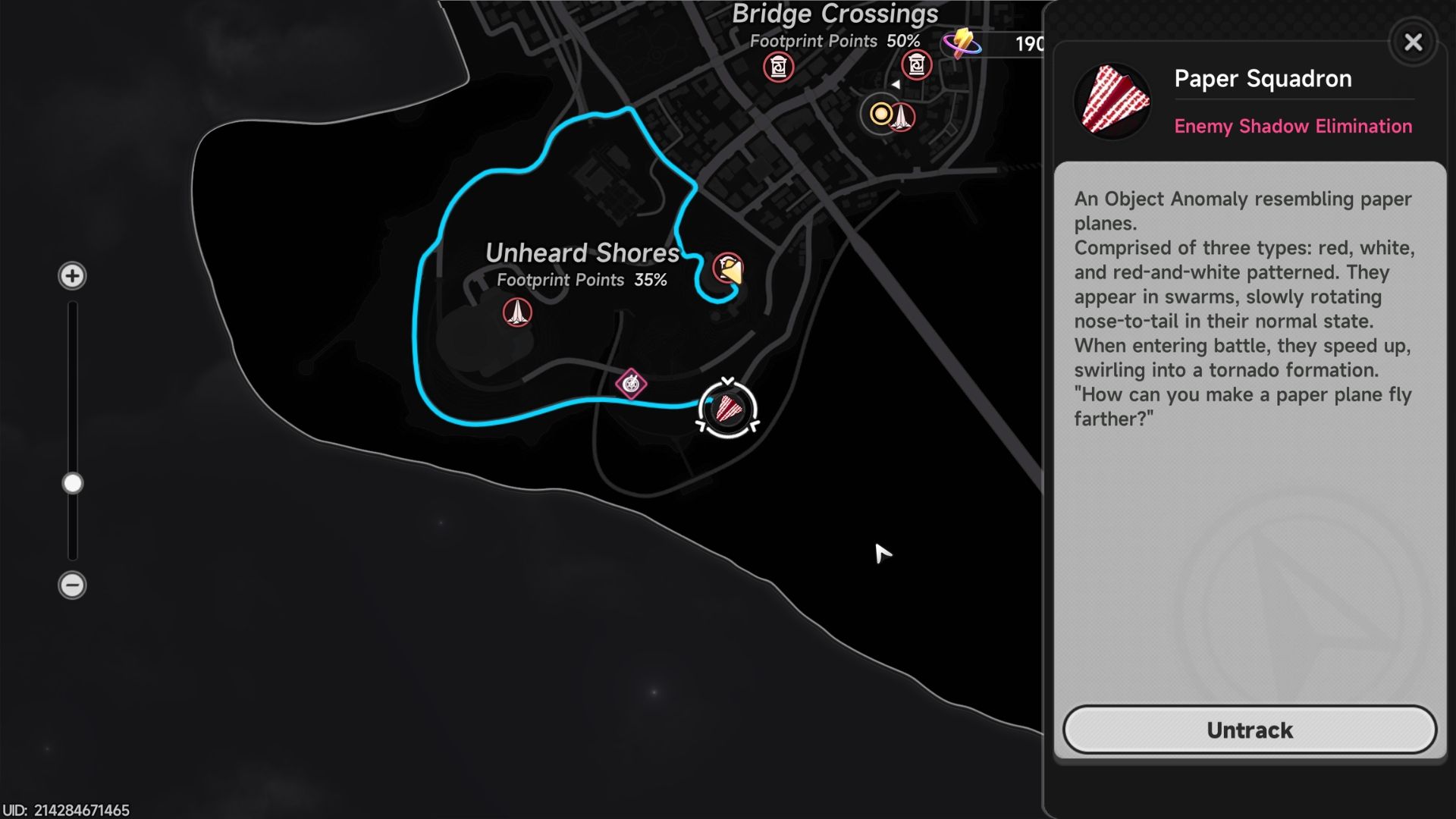
Head to the closest ReroRero Phone Booth or Wertheimer Tower, then follow the on-screen marker to locate the Paper Squadron enemy.
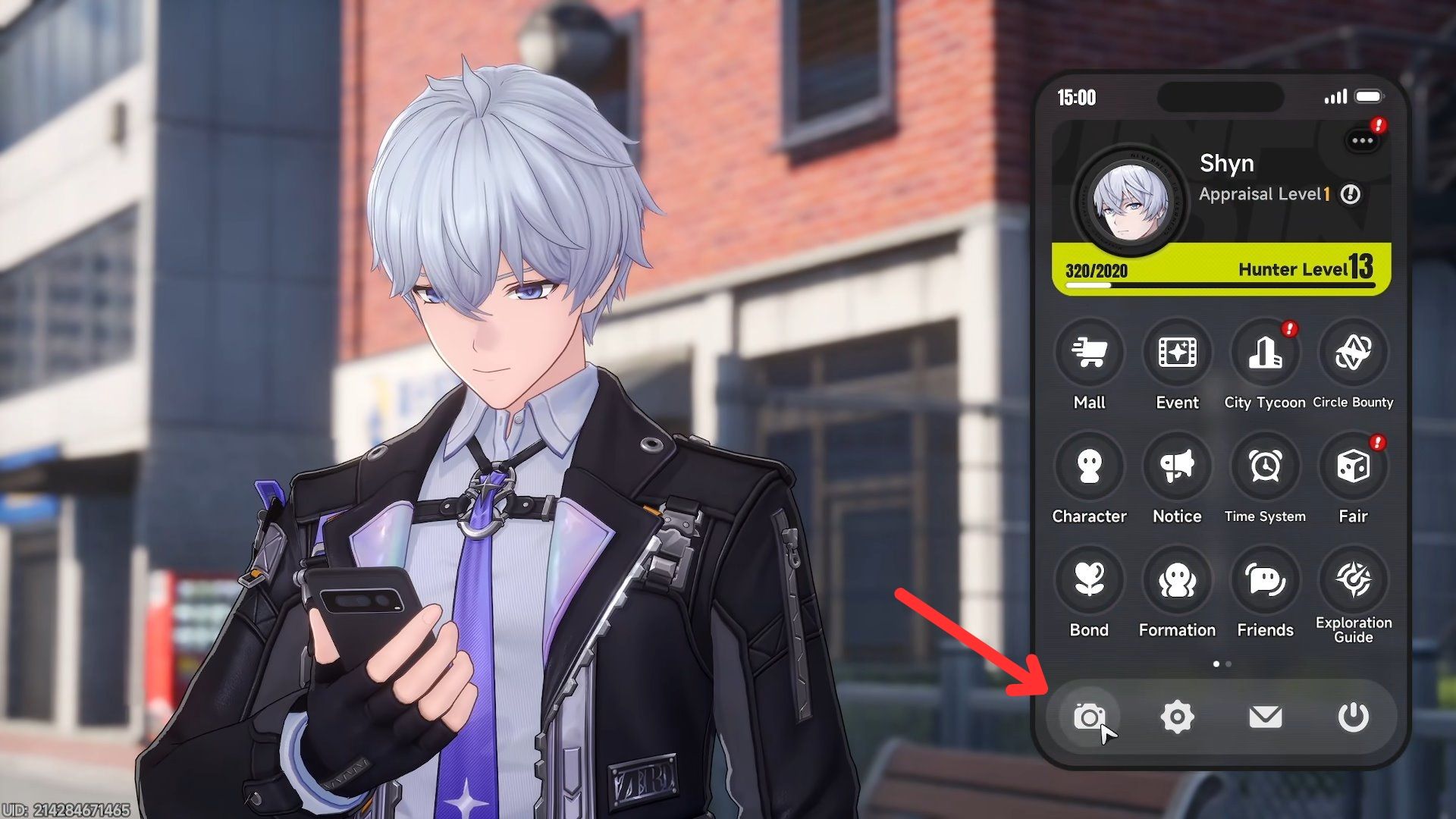
When you’re close to the Paper Squadron, press the Esc key to open your phone. Then, tap the camera icon at the bottom of the screen to start taking pictures.
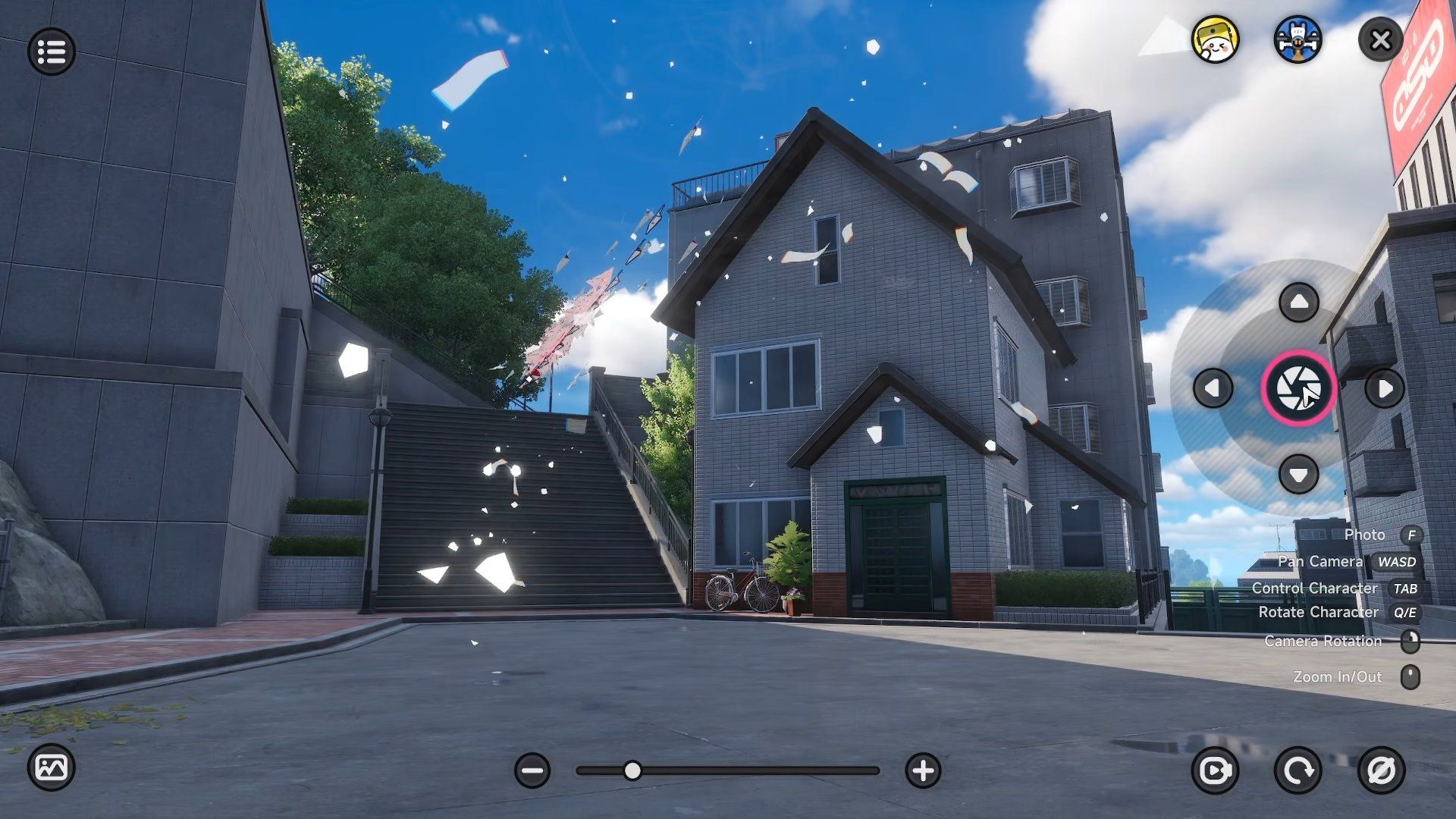
Focus the camera on one of the paper airplanes, and then take the picture.
To make sure your photo of the Paper Plane was saved correctly, go back to the City Tycoon menu, then to Property → Wiener Apartments, and select the Paper Plane furniture again. If it says “Take 1 photo of a Paper Plane (1/1),” your photo was successfully captured. If it still says (0/1), you’ll need to try taking the picture again.
If you’re struggling to get a good photo, try going to the Camera Settings in Photo Mode and turning on “Hide Yourself.” This feature removes your character from the scene, making it easier to capture a clear picture.
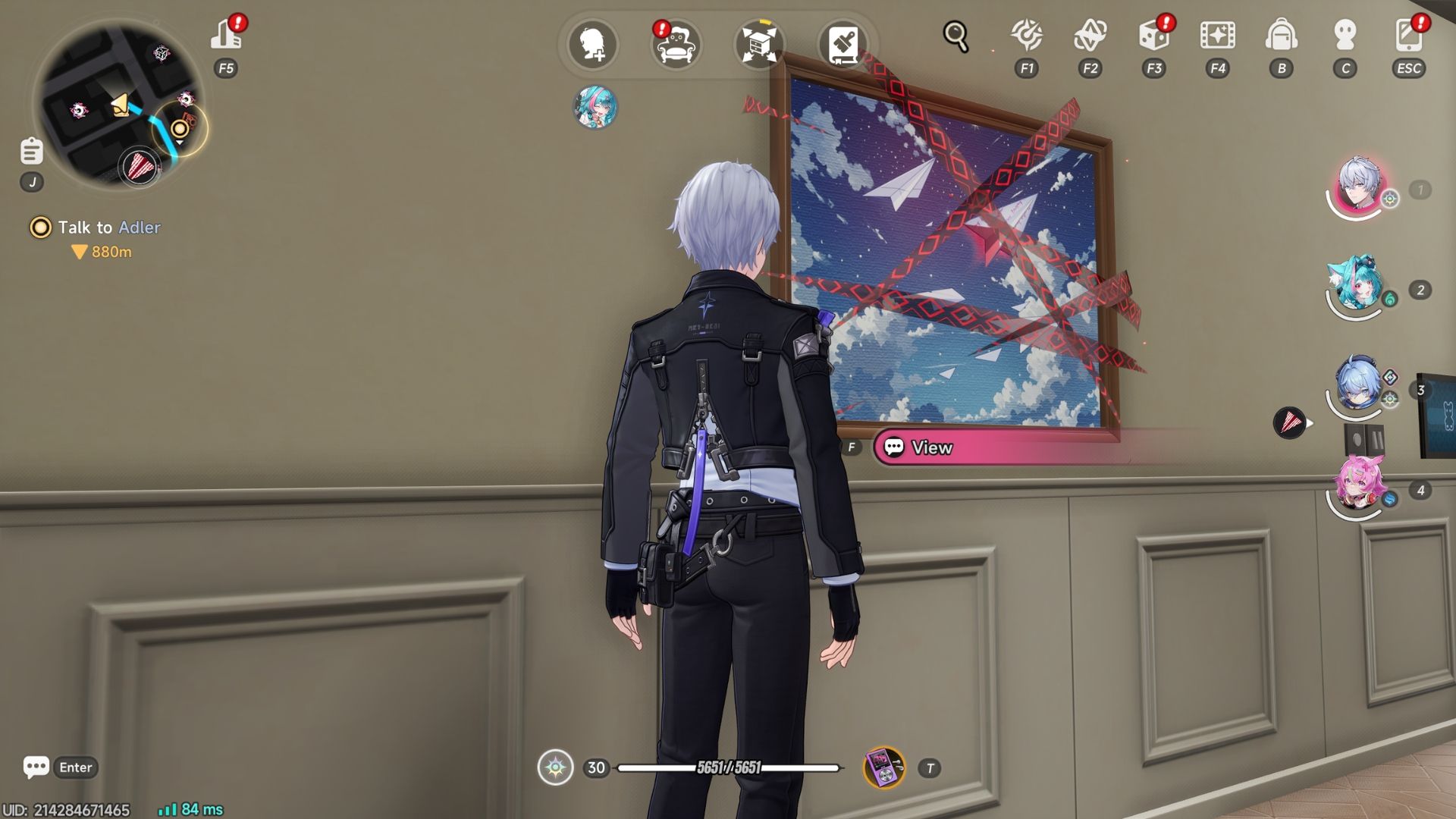
Once you’ve photographed the Paper Plane, travel to your player house. Find the painting of paper planes and select “View” it. Then, press “Activate” to unlock the special features of the anomaly furniture.
How to Upgrade the Paper Plane Anomaly Furniture in NTE
You can upgrade the Paper Plane furniture by collecting Feather Fragments. These fragments are dropped by defeating the Paper Squadron anomalies found in Hethereau City.
Read More
- Robinhood’s $75M OpenAI Bet: Retail Access or Legal Minefield?
- Lonely Player Anomaly Commission Guide In NTE (Wandering Puppet Locations)
- All Skyblazer Armor Locations in Crimson Desert
- All Nameless Hospital Endings Full Guide In NTE
- All Hauntingham’s Letters & Hidden Page in New Super Lucky’s Tale
- How to Complete Funny Blocks Game in Infinity Nikki
- Change Your Perspective Anomaly Commission Guide In NTE (Neverness to Everness)
- Riven Tides Classified Records Keycard Door Location in ARC Raiders
- Black Sun Shield Location In Crimson Desert (Buried Treasure Quest)
- How to Catch All Itzaland Bugs in Infinity Nikki
2026-05-02 19:09