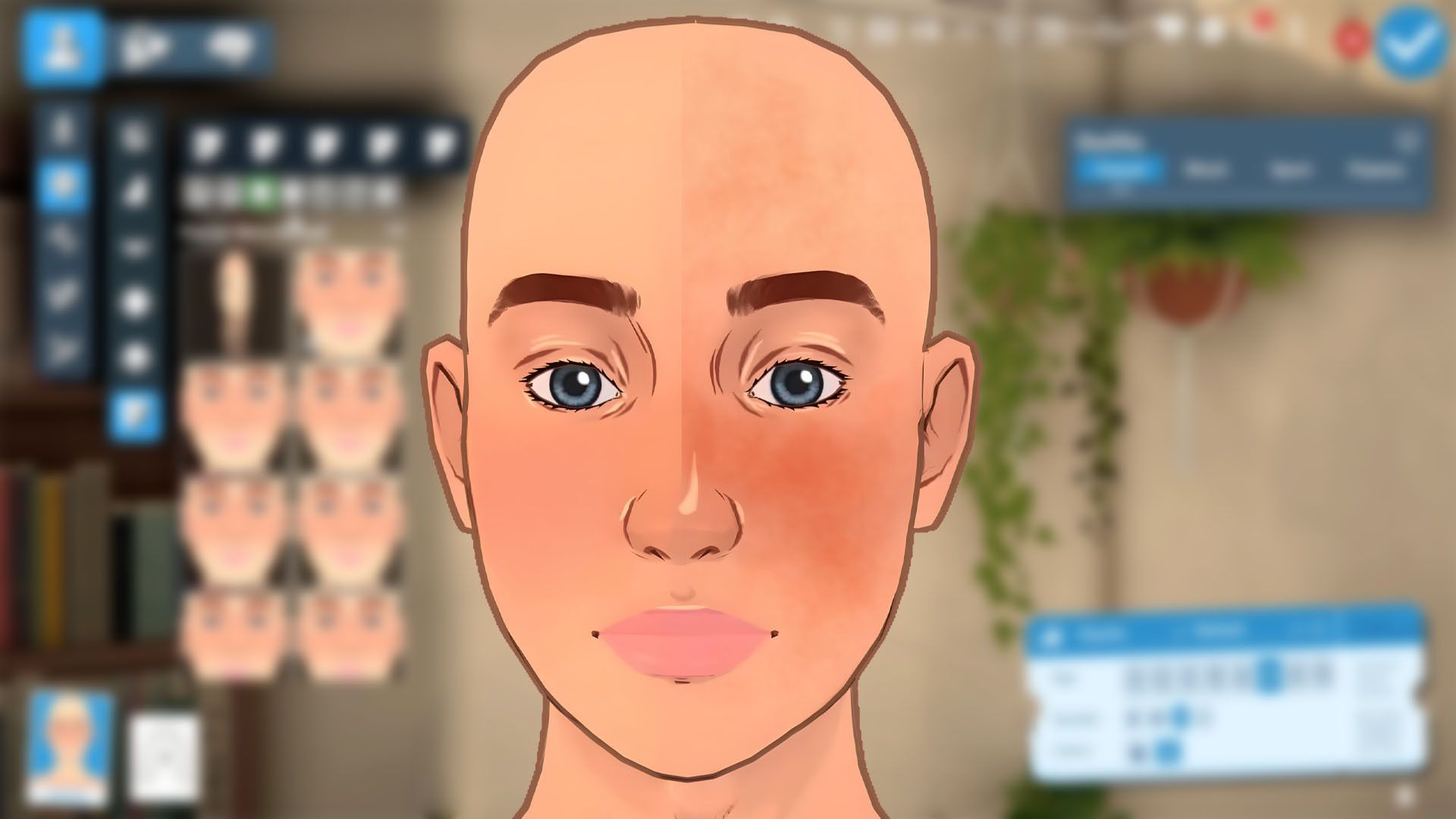
Okay, so I’m really getting into making my Paras look just right in Paralives, and there’s a ton of customization, which is awesome. But I noticed the default blush and outlines on their faces can be a little much, or just not fit the style I’m going for. It took me a bit to figure out, but you can actually remove those! It’s hidden pretty deep in the customization menus, honestly. I almost gave up looking, but I found the settings, and now I can finally get my Paras looking exactly how I want. I figured I’d share how to do it, so you don’t have to struggle like I did!
How to Remove Face Blush Effects in Paralives
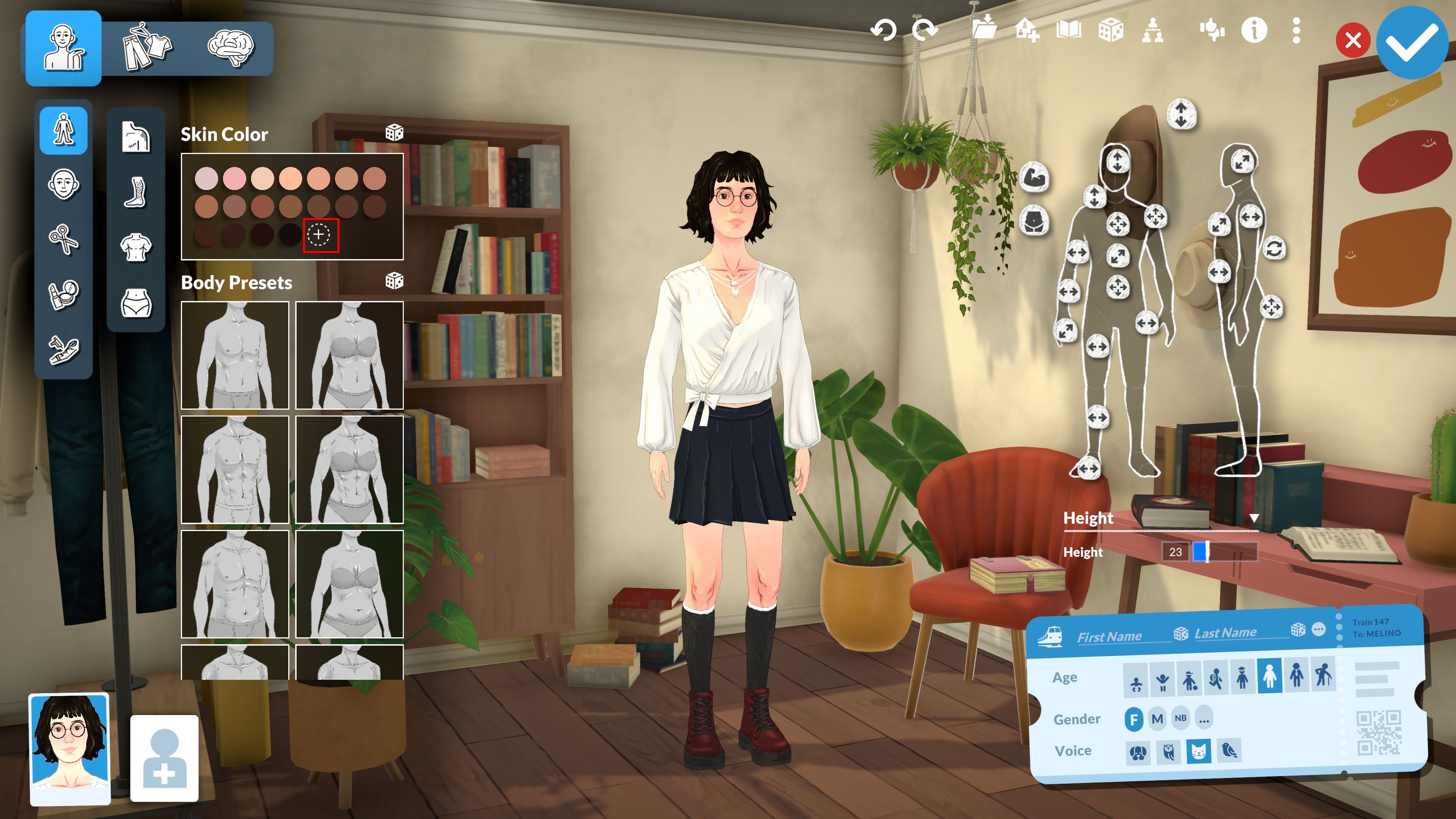
If you want to get rid of overly strong blush on faces, you’ll need to adjust the skin and natural blush settings in the skin tones menu. This will make the blush blend in better with the rest of the skin, as it will match the skin’s color. I’ve broken down the steps below to help you find the right settings quickly.
- Click anywhere on your Para’s skin to open the ‘Skin Tone’ window.
- Choose the skin tone that you want your Para to have from the presets.
- Click on the ‘+’ button with the circle around it at the end of the presets list.
- Ensure that the ‘Advanced Mode’ box is ticked. You should now see Skin, Highlights, Shadow, Natural Blush, Lips, and Palms as different options for you to change.
- Make sure that the Skin and Natural Blush tones are the exact same. The easiest way to do this is to go to ‘Skin’ and then copy the hex code located just above the color wheel and next to the currently selected tone.
- Paste the hex code from the Skin tone into the Natural Blush option. After doing this, you should find that there’s no noticeable blush on your Para’s face.
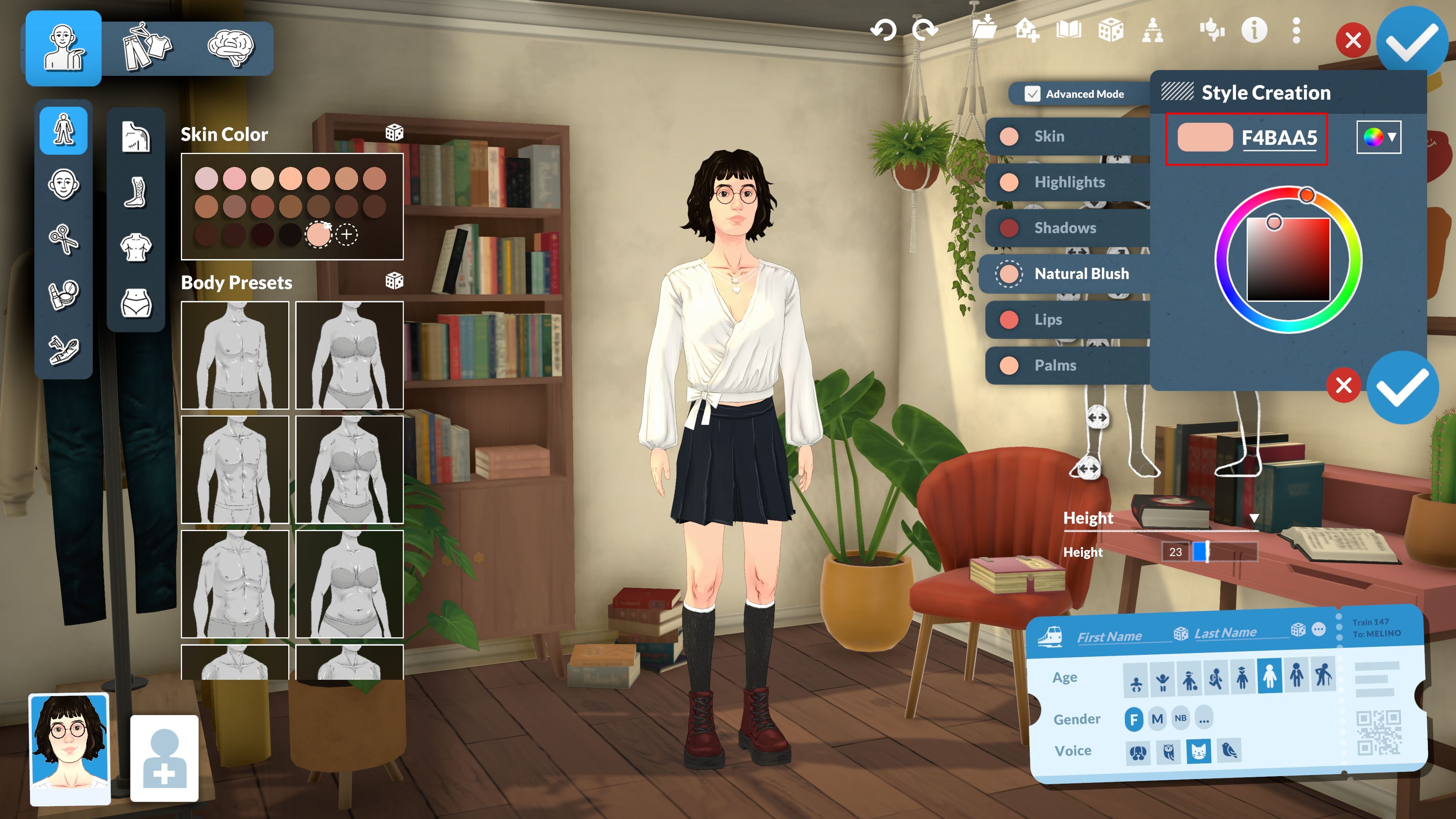
From now on, this color will be available as a skin tone for all your characters in the game. You’ll find it listed with the other skin tone choices.
How to Remove Face Outlines in Paralives
It’s harder to get rid of the outlines around characters named Paras within the game’s options. Luckily, there are two mods available on the Steam Workshop that let you either lessen the outlines or remove them completely.
The ‘More Subtle Outline’ setting by kaiya/bun adjusts character model outlines to be thinner, using a value of 0.25 instead of the standard 0.5. This maintains the game’s intended artistic style while making the outlines appear much sharper and easier to see.
If you prefer a cleaner look, the ‘Remove Cell Shade on Para’s’ option from ‘tender sugar’ will completely get rid of the outlines around cells. This noticeably changes how Paralives looks, and some players might like it better than others.
To install either of these mods, follow the steps below:
- Visit the mod’s page on Steam Workshop. I’ve linked to each of these above.
- Click on the green ‘Subscribe’ button.
- Wait for the mod to be downloaded. It should automatically begin downloading after you click ‘Subscribe.’
- Start ‘Paralives‘ and the mods should be installed and enabled by default.
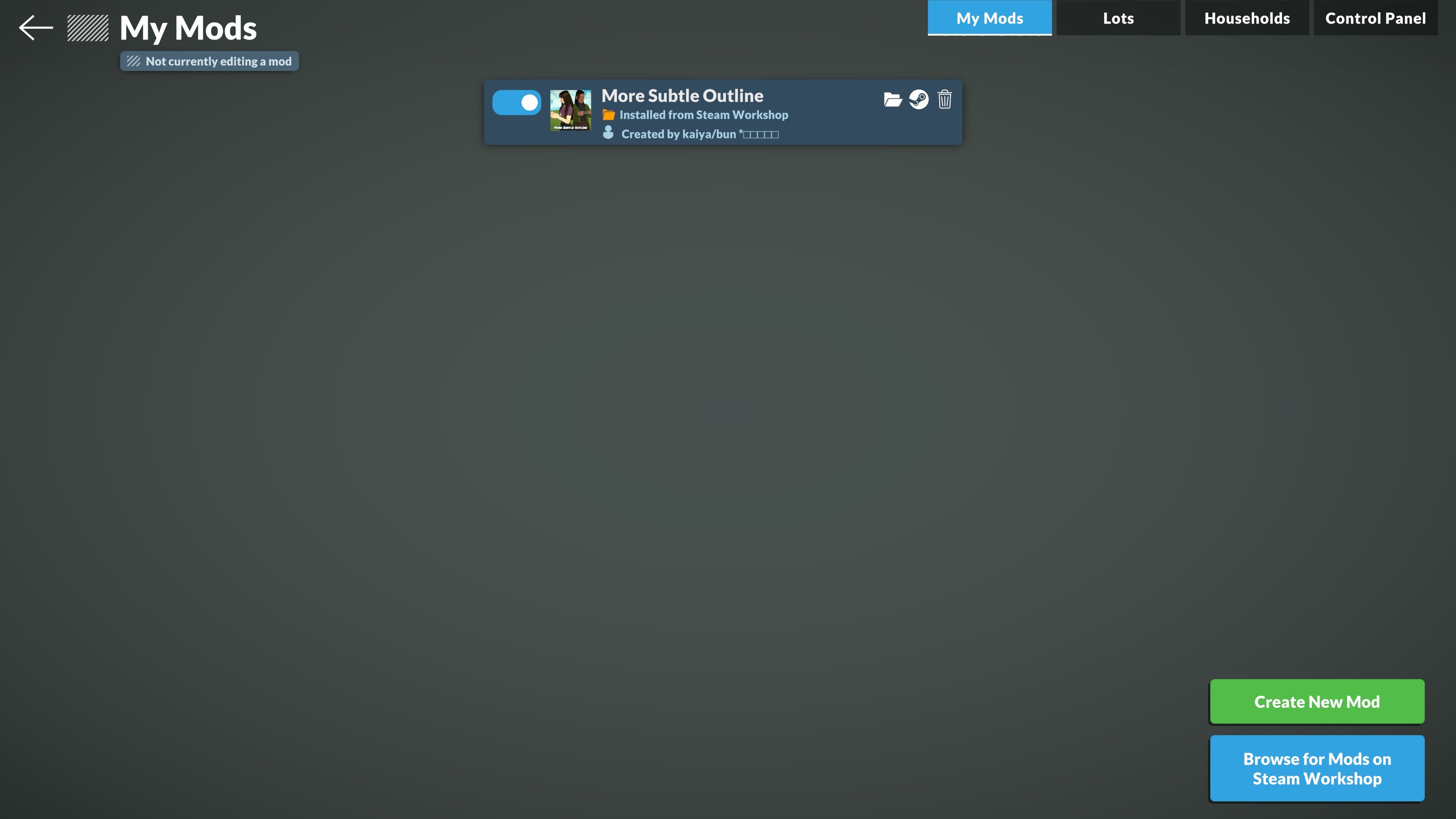
To disable a mod, go to the start menu and choose ‘Mods’. Then, simply click the switch next to the mod you want to turn off. To re-enable it, click the switch again until it moves back to the on position.
Lessening Outlines Without Mods
If you prefer not to use modifications, you can still reduce the appearance of outlines within the game. Simply navigate to the same menu where you adjusted face blush and choose the ‘Shadows’ setting.
To create a softer look, choose a lighter color using the color wheel. If you’d like to eliminate shadows completely, just use the same hex code you chose for your character’s skin tone and paste it into the ‘Shadows’ box.
These settings let you completely customize how your Para looks. Once you’ve created the perfect style, they’re ready to go out and have fun!
Read More
- Forza Horizon 6: Find the Ohtani Treasure Chest Location
- LEGO Batman Legacy of the Dark Knight Batcave Minikits & WayneTech Caches
- NTE Drift Guide (& Best Car Mods for Drifting)
- Diablo 4 Best Loot Filter Codes
- USD CNY PREDICTION
- USD RUB PREDICTION
- PS Plus Monthly Games for June 2026 Wish List
- GBP CNY PREDICTION
- CNY RUB PREDICTION
- Cookie Run Kingdom Timeline of Fate Update Guide
2026-05-27 23:38