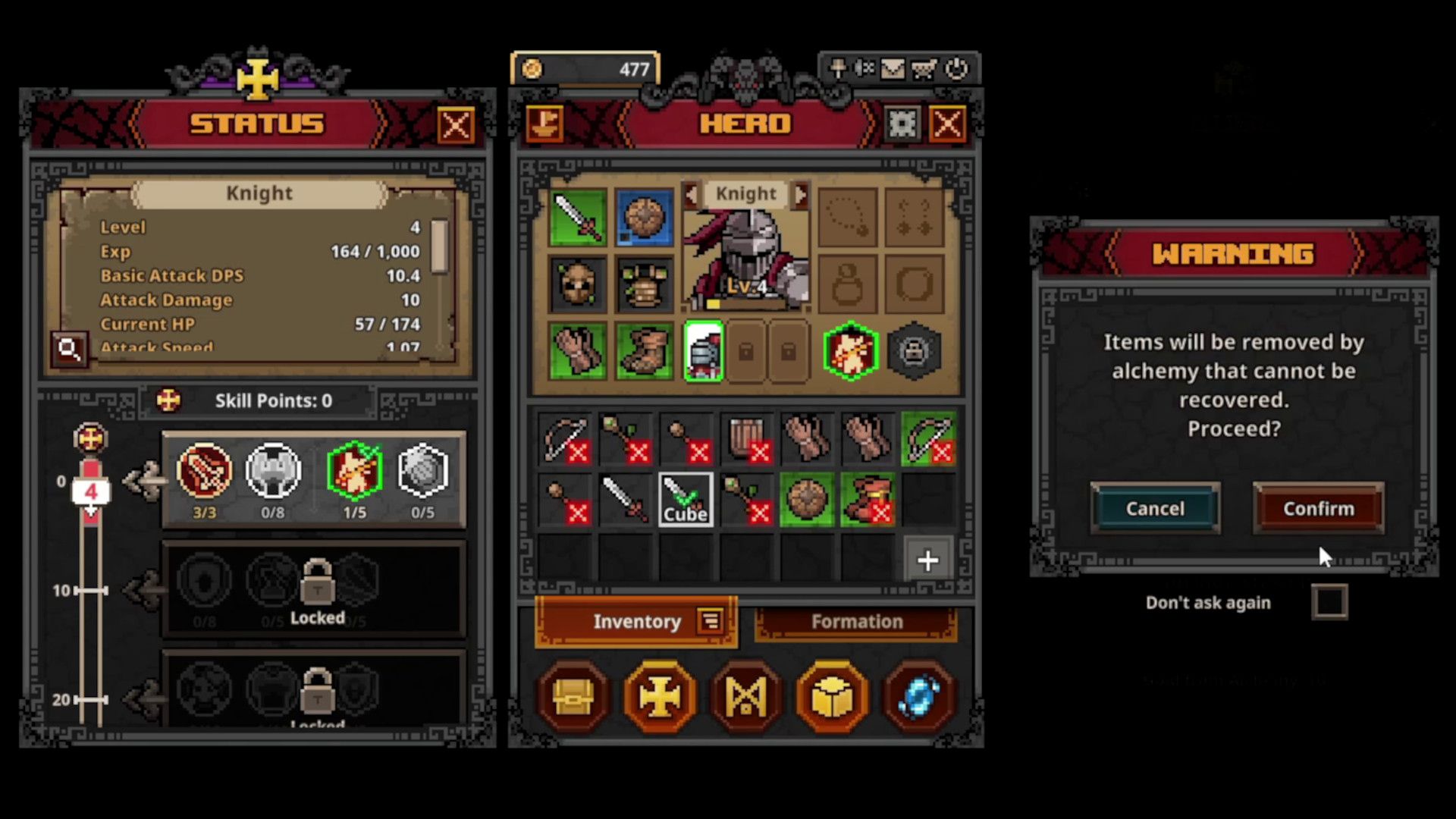
In TBH: Task Bar Hero, you’ll find a lot of equipment, and your inventory fills up quickly. Luckily, you can turn items you don’t need into gold, but you’ll sell them through a special menu, not your normal inventory.
In TBH: Task Bar Hero, you’ll use the Cube to sell items. The Cube becomes available when one of your Heroes reaches Level 4, and it lets you do two things: Synthesis and Alchemy. With Synthesis, you can combine nine identical items to get a random item of higher rarity. If you want to turn items into gold, use Alchemy.
How To Unlock The Cube In TBH: Task Bar Hero
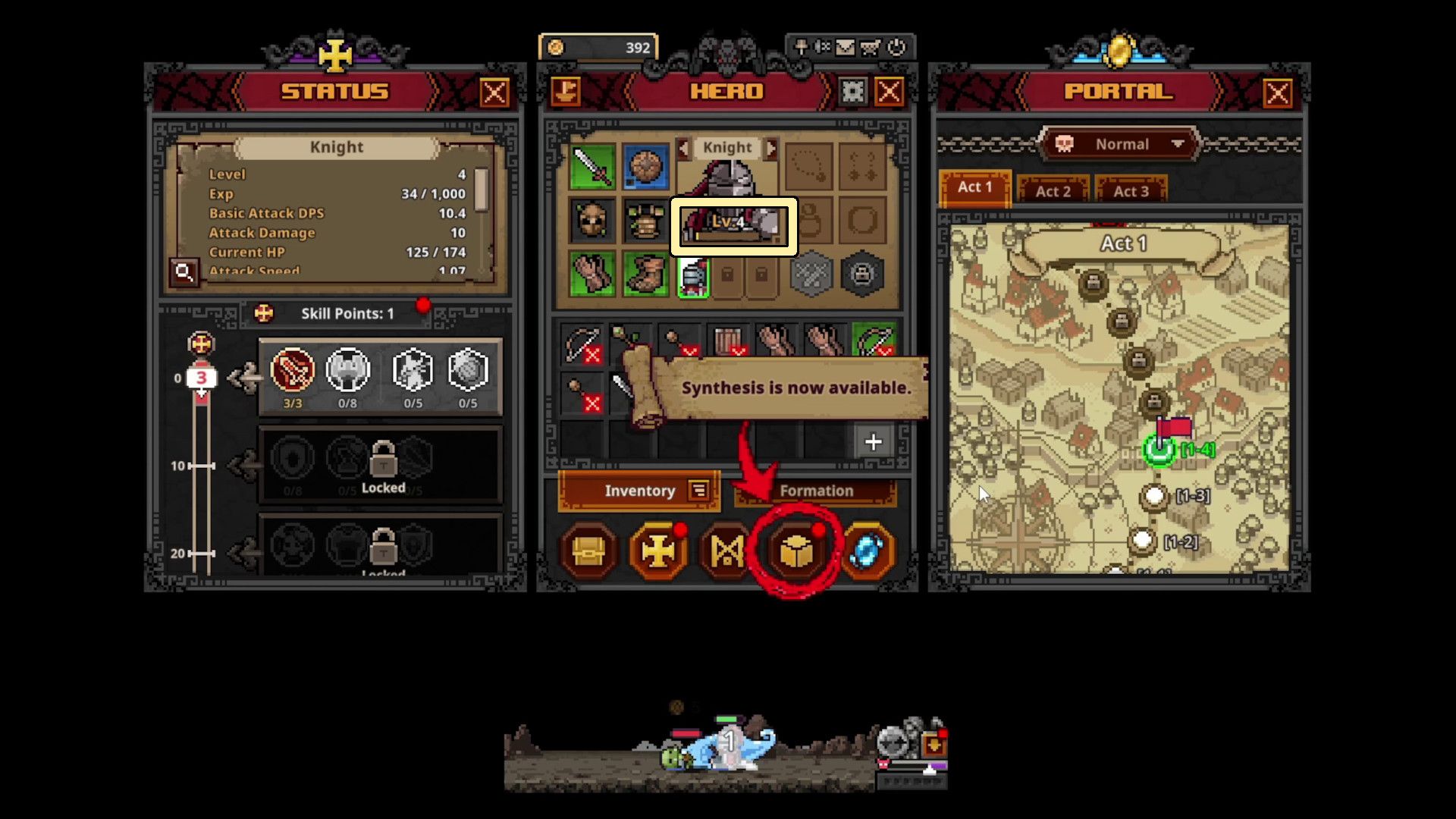
As a new player, I was so excited to get into the Cube, and I found out it unlocks pretty quickly! Once your first Hero hits Level 4 – which honestly doesn’t take more than about 15 minutes – it opens up. You’ll even see a little Cube symbol light up at the bottom of the Hero screen to let you know it’s ready!
Once you unlock the Cube, you can use it for both Synthesis and Alchemy. Just select the option you want at the top of the Cube menu to get started.
How To Sell Items In TBH: Task Bar Hero
To sell items in TBH: Task Bar Hero, go to the Hero menu and click the Cube icon at the bottom. Change the dropdown menu (which usually starts on ‘Synthesis’) to Alchemy. Then, either right-click the item you want to sell in your inventory or drag it into an empty space in the Cube. Finally, click the button next to Auto Fill to confirm and turn those items into gold.
You can also quickly move items from your inventory into the Cube by clicking the “Auto Fill” button at the bottom of the Cube menu. Be careful, though – it adds everything without checking, so review the items before confirming the sale. To avoid accidentally adding important gear, you can lock items by holding Alt and left-clicking on them.
As a player, I’ve found it super useful to hover my mouse over items before I sell them. It shows you exactly how much gold you’ll get! This really helps me decide if I should sell something now, or hold onto it for when I want to do some Synthesis crafting.
In summary, here are the steps you should take to sell items:
- Reach Level 4 with a Hero to unlock the Cube.
- Press Tab to open the Hero menu, and click the Cube at the bottom.
- In the Cube menu, click the dropdown near the top and switch from Synthesis to Alchemy.
- Right-click items you want to sell in your inventory to add them to the Cube.
- Click the button next to Auto Fill to complete the conversion.
After you finish selling things, remember to close the Cube window. If it’s open, any item you click on with the right mouse button will automatically be added to the Cube, which can be annoying if you’re just trying to equip it.
What Does The Cube Level Bar Do?
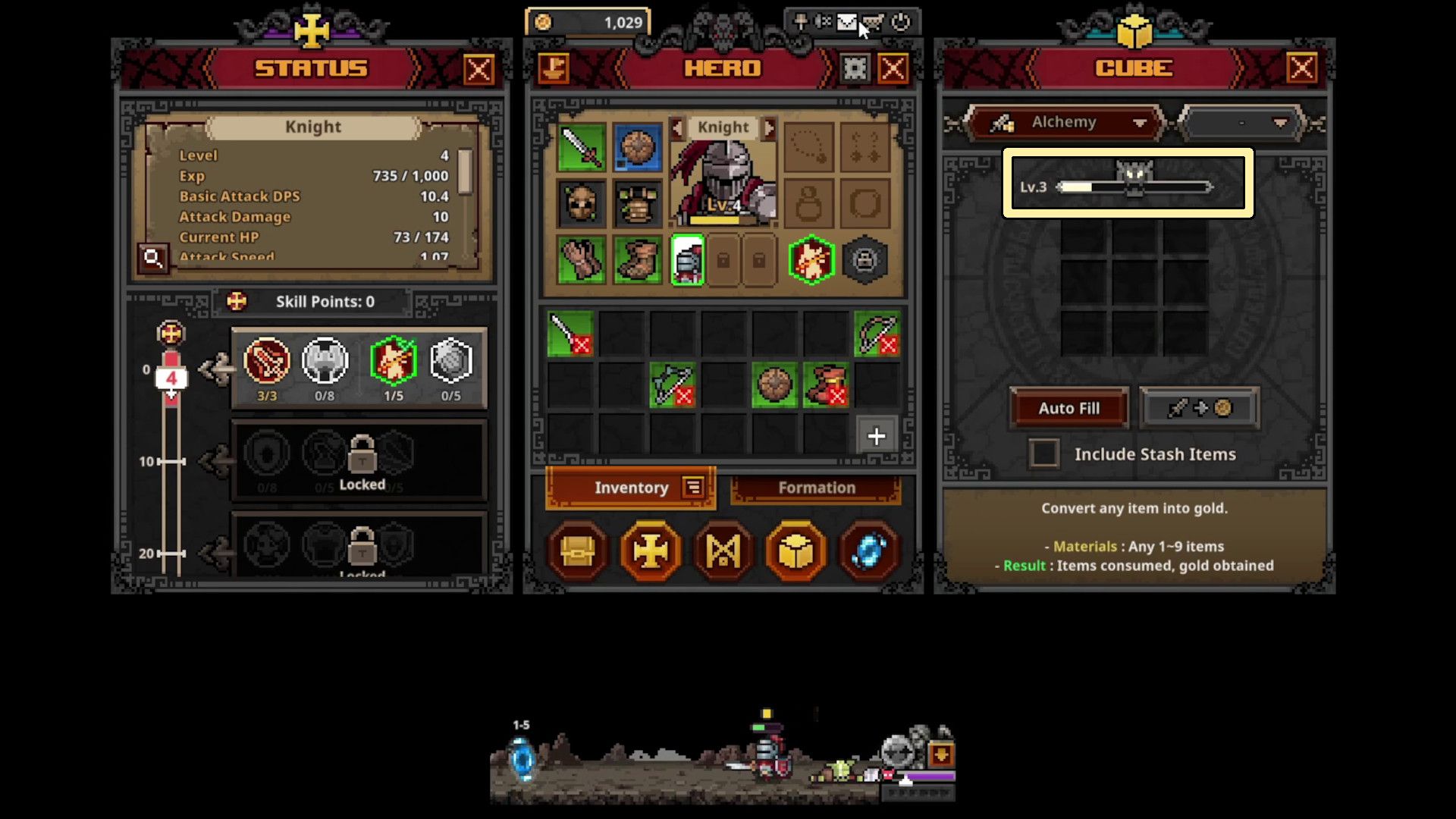
As you sell items using Alchemy, a progress bar at the top of the Cube menu will fill up. This shows your Cube Level, which unlocks new abilities and features as it increases. For instance, you’ll be able to start crafting when you reach Cube Level 5, and you’ll find these new options in the menu alongside Synthesis and Alchemy.
Your Cube Level goes up not only by opening Cubes, but also by using other features like Synthesis. Basically, just interacting with the Cube system will help you level up.
Should You Sell Items Or Use Synthesis?
When you first start playing, it’s usually better to sell any extra items you find rather than trying to combine them. Getting gold quickly is really important for improving your Runes at the beginning of the game.
You can gain an advantage in battle by unlocking more Hero Slots using Runes, letting you deploy multiple Heroes simultaneously. This is more beneficial than just obtaining better items through Synthesis.
After you’ve opened up your Hero Slots and built up a good source of income, you can begin crafting items. But if you need gold quickly, focusing on Alchemy is generally more profitable.
Is Alchemy The Same As Selling On The Steam Market?
Alchemy and the Steam Market aren’t the same. Alchemy lets you turn items into gold within the game, but the Steam Market allows you to sell items for real money using the in-game Trade Ship.
To earn gold for buying things in the game, try using Alchemy inside the Cube. If you want to sell items using the Steam Market, click the Steam Trade Ship icon at the top-left of the Hero menu.
Why Can’t I Sell Items?
If you can’t sell items, check the following:
- Make sure your first Hero has reached Level 4, and you have unlocked the Cube.
- Make sure the Cube menu is open.
- Make sure the Cube is set to Alchemy, not Synthesis.
- Make sure you’re trying to earn in-game gold, not list the item on the Steam Market.
A frequent error players make is leaving the Cube on Synthesis instead of switching to Alchemy. You need to be on Alchemy in the Cube to sell items for gold.
Read More
- Forza Horizon 6: Find the Ohtani Treasure Chest Location
- LEGO Batman Legacy of the Dark Knight Batcave Minikits & WayneTech Caches
- NTE Drift Guide (& Best Car Mods for Drifting)
- USD RUB PREDICTION
- How to Open Locked Door in Tenryu River in Nioh 3 (Dirty Key)
- New Steam Game is Like Pokemon If It Were a Sci-fi Shooter
- Skyblivion Gets Encouraging Development Update
- Sega’s “Super Game” is Said to Release Next Month, But Nothing is Known About It
- Dead as Disco Best Songs (Clear Beats & Stable BPMs)
- Asmongold reveals shocking detail about how much money he makes
2026-05-29 16:35