If you venture into the northwest canyons in Outbound, you’ll soon find that your van’s engine can’t handle the extreme heat. After about 30 seconds of driving in that area, it will overheat and stall. This makes it difficult to explore, collect blueprints from the towers, and discover all the landmarks. So, you might be asking how to prevent overheating, and what to do when it happens.
How to Check Engine Temperature in Outbound
To check your camper van’s engine temperature, look at the gauge in the lower right corner of the dashboard, near the speedometer. The higher the white line climbs on the gauge – especially if it moves towards or into the red zone – the hotter your engine is running.
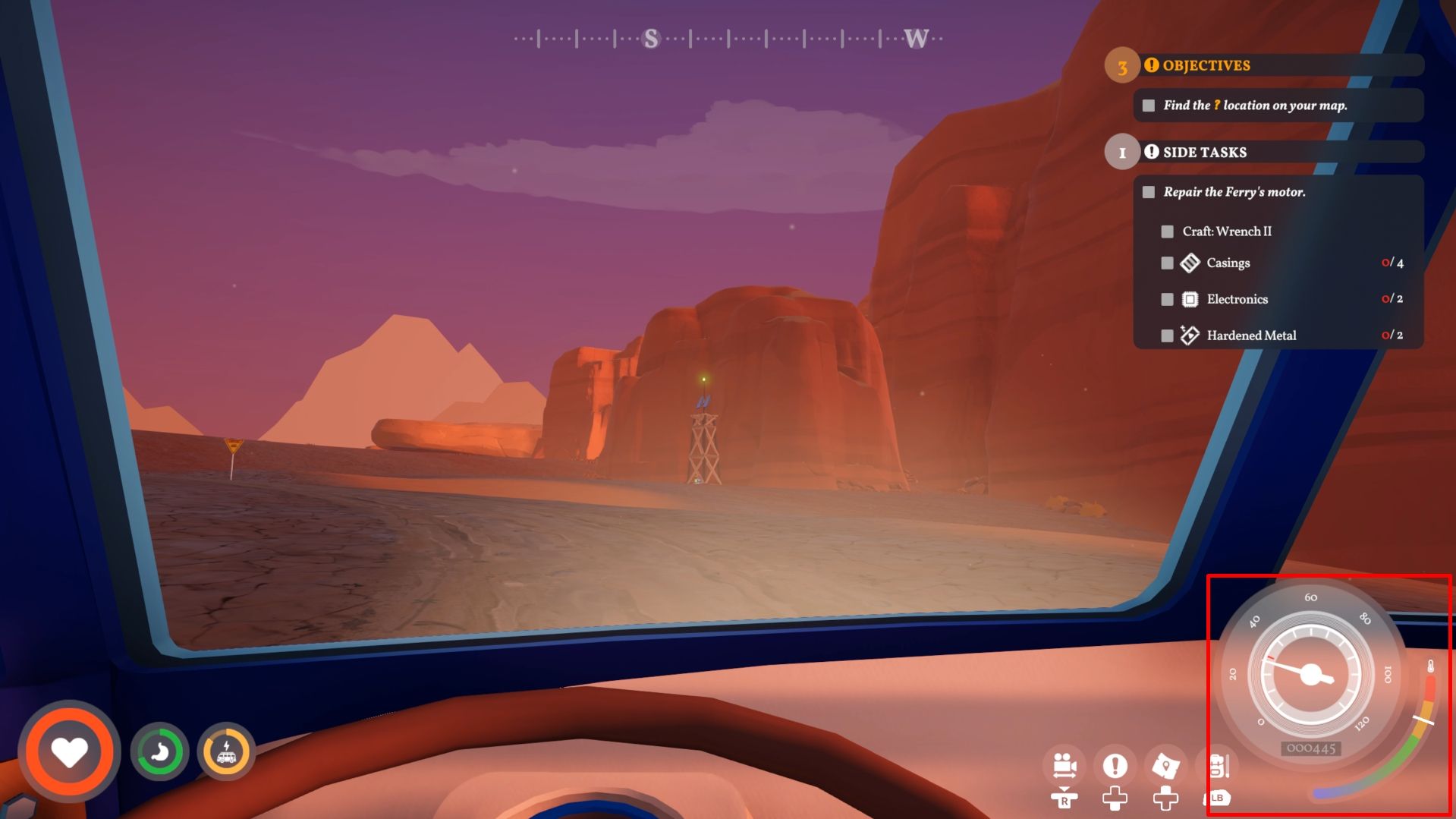
Okay, so here’s the deal – if you see the temperature gauge creeping into the red and staying there for even 5-10 seconds, the engine’s gonna shut down on you. It’s a safety thing, but it means you’re stuck! The only way to get going again is to pull over, get out, and let the engine cool down completely. It’s a bit of a pain, but better than ruining the engine, right?
How to Cool Down Overheated Engine in Outbound
If your engine gets too hot, you can help it cool down by simply turning off the van and letting it rest. The temperature will gradually decrease on its own. To speed up the process, you can open the engine compartment at the rear of the van and carefully pour water onto the engine.
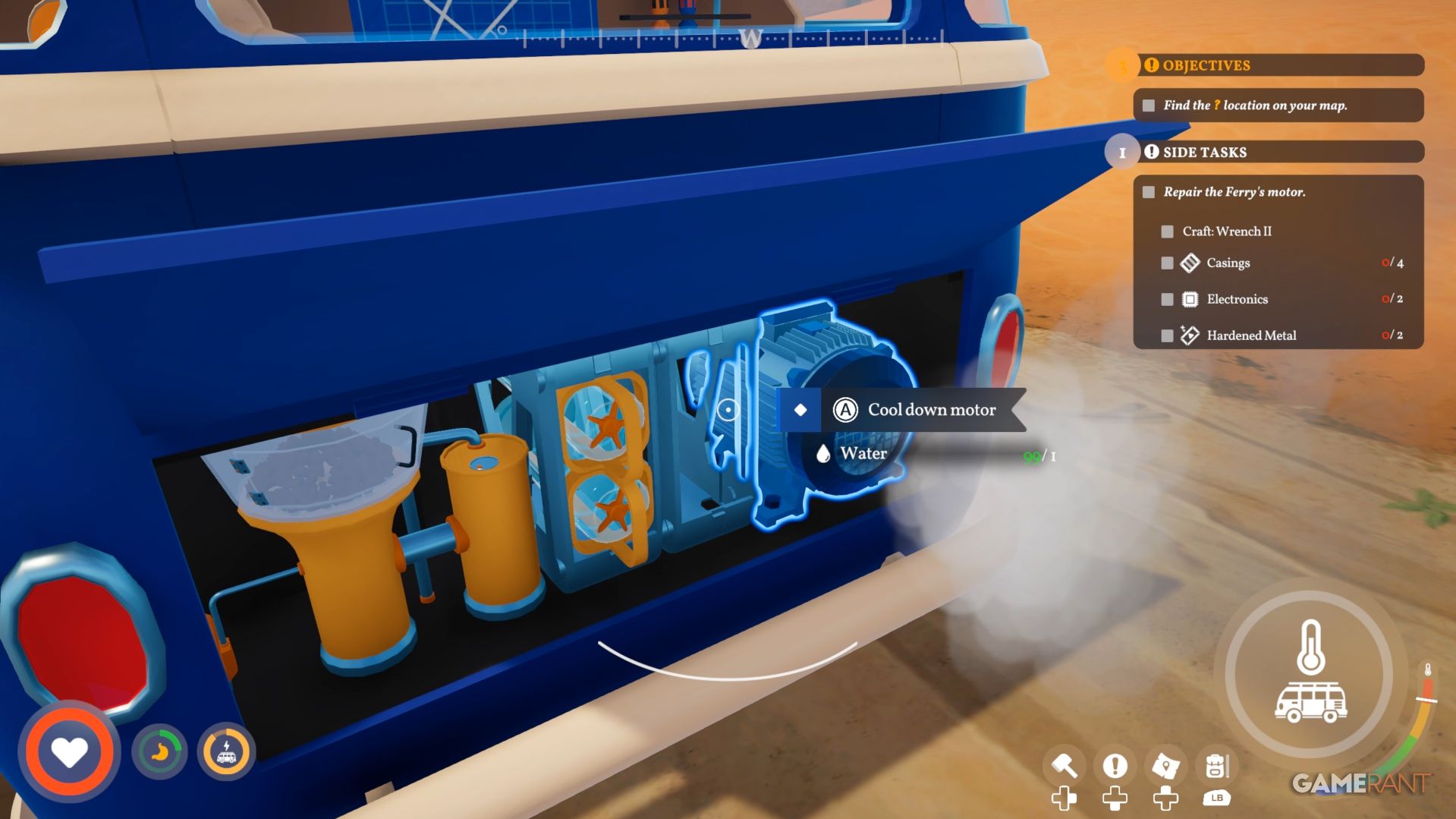
To prevent overheating, you need to have water available – either in your supplies or in your vehicle. Using water on the engine will rapidly lower its temperature by around 25% each time. If you don’t have much water, use just enough to cool it down quickly, then let the engine cool the rest of the way on its own.
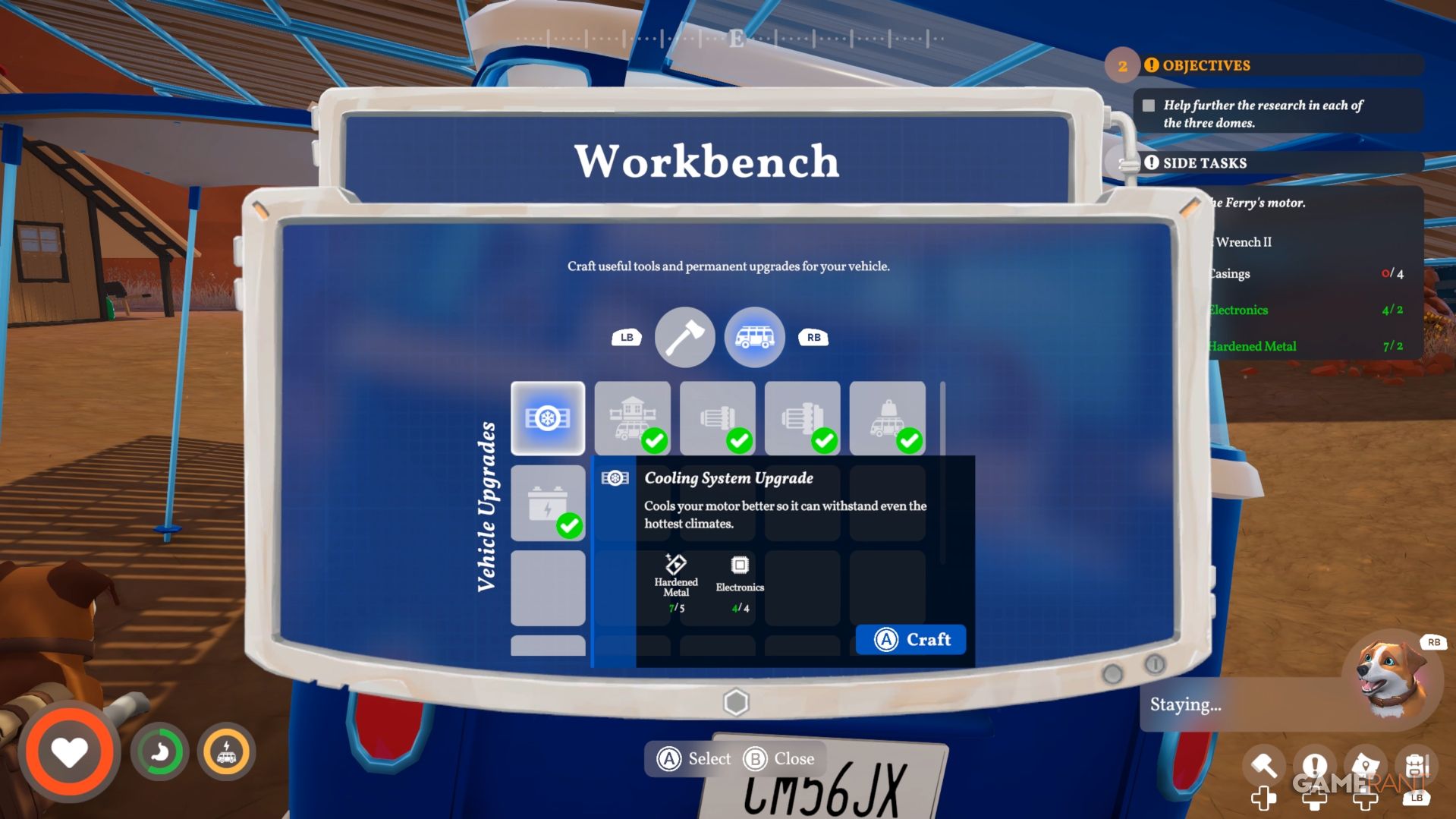
Letting your engine cool down temporarily gets you moving again, but it won’t fix the overheating problem for good. To permanently solve this, you’ll need to buy the ‘Cooling System Upgrade’ at the vehicle upgrade station and then craft it at your Workbench.
How to Get the Engine Cooling System Upgrade in Outbound
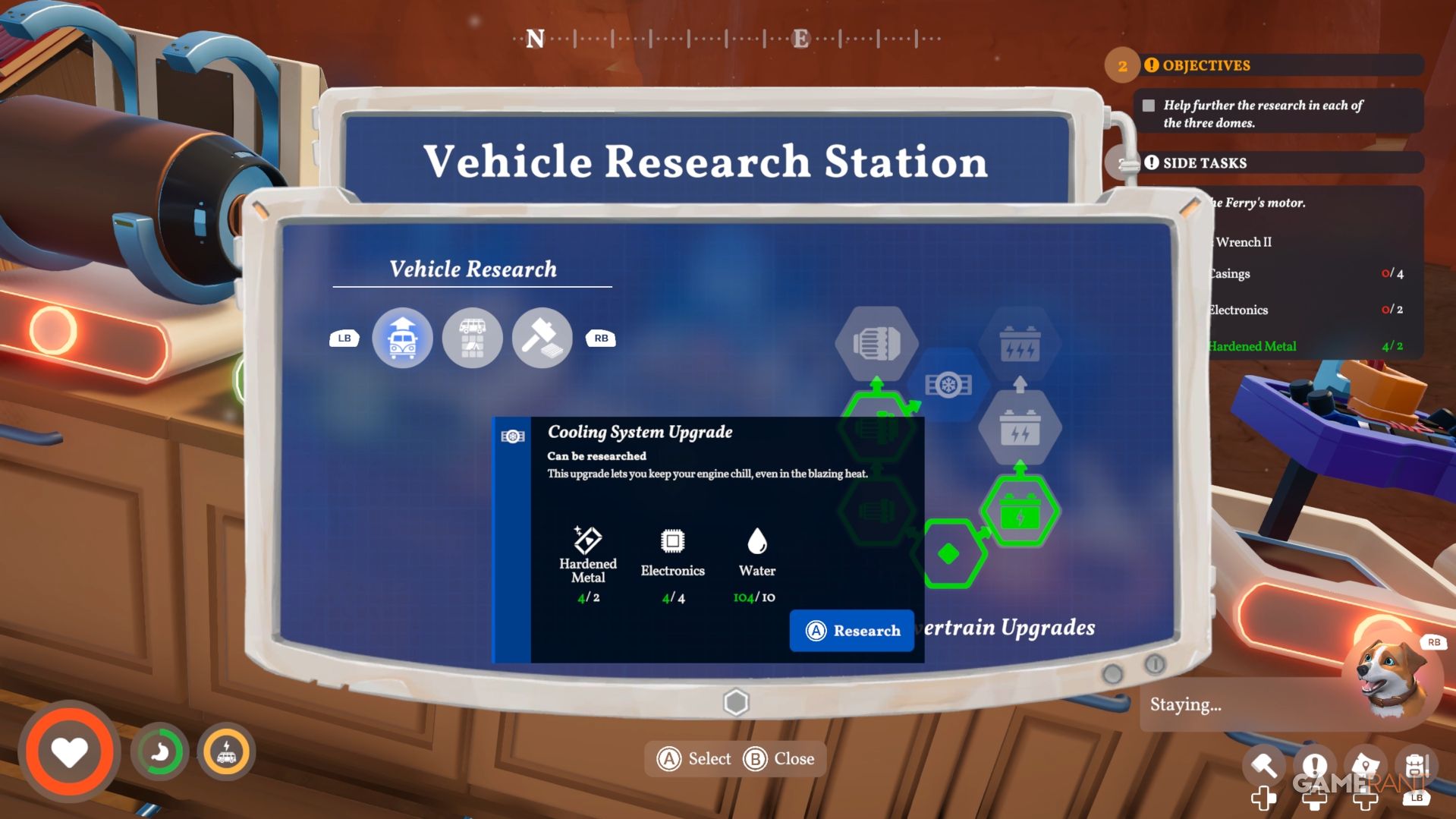
You can buy the Cooling System Upgrade at the Vehicle Research Station using these materials:
- 2x Hardened Metal
- 4x Electronics
- 10x Water
After buying the upgrade, go to the Workbench – it’s above the engine in the rear of your van – to build it. You’ll need the following items:
- 5x Hardened Metal
- 4x Electronics
You likely haven’t crafted or found Hardened Metal yet, as it’s a bit different from other resources. To make it, you’ll need to use a Metal Smelter and Red Ore. You can find Red Ore in the northeastern part of the canyon, which is a good thing because that area won’t cause your engine to overheat as much.
When you get to the north part of the canyon, I suggest heading east. This area has Red Ore, signal towers, and other useful spots, and you can explore it without worrying about your engine overheating. Finding these resources will let you upgrade your camper van’s cooling system before you even have a problem.
Read More
- NTE Drift Guide (& Best Car Mods for Drifting)
- How to Get the Wunderbarrage in Totenreich (BO7 Zombies)
- Change Your Perspective Anomaly Commission Guide In NTE (Neverness to Everness)
- How to Beat Turbines in ARC Raiders
- NTE Fan Shows Off Mint Cosplay
- Deltarune Chapter 1 100% Walkthrough: Complete Guide to Secrets and Bosses
- Diablo 4 Best Loot Filter Codes
- How to Unlock the Mines in Cookie Run: Kingdom
- All Nameless Hospital Endings Full Guide In NTE
- Top 8 UFC 5 Perks Every Fighter Should Use
2026-05-11 20:13