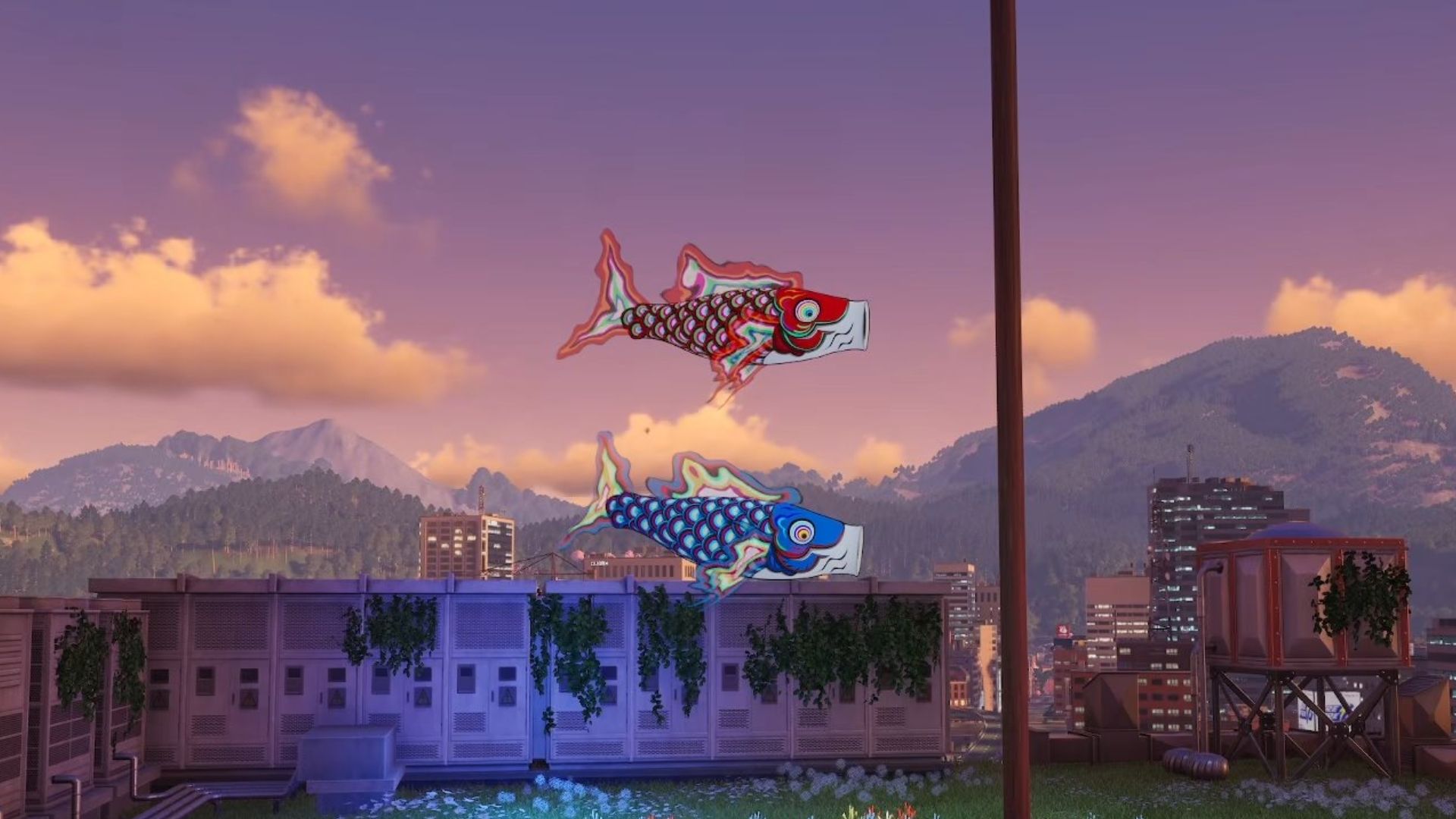
In the game NTE: Neverness to Everness, players can unlock special furniture for their Fenglin Villa property – the Twin Fish Banner – by simply taking a photo of a “Carp Banner.” If you want to activate this furniture and enjoy its benefit – lower stamina use while swimming – you’ll need to find out where to locate a Carp Banner and how to photograph it.
The unlock requirement mentioning a “Carp Banner” actually refers to the Skyfish Banner. This is a dangerous, floating anomaly that looks like a large koi fish circling an imaginary pole. Simply taking a picture of a Skyfish Banner with the in-game photo mode will unlock the item.
How to Take 1 Photo of a Carp Banner in NTE
To get the Twin Fish Banner furniture, you first need to find and photograph the Skyfish Banner anomaly using NTE’s photo mode. Although you can’t usually track anomalies directly on the map, there’s a simple way to find this one.
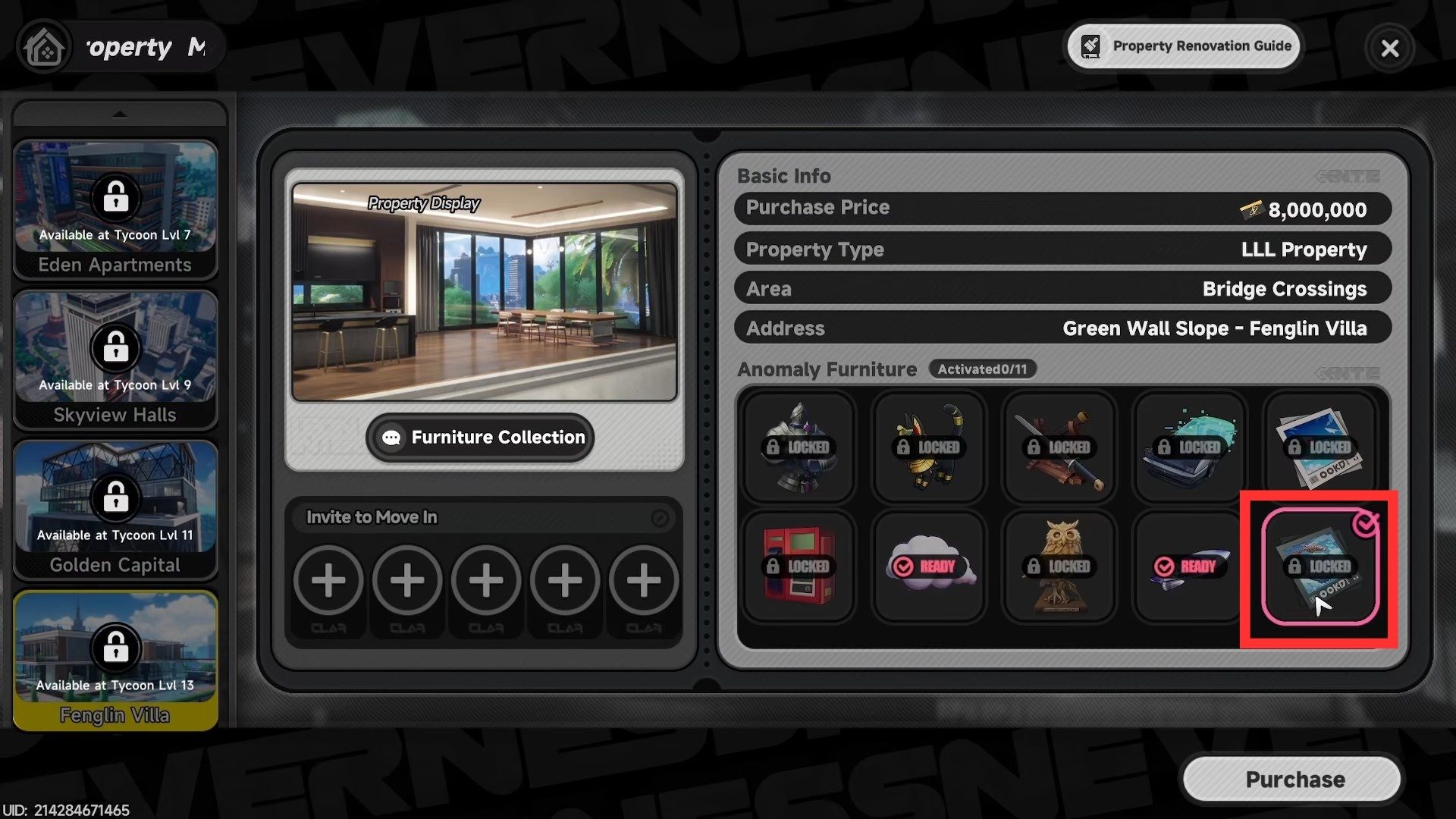
To start, open the City Tycoon menu and choose ‘Property’. Then, scroll to the very bottom and select ‘Fenglin Villa’. On the right side of the screen, you’ll find the ‘Twin Fish Banner’ – it’s a special piece of furniture listed as an anomaly.
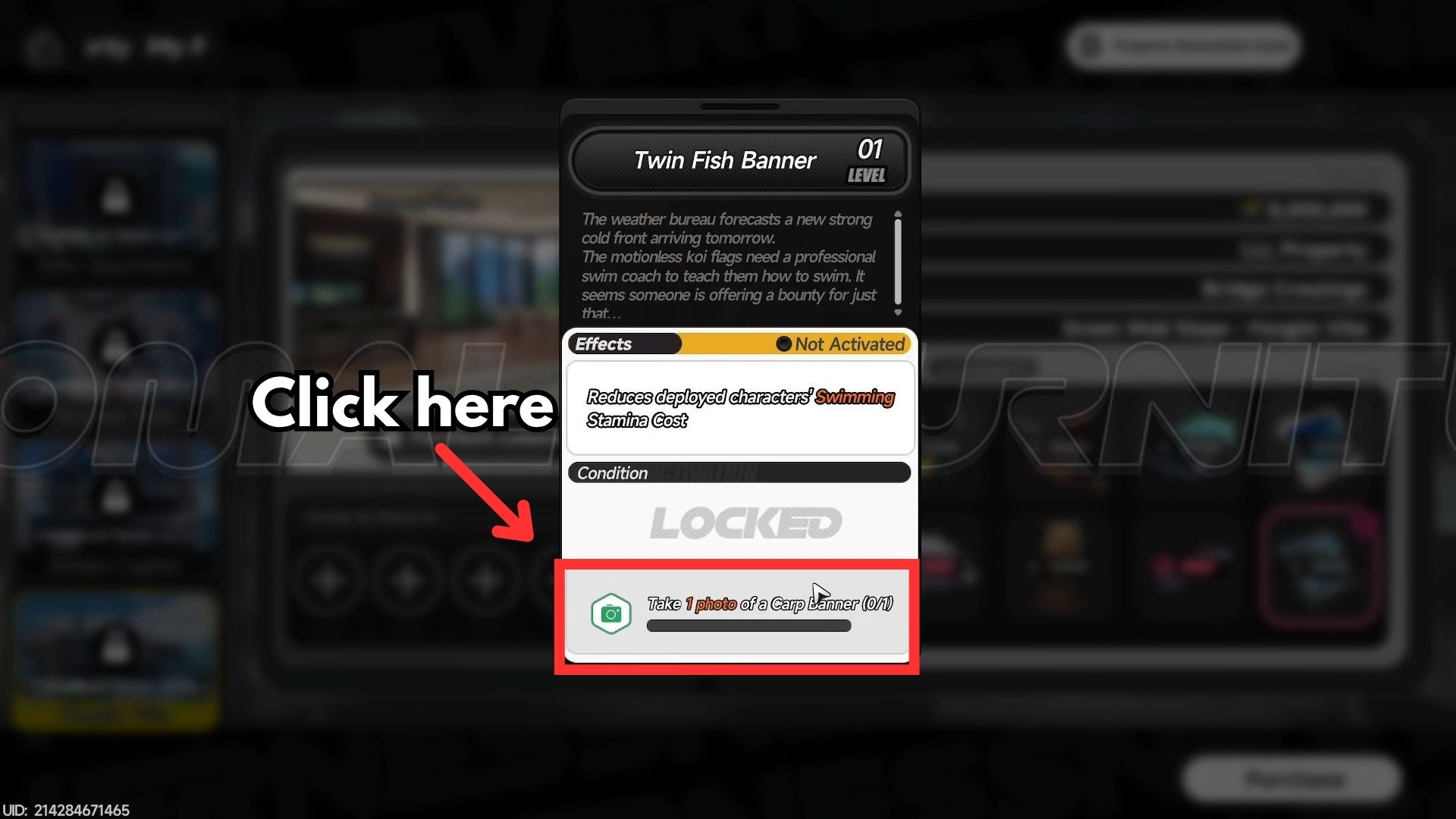
To access more options, click the Twin Fish Banner. Then, click the “Take 1 photo of a carp banner (0/1)” button to unlock the next step.
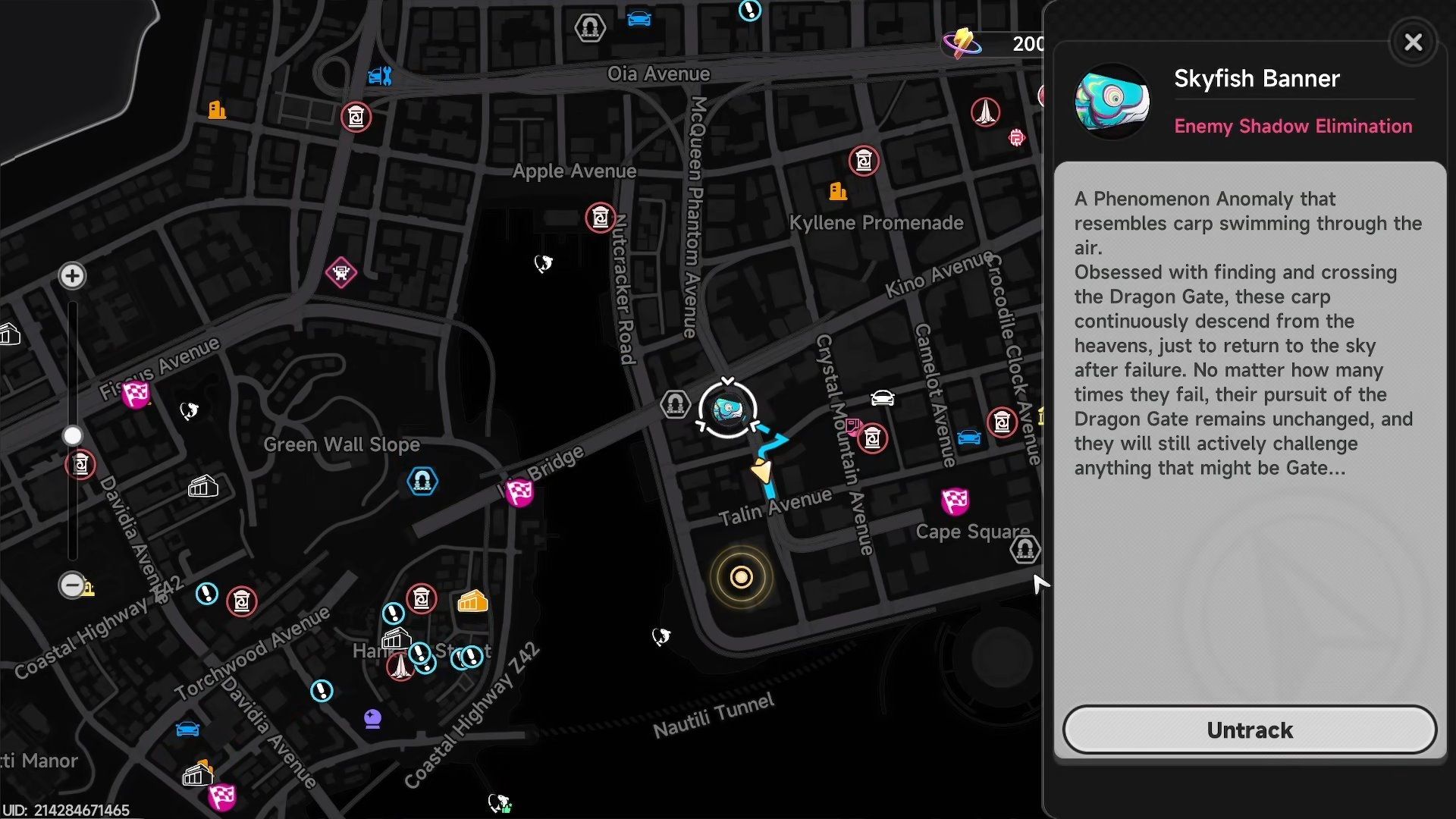
The game will immediately open to the map, with the Skyfish Banner already highlighted as your current objective. Just follow the on-screen marker to find it.
You’ll most likely find the Skyfish Banner on the roofs of tall buildings. Be prepared to do some climbing if you’re trying to locate it.
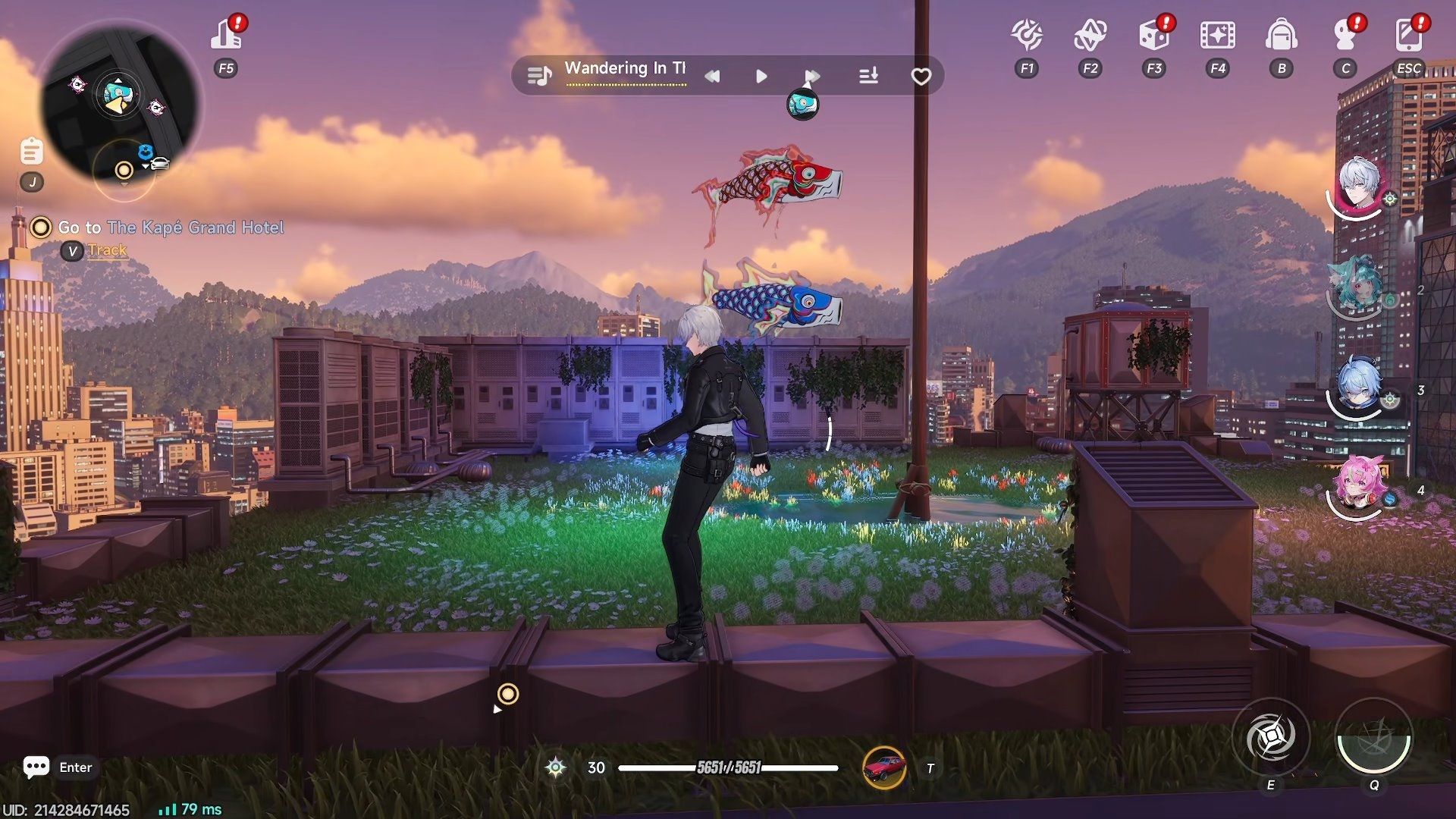
Once you’re near, do not approach the Skyfish Banner but open your phone instead.
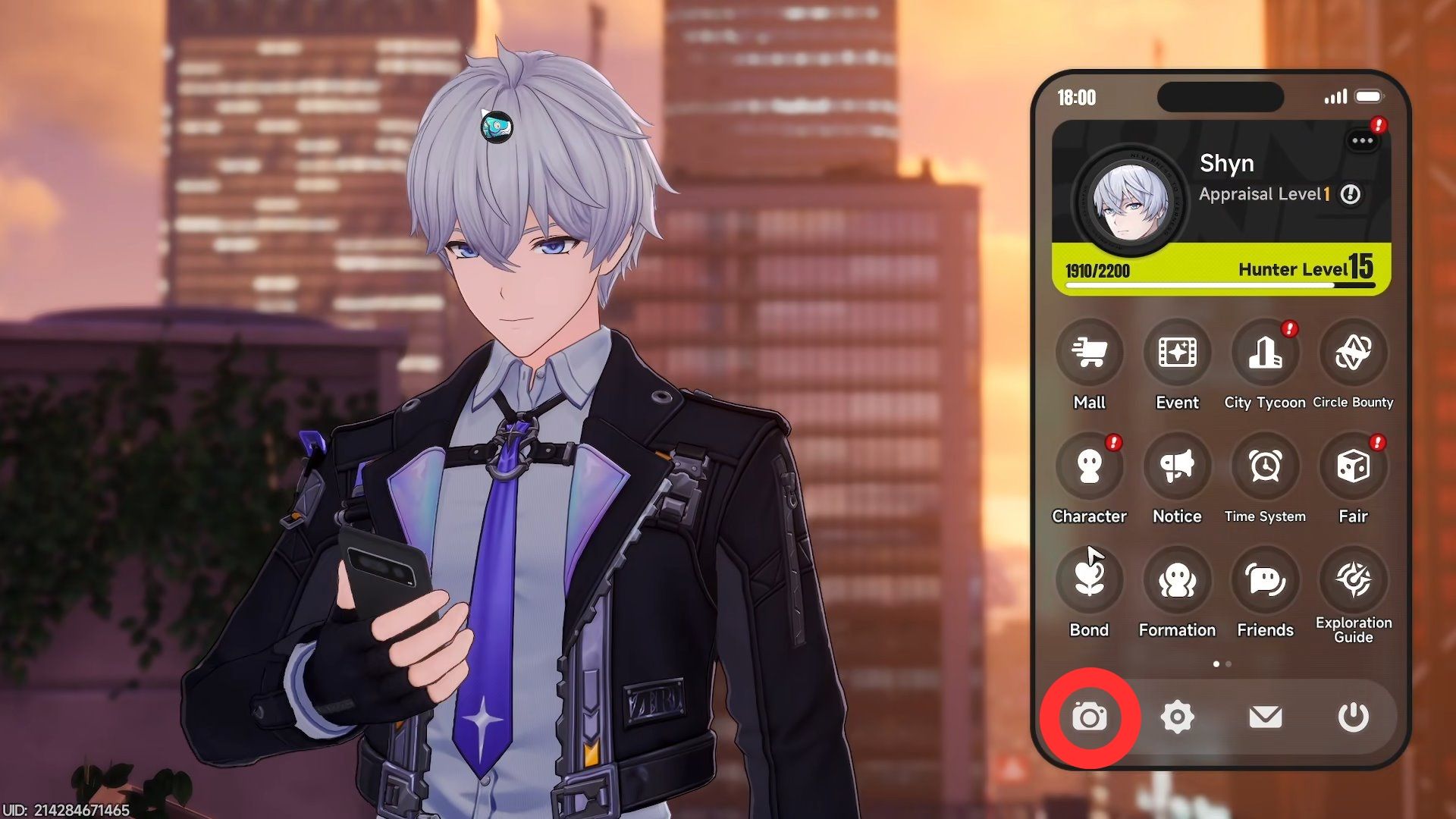
Click on the camera from the icon in the bottom row to turn on photo mode.
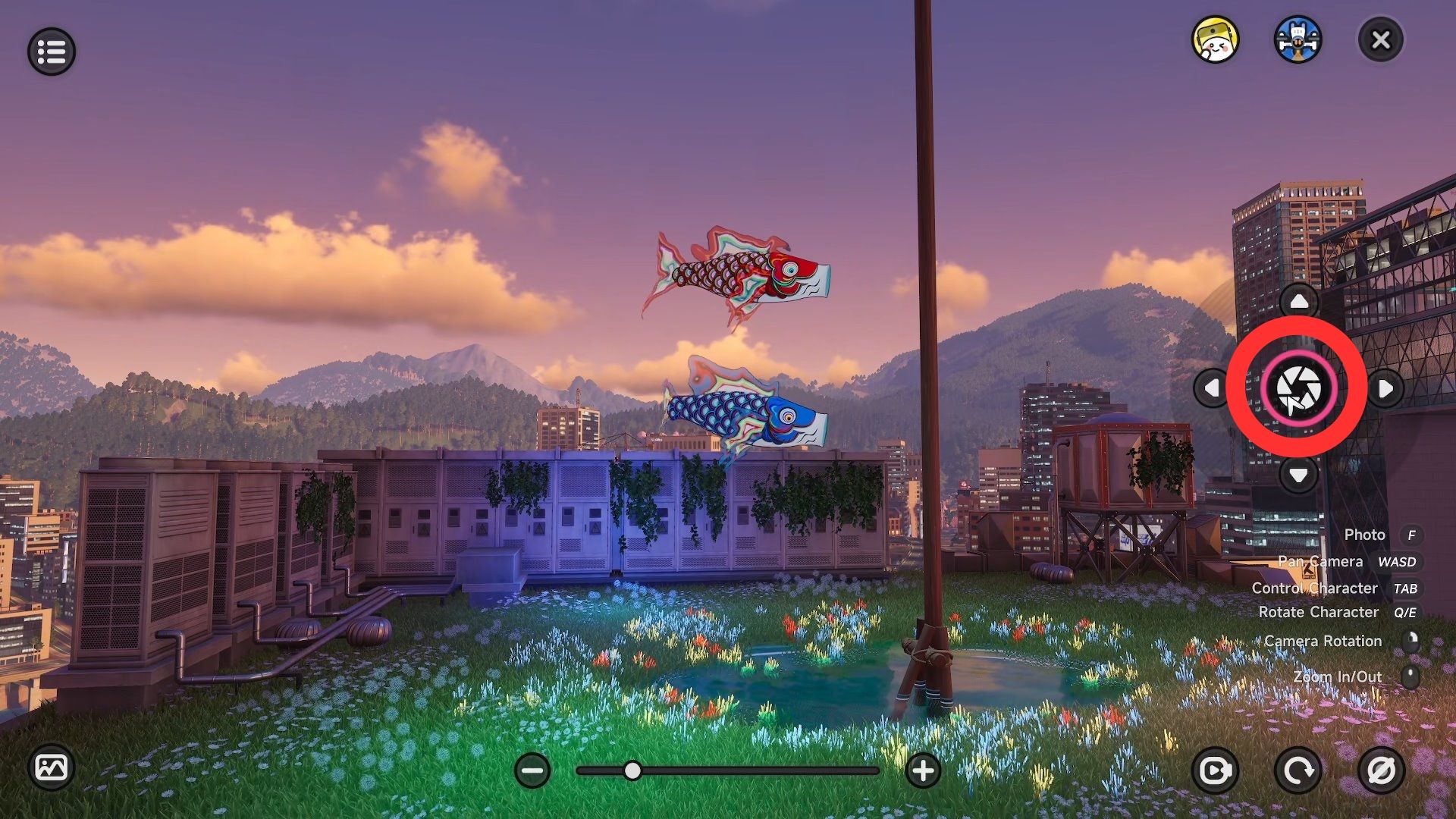
Turn the camera towards the Skyfish Banner, then tap the shutter icon – it’s the one that looks like a circle with a line in it – to take a picture.
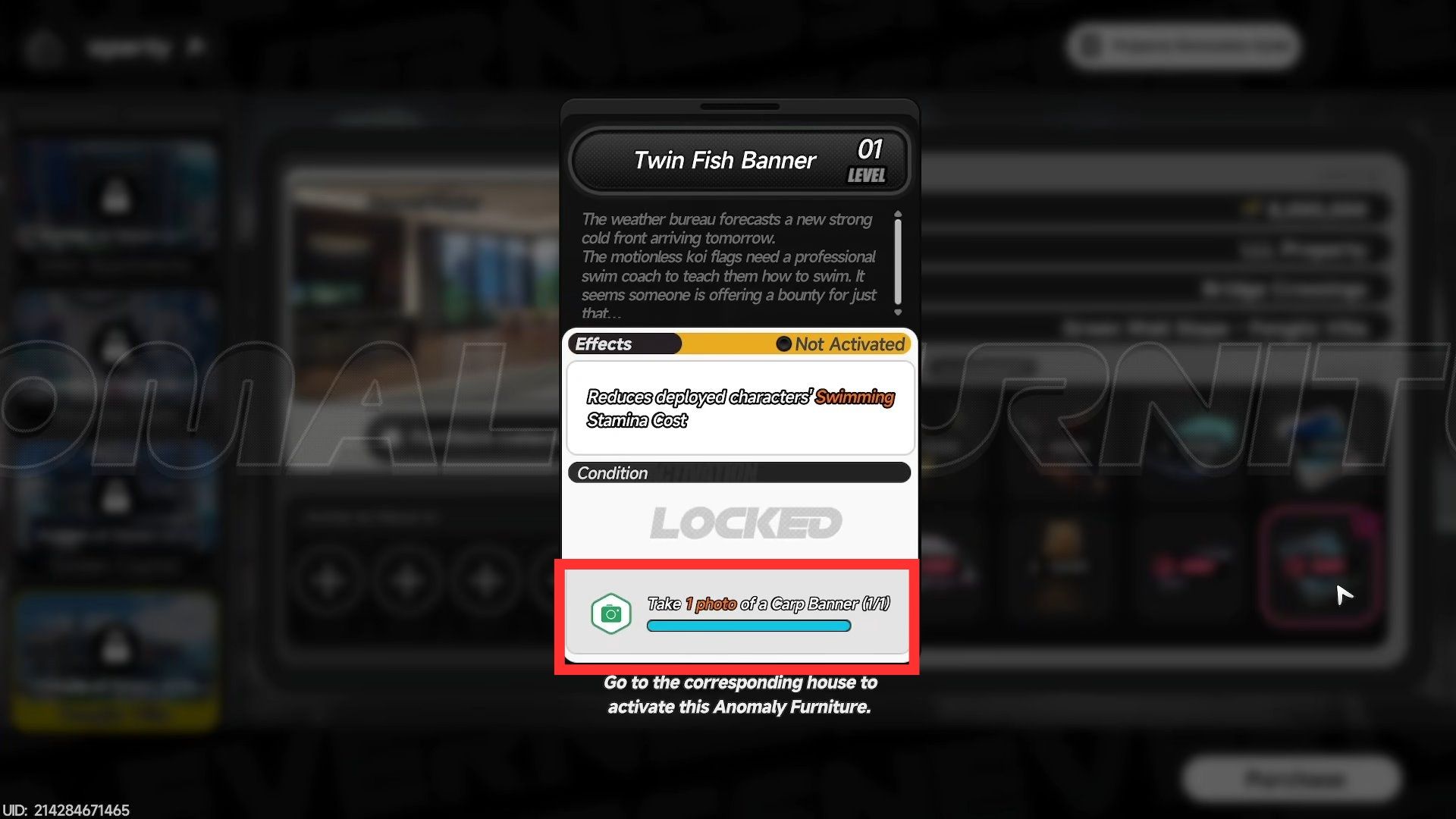
Once you’ve taken the photo, return to the Fenglin Villa listing in the City Tycoon menu and check the Twin Fish Banner. If it shows “Take 1 photo of a carp banner (1/1),” your photo was accepted. Otherwise, you’ll need to try taking a clearer or better picture.
Having trouble clearly capturing the Skyfish Banner anomaly? Try turning on the “Hide Yourself” option in photo mode. You can find this setting under Camera Settings – look for the icon in the top left corner.
After you’ve unlocked the Twin Fish Banner, you need to go to Fenglin Villa and click on the Skyfish photo frame inside the house. This will activate the special furniture.
Read More
- Forza Horizon 6: Find the Ohtani Treasure Chest Location
- NTE Drift Guide (& Best Car Mods for Drifting)
- Diablo 4 Best Loot Filter Codes
- Boruto: Ikemoto Has Already Hinted At Sasuke’s New Eye After Return
- LEGO Batman Legacy of the Dark Knight Batcave Minikits & WayneTech Caches
- USD RUB PREDICTION
- Where to Find Prescription in Where Winds Meet (Raw Leaf Porridge Quest)
- Conduit Crystal Location In Subnautica 2
- GBP CNY PREDICTION
- Top 10 Must-Watch Isekai Anime on Crunchyroll Revealed!
2026-05-05 12:34