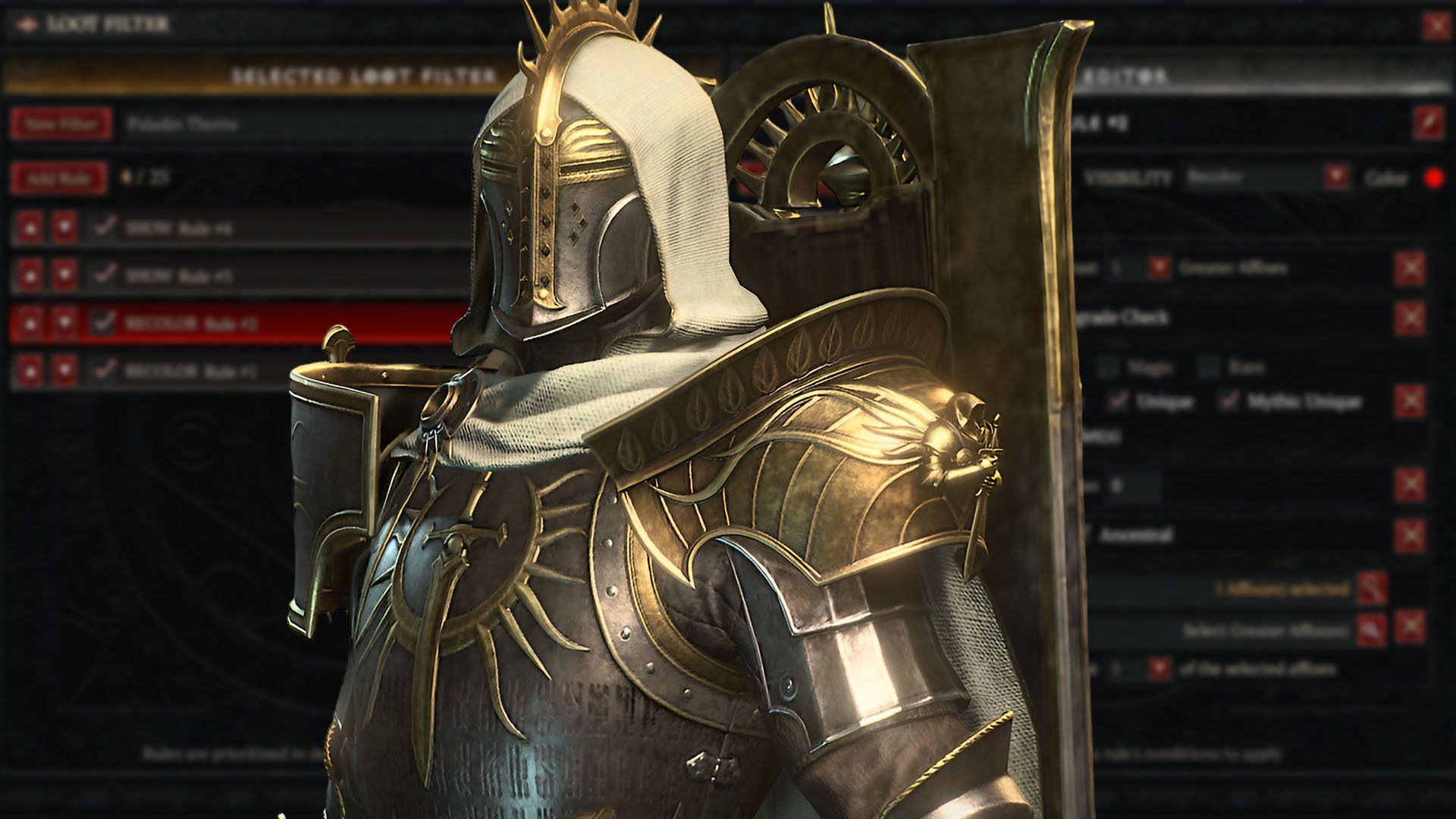
Creating the ideal loot filter in Diablo 4 can be tricky and take a long time. Luckily, you can save yourself the hassle by using filters created by other players. This eliminates a lot of frustration, and if you’d rather not build one yourself, we’ve gathered a collection of Diablo 4 loot filters – including one from us and others – to help you quickly organize your gear while playing.
Best Diablo 4 Loot Filters
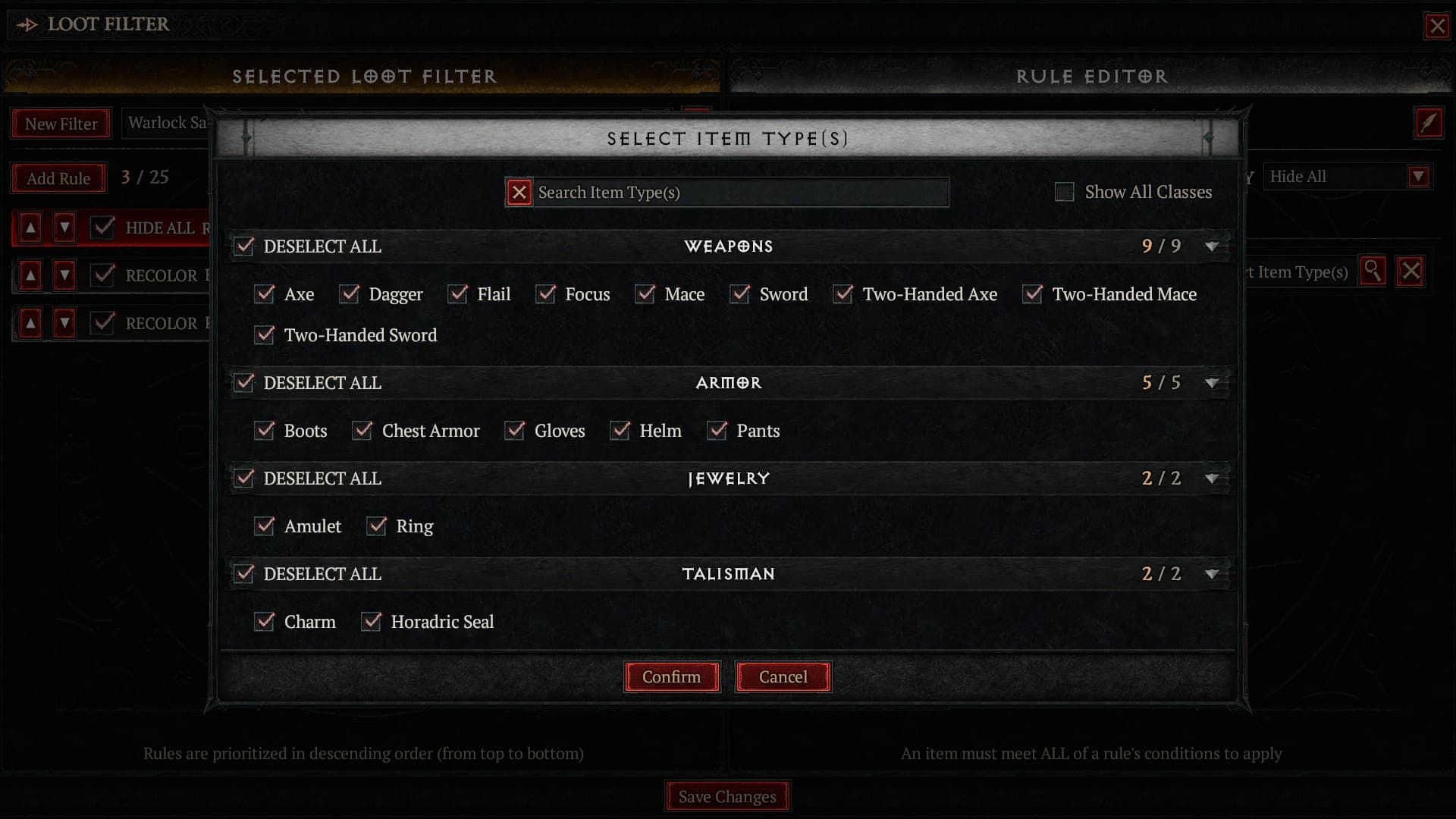
Finding the perfect loot filter can be tricky, since different character builds need different types of items. However, you can set up filters to highlight the most useful items as you level up or improve your gear. If you’re frustrated with constantly adjusting your filter, here are some ready-to-use options.
How to Import Loot Filters in Diablo 4
- Copy Filter Code
- Go to the in-game Loot Filter menu
- Select New Filter on the top-left
- Press the Import Code button
TopMob Universal Diablo 4 Loot Filter
- Code: Ch4KDU5vbiBBbmNlc3RyYWwQAx0AAP//IgQIAiABKAAKJAoTQ29tbW9uLCBNYWdpYywgUmFyZRADHQAA//8iBAgBIAcoAApaChJEYW1hZ2UgTXVsdGlwbGllcnMQAh0AAP//IjsIBhX5CicAFdAKJwAVzuobABX9CicAFf8KJwAVgPwbABX7CicAFfUKJwAV9wonABXU6hsAFdLqGwAgASgBCicKDERvVCAmIFRob3JucxACHfBWUf8iDggGFSLrGwAV1uobACABKAEKTQoQQmVzdCBBcm1vciBTdGF0cxAAHQAA//8iGwgFFW7RBgAVb9EGABVx0QYAFW3RBgAVcNEGACITCAYVOP0bABXY6hsAFbLqGwAgAigBCl8KE05pY2hlIFV0aWxpdHkgU3RhdHMQAx0AAP//IiIIBhUiayYAFdzqGwAVHmsmABW26hsAFeLqGwAVv/wbACABIhsIBRVu0QYAFW/RBgAVcdEGABVt0QYAFXDRBgAoAAoVCgJHQRAAHQAA//8iBggEIAEwASgBCh4KDUNvZGV4IFVwZ3JhZGUQAB0AAP//IgQIAzABKAEKGAoHVW5pcXVlcxAAHQAA//8iBAgBIHAoAQotCg5CbHVlIFRhbGlzbWFucxADHQAA//8iDAgFFQXtIgAVgH4jACIECAEgAigBCmkKD0V2ZXJ5dGhpbmcgRWxzZRADHQAA//8iTQgFFUTRBgAVbtEGABVd0QYAFVLRBgAVcNEGABVM0QYAFXTRBgAVT9EGABU60QYAFW/RBgAVddEGABVx0QYAFZhKIwAVUdEGABVt0QYAKAESE0dSIFVuaXZlcnNhbCBGaWx0ZXIYCCAB
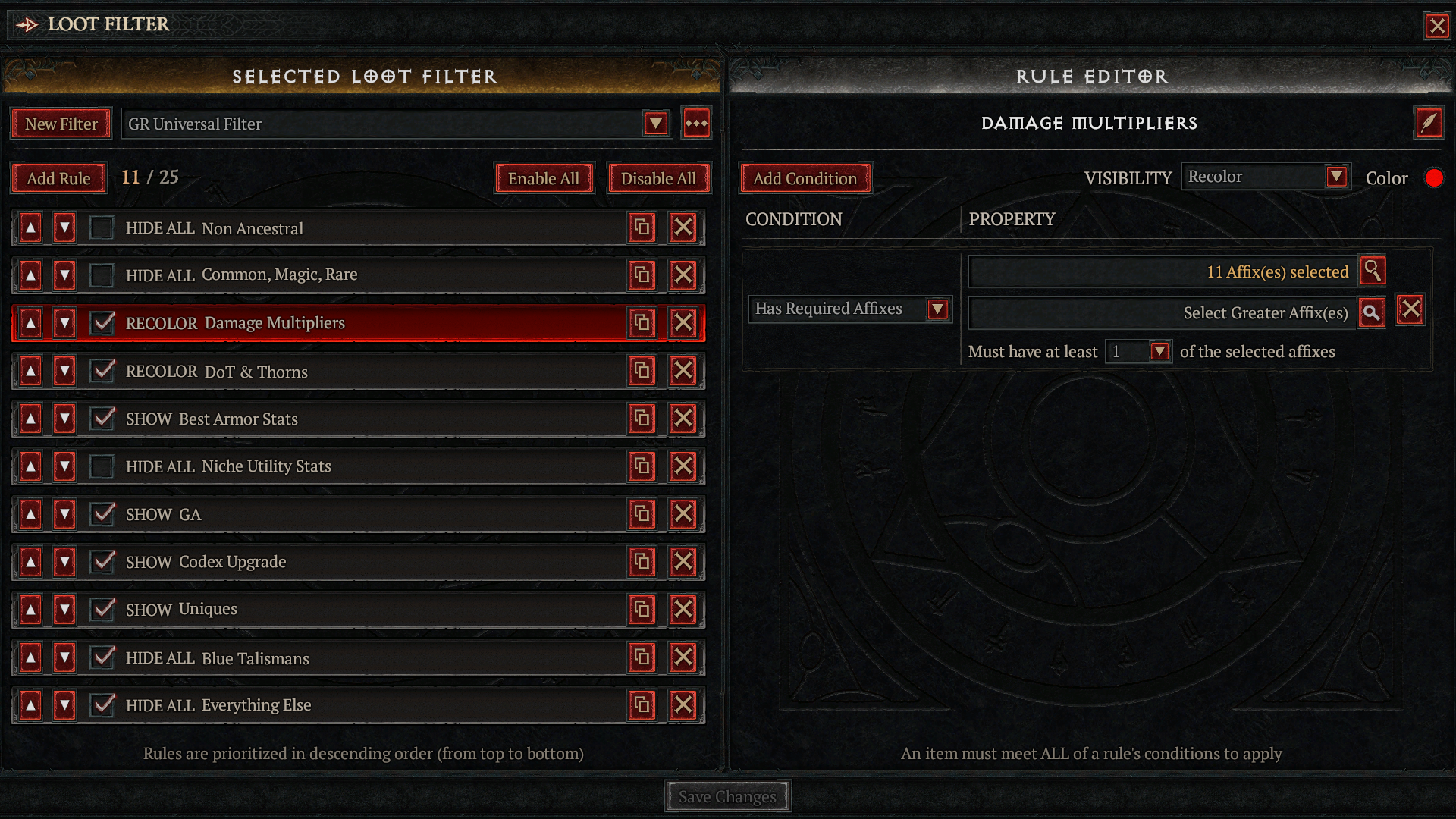
I created a loot filter that works for any character, but it’s best suited for players aiming to equip gear for Torment 7 difficulty. Here are some of its key features:
- Recolors items with damage multipliers to red.
- Recolors items with Thorns and DoT stats to blue.
- Shows all Uniques
- Shows all Charms and Seals (except Magic-rarity ones)
- Shows Armor with at least two best-in-slot stats:
- Maximum Life
- Armor
- All Resistances
- Shows items with at least 1 Greater Affix
- Shows Legendaries with Codex Upgrades
- Hides everything else
- Optional Hide toggles for Common, Magic, and Rare items as well as Non-Ancestral items
This loot filter is designed to make it easier to spot important items as they drop. While you’ll still see plenty of items, the filter highlights those with the stats you’re looking for. It’s especially helpful for characters who are still building their gear for challenging content like Torment 7 and beyond. If you want an even cleaner screen, you can enable the two optional ‘Hide’ settings at the top of the filter’s settings.
Crit Filter
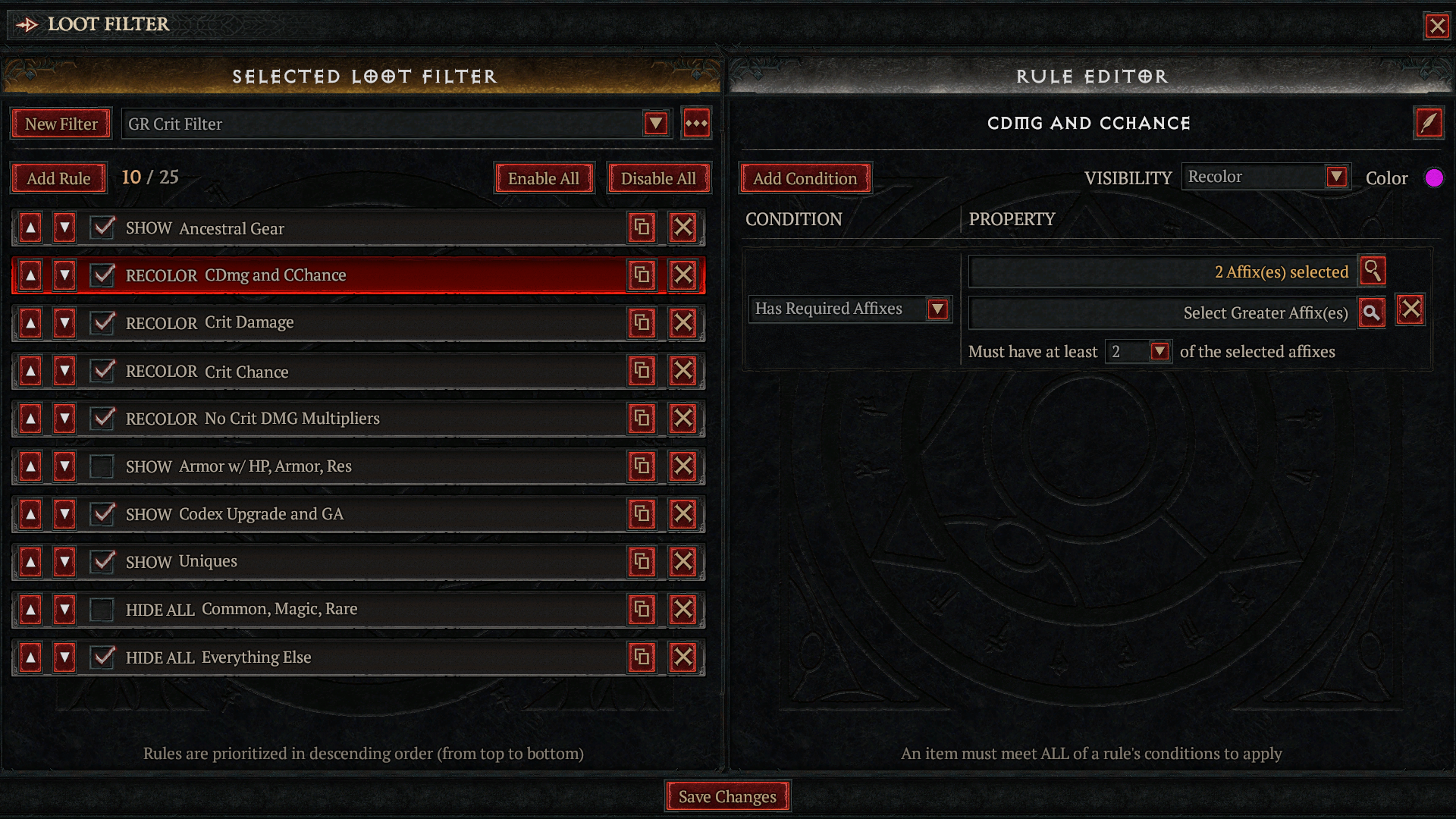
We’ve added a more detailed loot filter designed to help players find gear with critical hit stats and rare Ancestral-tier items. It hides a lot more items than the standard filter, and is best for players who are further along in the game and want to maximize their Critical Strike Chance and Damage. This filter is based on our Universal Filter, but it works well for any class, especially if you’re playing a build that relies on critical hits, such as a Dread Claws Warlock.
- Code: CisKEENEbWcgYW5kIENDaGFuY2UQAh3oItj/Ig4IBhXO6hsAFdLqGwAgAigBCiEKC0NyaXQgRGFtYWdlEAId6Doi/yIJCAYV0uobACABKAEKIQoLQ3JpdCBDaGFuY2UQAh0AAP//IgkIBhXO6hsAIAEoAQpQChdObyBDcml0IERNRyBNdWx0aXBsaWVycxACHdToIv8iLAgGFYD8GwAV0AonABX5CicAFfUKJwAV+wonABX3CicAFf8KJwAV/QonACABKAEKNwoXQXJtb3Igdy8gSFAsIEFybW9yLCBSZXMQAB0AAP//IhMIBhU4/RsAFdjqGwAVsuobACADKAEKLQoUQ29kZXggVXBncmFkZSBhbmQgR0EQAB0AAP//IgYIBCABMAEiBAgDMAEoAQoYCgdVbmlxdWVzEAAdAAD//yIECAEgcCgBCiQKE0NvbW1vbiwgTWFnaWMsIFJhcmUQAx0AAP//IgQIASAHKAAKaQoPRXZlcnl0aGluZyBFbHNlEAMdAAD//yJNCAUVRNEGABVu0QYAFV3RBgAVUtEGABVw0QYAFUzRBgAVdNEGABVP0QYAFTrRBgAVb9EGABV10QYAFXHRBgAVmEojABVR0QYAFW3RBgAoARIOR1IgQ3JpdCBGaWx0ZXIYBCAE
Wudijo’s Endgame Filter
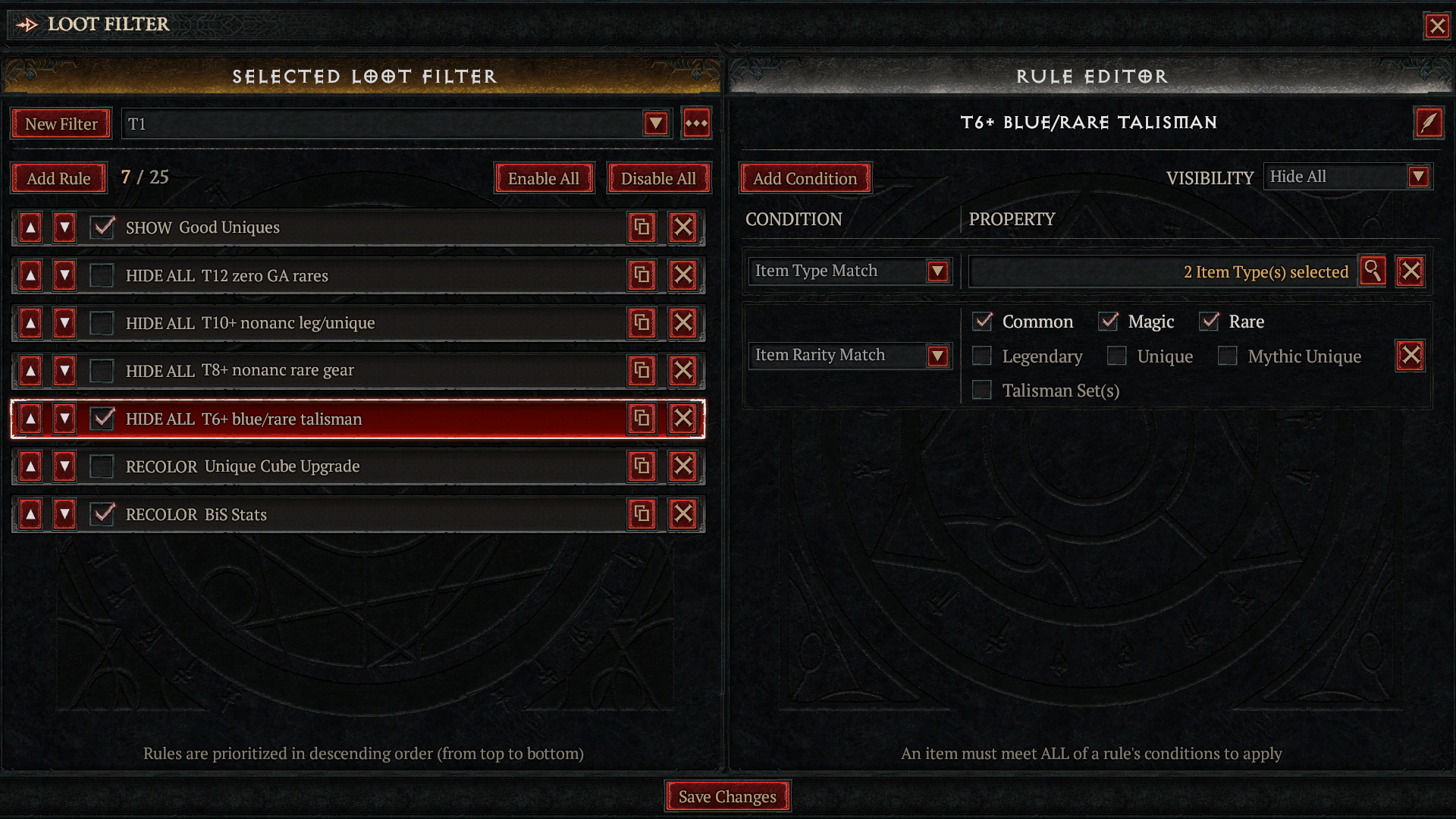
As a big fan of Diablo 4 and Wudijo’s content, I’ve been using his loot filter and it’s a game-changer! Basically, it hides all the junk that clutters your screen as you get better at the game. The higher you go in Torment levels, the more stuff becomes useless, and this filter automatically hides it. You just need to check the boxes for each rule within the filter itself to tell it what to hide. Once you do that, you only see loot that could actually improve your character – it makes things so much cleaner and faster!
- Code: CkgKDEdvb2QgVW5pcXVlcxAAHQAA//8iLwgIFdjlJgAV2uUmABXq5SYAFdbuEwAVrOUmABWy5SYAFXvLFwAVQqsdABXc0hcAKAEKfAoRVDEyIHplcm8gR0EgcmFyZXMQAx0AAP//IlIIBRVu0QYAFUTRBgAVUtEGABVq0QYAFXDRBgAVTNEGABV00QYAFU/RBgAVWdEGABU60QYAFW/RBgAVcdEGABV10QYAFVHRBgAVmEojABVt0QYAIgQIBCABIgQIASAHKAAKggEKFlQxMCsgbm9uYW5jIGxlZy91bmlxdWUQAx0AAP//IlIIBRVu0QYAFUTRBgAVatEGABVS0QYAFXDRBgAVTNEGABV00QYAFU/RBgAVOtEGABVZ0QYAFW/RBgAVcdEGABV10QYAFZhKIwAVUdEGABVt0QYAIgQIASAYIgUIACjSBigACoABChRUOCsgbm9uYW5jIHJhcmUgZ2VhchADHQAA//8iUggFFW7RBgAVRNEGABVq0QYAFVLRBgAVcNEGABVM0QYAFXTRBgAVT9EGABU60QYAFVnRBgAVb9EGABVx0QYAFXXRBgAVmEojABVR0QYAFW3RBgAiBAgBIAciBQgAKNIGKAAKNQoWVDYrIGJsdWUvcmFyZSB0YWxpc21hbhADHQAA//8iDAgFFQXtIgAVgH4jACIECAEgBygACjcKE1VuaXF1ZSBDdWJlIFVwZ3JhZGUQAh2Li/f/IggIACCEByiEByIECAEgAyIHCAUVT9EGACgACjMKCUJpUyBTdGF0cxACHejXIv8iHQgGFYD8GwAVOP0bABXU6hsAFfcKJwAV0uobACABKAESAlQxGAEgAQ==
Read More
- Change Your Perspective Anomaly Commission Guide In NTE (Neverness to Everness)
- All Nameless Hospital Endings Full Guide In NTE
- Lonely Player Anomaly Commission Guide In NTE (Wandering Puppet Locations)
- Robinhood’s $75M OpenAI Bet: Retail Access or Legal Minefield?
- Midas Tower ReroRero Phone Booth Location in NTE
- Beware! Phishing Emails Are Deceiving Robinhood Users in a Sneaky Plot!
- How to Get the Wunderbarrage in Totenreich (BO7 Zombies)
- NTE Banners (Current, Next, And Upcoming Banners)
- All Skyblazer Armor Locations in Crimson Desert
- How To Get Day Off Arc (Free S-Rank Arc) In NTE
2026-05-07 18:36