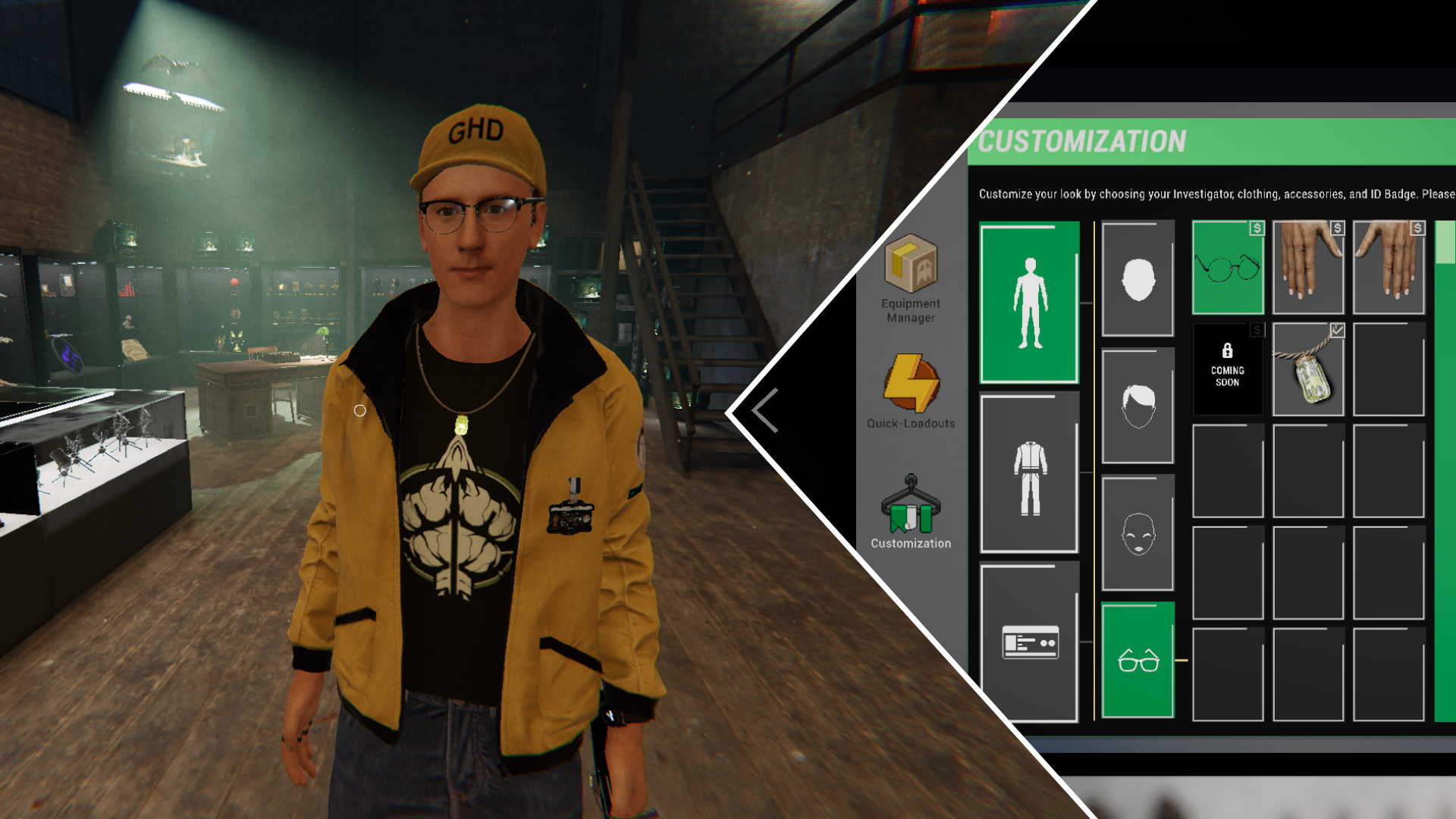
Players have been requesting more character customization options in Phasmophobia for a while – after all, who wouldn’t want their investigator to look good while hunting ghosts? The recent Player Character Update (0.17.0.0) finally delivers! You can now personalize your investigator’s appearance, and unlock even more clothing and accessories through events and challenges.
Understanding character customization in Phasmophobia can be a little confusing. Here’s a guide to help you create the perfect ghost hunter, from start to finish.
When Was Character Customization Added in Phasmophobia?
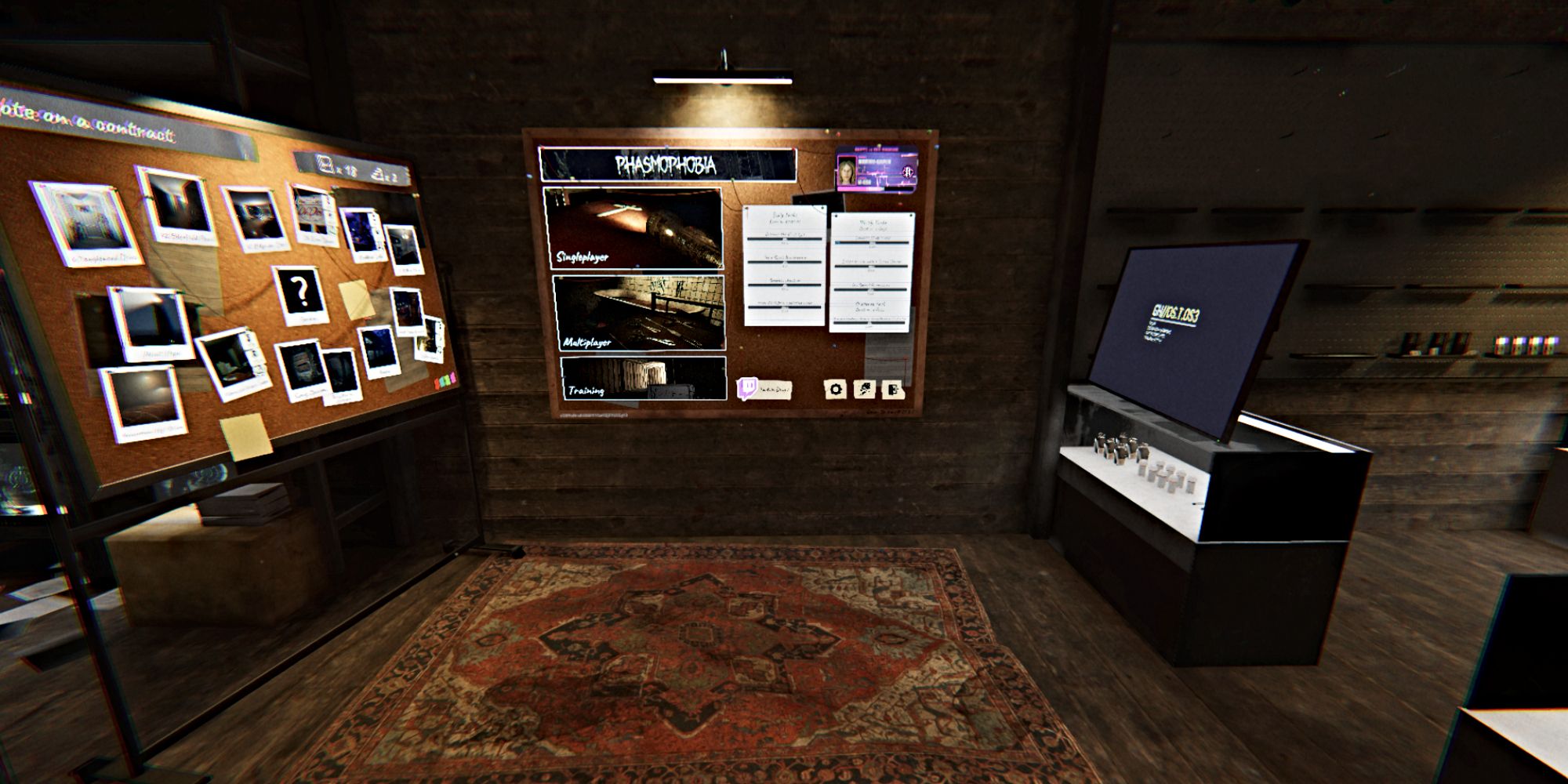
For the past couple of years, Kinetic Games has been planning to add character customization to Phasmophobia, and it officially launched on May 5, 2026, with the Player Character Update (version 0.17.0.0).
The recent update initially caused several problems that made parts of the game nearly unplayable for many players. However, developers quickly released a series of fixes over the following days to resolve these bugs and glitches, including issues with the character customization options.
How to Access Character Customization Menu in Phasmophobia
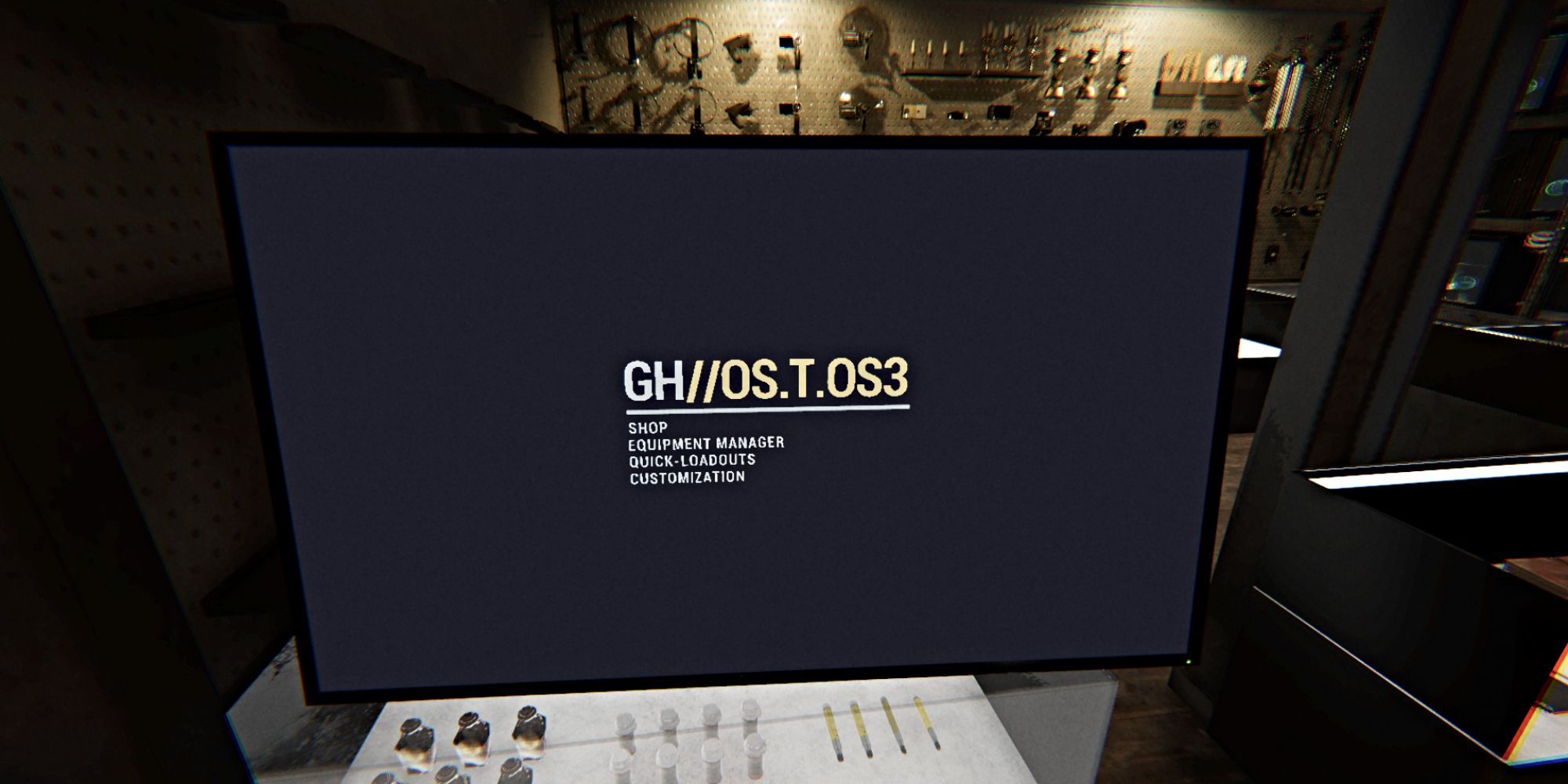
To change your character’s appearance in Phasmophobia, first join the main lobby. Then, look at the screen to the right of the bulletin board – it’s where you normally set up your equipment. You’ll find a new ‘Customization’ option at the bottom of the menu on the left, under ‘Quick-Loadouts’.
Choose this option to open the Customization menu, where you can personalize your paranormal investigator’s appearance and clothing. You’ll also find the ID Card customization options here now, instead of on the bulletin board.
All Character Customization Options in Phasmophobia
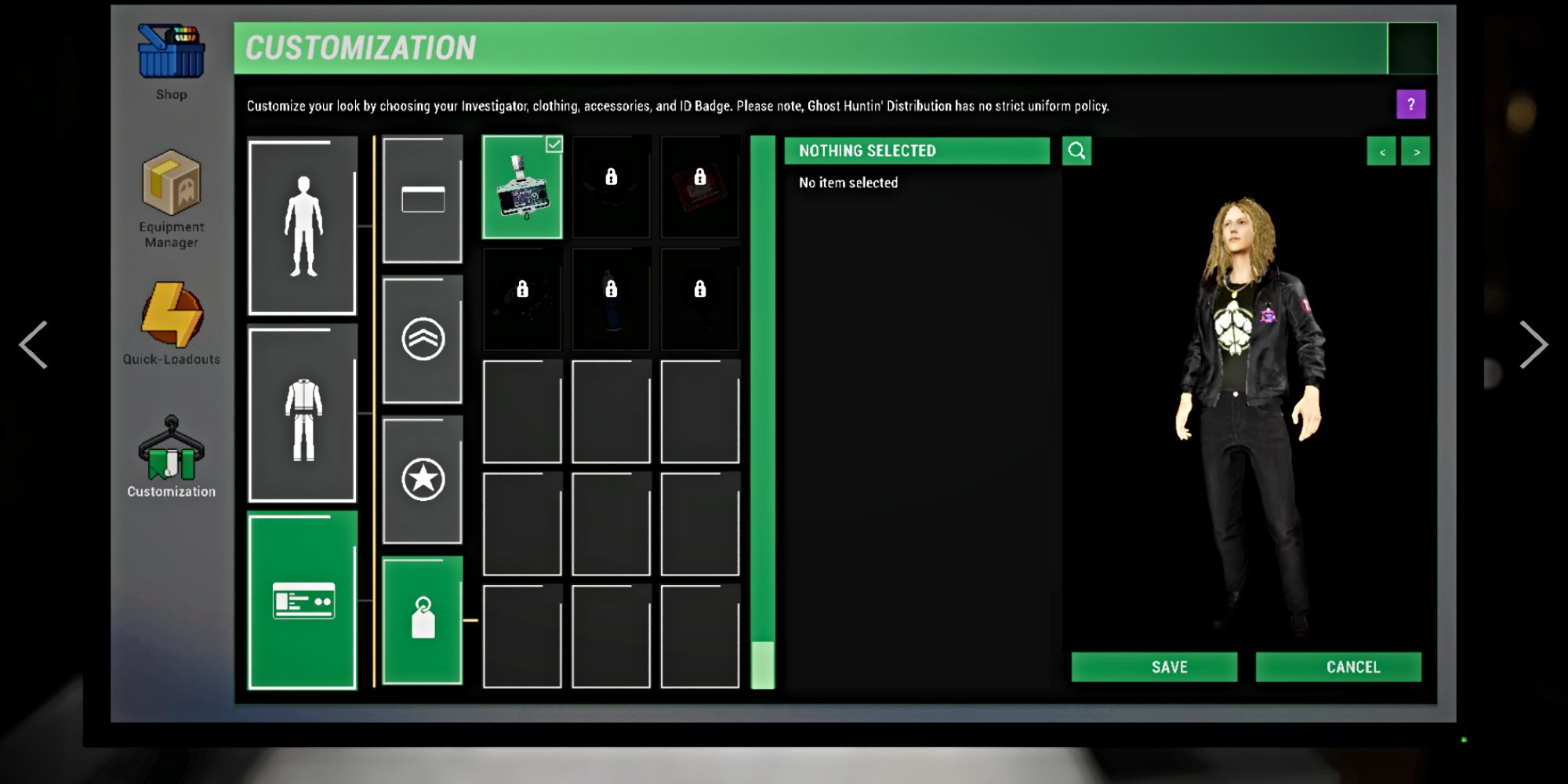
Phasmophobia’s Character Customization menu already offers a good range of choices for players, and it will continue to be improved with future updates.
You can now personalize your character’s look using the game’s diverse cast of characters, each with a unique backstory revealed when you choose them. Beyond selecting a character, you can also fine-tune their appearance with options like hairstyles, piercings, glasses, and hair color.
Players can also customize their character’s clothing, including jackets and pants. Each clothing category starts with a few basic styles, and you can unlock more distinctive looks by spending the money you earn from completing investigation contracts – just like buying equipment upgrades.
As you progress and earn rewards like prestige ranks and achievements, you’ll unlock even more customization options, including graphic tees featuring designs from in-game ID cards and badges. Special events and collaborations, like the one with Alan Wake, also offer clothing items you can keep and use forever once you’ve earned them.
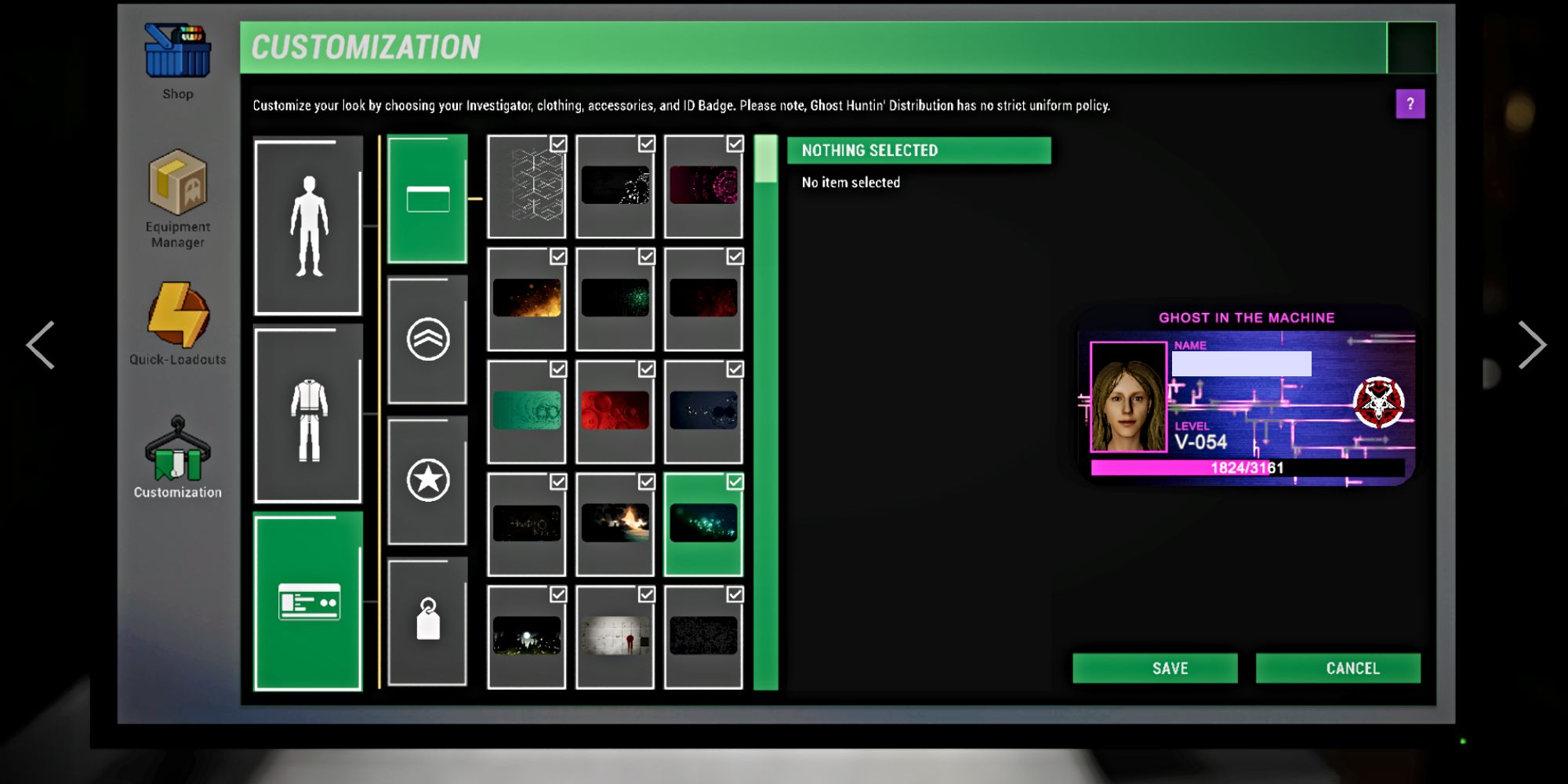
You can also display your customized ID card on your character’s jacket, and add charms to it! You’ll find this option in the ID card and badge customization menu, look for the button with the tag icon at the bottom.
I’ve been playing Phasmophobia a lot, and with all the updates and fixes they’re releasing, I’ve noticed something kinda weird. Sometimes when I log in, my character’s outfit or even their ID card looks different than I left it! So, just a heads-up – it’s always a good idea to quickly check how your ghost hunter looks each time you start a new investigation, just in case things have reset.
Read More
- Re:Zero Season 4, Episode 6 Release Date & Time
- NTE Drift Guide (& Best Car Mods for Drifting)
- How to Get the Wunderbarrage in Totenreich (BO7 Zombies)
- How to Beat Turbines in ARC Raiders
- Diablo 4 Best Loot Filter Codes
- Change Your Perspective Anomaly Commission Guide In NTE (Neverness to Everness)
- Top 8 UFC 5 Perks Every Fighter Should Use
- Brent Oil Forecast
- Alan Wake Event in Phasmophobia, Explained
- How to Get Necrolei Cyst & Strong Acid in Subnautica 2
2026-05-15 03:09